I want to make 3D animation with matplotlib, but I don’t know how to. Here is my non-working code.
from matplotlib import pyplot as plt
import numpy as np
from mpl_toolkits.mplot3d import Axes3D
from matplotlib import animation
from math import *

fig = plt.figure()
ax = fig.add_subplot(111) #, projection='3d'

#setting
ax.set_xlim(-5,5)
ax.set_ylim(-5,5)
#ax.set_zlim(-5,5)
ax.set_xlabel('x')
ax.set_ylabel('y')
#ax.set_zlabel('z')
ax.grid()

f1, = ax.plot([], [], "r-", lw=1) #plot1

def gen():
    for phi in np.linspace(0,2*pi,100):
        yield np.cos(phi), np.sin(phi), phi

def update(data):
    p1, q1, psi = data
    f1.set_data(p1,q1)
    #f1.set_3d_properties(psi)

ani = animation.FuncAnimation(fig, update, gen, blit=False, interval=100, repeat=True)
#ani.save('matplot003.gif', writer='imagemagick')
plt.show()
Answers:
Thank you for visiting the Q&A section on Magenaut. Please note that all the answers may not help you solve the issue immediately. So please treat them as advisements. If you found the post helpful (or not), leave a comment & I’ll get back to you as soon as possible.
Method 1
I used this example http://matplotlib.org/1.4.1/examples/animation/simple_3danim.html
and modified your code:
from matplotlib import pyplot as plt
import numpy as np
from mpl_toolkits.mplot3d import Axes3D
from matplotlib import animation

fig = plt.figure()
ax = fig.add_subplot(projection='3d')

def gen(n):
    phi = 0
    while phi < 2*np.pi:
        yield np.array([np.cos(phi), np.sin(phi), phi])
        phi += 2*np.pi/n

def update(num, data, line):
    line.set_data(data[:2, :num])
    line.set_3d_properties(data[2, :num])

N = 100
data = np.array(list(gen(N))).T
line, = ax.plot(data[0, 0:1], data[1, 0:1], data[2, 0:1])

# Setting the axes properties
ax.set_xlim3d([-1.0, 1.0])
ax.set_xlabel('X')

ax.set_ylim3d([-1.0, 1.0])
ax.set_ylabel('Y')

ax.set_zlim3d([0.0, 10.0])
ax.set_zlabel('Z')

ani = animation.FuncAnimation(fig, update, N, fargs=(data, line), interval=10000/N, blit=False)
#ani.save('matplot003.gif', writer='imagemagick')
plt.show()
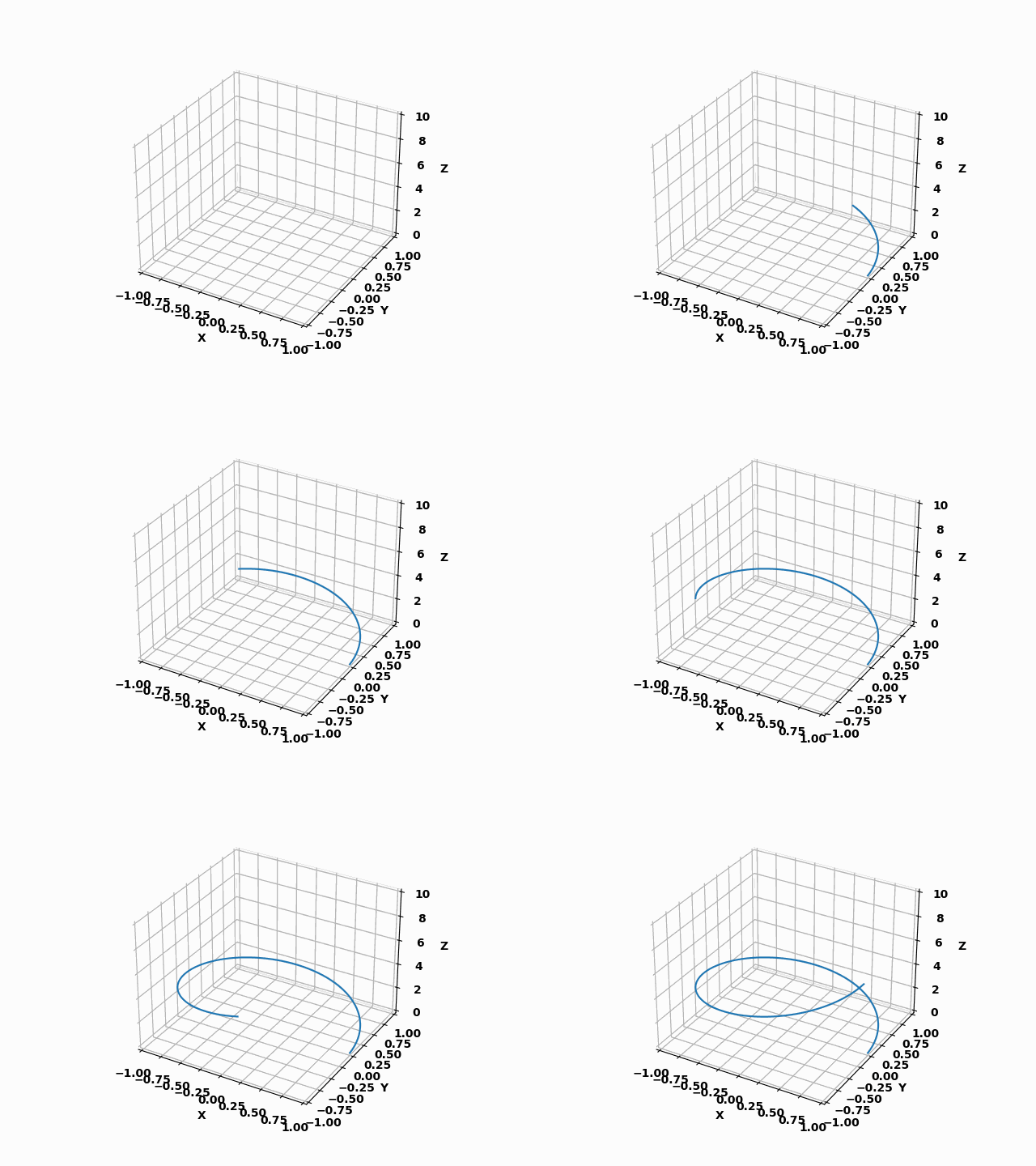
Method 2
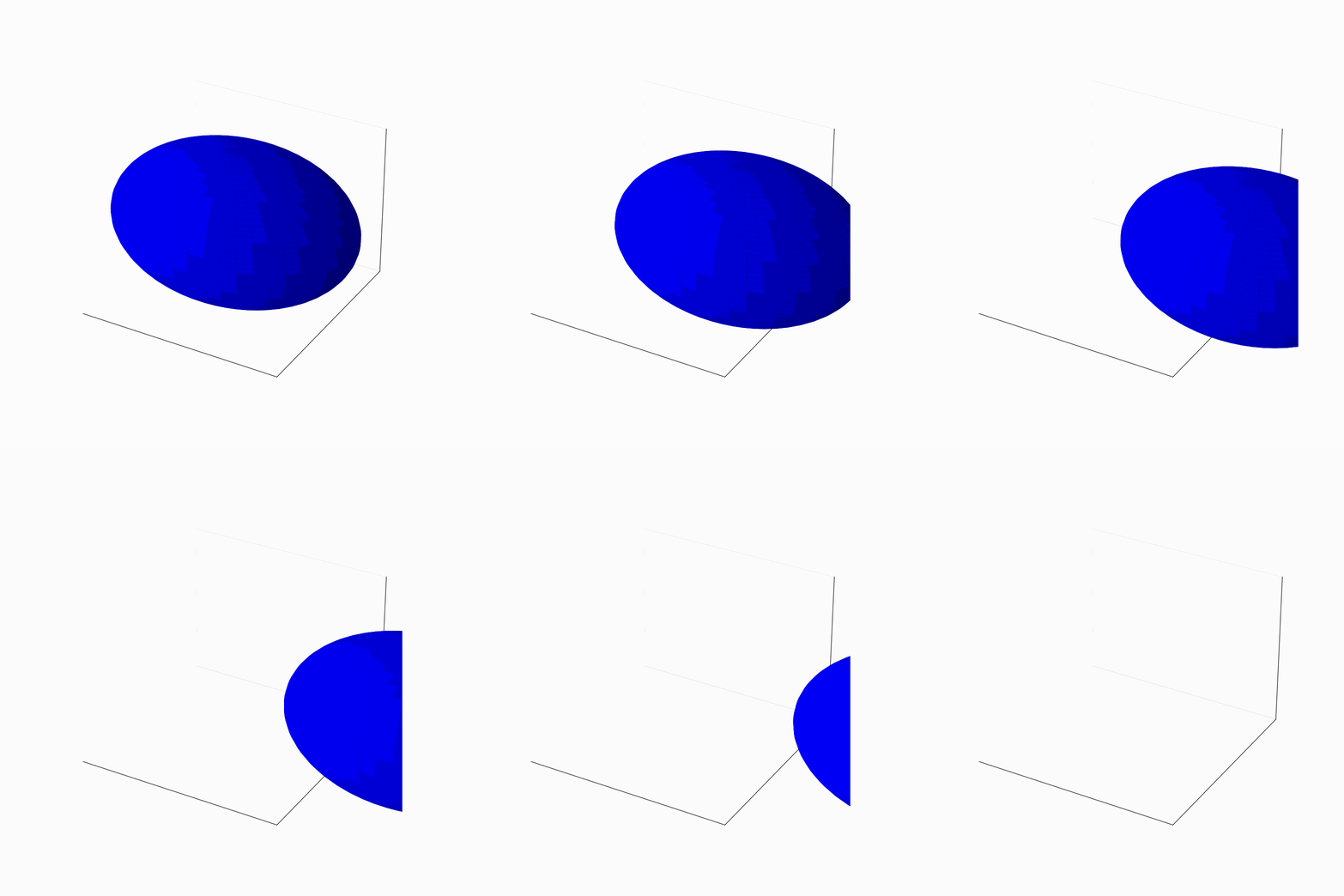
Here is the following code for a sphere moving to the right and off the screen.
You will have to run this code in a folder for tidiness, as it generates 26 .png images (and a .gif image):
import matplotlib.pyplot as plt
from mpl_toolkits.mplot3d import axes3d
from numpy import sin, cos, pi, outer, ones, size, linspace

# Define x, y, z lists for sphere
a = linspace(0, 2 * pi)
b = linspace(0, pi)
x = 10 * outer(cos(a), sin(b))
y = 10 * outer(sin(a), sin(b))
z = 10 * outer(ones(size(a)), cos(b))

# The amount of frames in the animation
frames = 26

# Generate each frame
for n in range(frames):
    fig = plt.figure(figsize=(10, 10))
    ax = fig.add_subplot(111, projection='3d')
    ax.plot_surface(x, y, z, color=('b'))
    ax.set_xticks([])
    ax.set_yticks([])
    ax.set_zticks([])
    ax.set_xlim(-8,8)
    ax.set_xlim(-8,8)
    ax.set_xlim(-8,8)
    plt.savefig(f"{n}.png")
    plt.close()

    # Add 1 to the x so the sphere moves right by 1
    x += 1

# Use pillow to save all frames as an animation in a gif file
from PIL import Image

images = [Image.open(f"{n}.png") for n in range(frames)]

images[0].save('ball.gif', save_all=True, append_images=images[1:], duration=100, loop=0)
Output:
All methods was sourced from stackoverflow.com or stackexchange.com, is licensed under cc by-sa 2.5, cc by-sa 3.0 and cc by-sa 4.0