I have an image with a transparent background. When I blit the image on to the background of my game the transparent background appears on the screen (see image below)
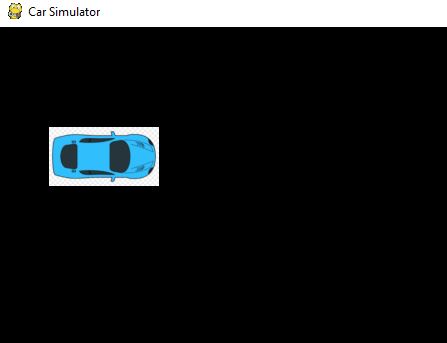
here is my code:
import sys
import pygame

def runGame():
    """ Function for running pygame """

    pygame.init()
    screen = pygame.display.set_mode((1200, 800))
    pygame.display.set_caption("Car Simulator")
    image = pygame.image.load('./car1.bmp').convert()

    bg_color = (230,230,230)

    # Start main loop for the game
    while True:

        for event in pygame.event.get():
            if event.type == pygame.QUIT:
                sys.exit()


        screen.blit(image, (50,100))

        pygame.display.flip()


runGame()
At first I thought it was because I was not using the convert() method. However I’m still having the same issue. Any ideas on how I can get the background of the image to match the background of the screen. Any help would be appreciated. Thank you.
Answers:
Thank you for visiting the Q&A section on Magenaut. Please note that all the answers may not help you solve the issue immediately. So please treat them as advisements. If you found the post helpful (or not), leave a comment & I’ll get back to you as soon as possible.
Method 1
If the background has a uniform color, then you can set the transparent colorkey by pygame.Surface.set_colorkey. For instance if the background is the white (255, 255, 255):
image = pygame.image.load('./car1.bmp').convert()
image.set_colorkey((255, 255, 255))
Anyway that won’t solve the issue if the background has multiple colors.
I recommend to use an image format which supports per pixel alpha. For instance PNG (Portable Network Graphics):
image = pygame.image.load('./car1.png').convert_alpha()
See also How can I make an Image with a transparent Backround in Pygame?
All methods was sourced from stackoverflow.com or stackexchange.com, is licensed under cc by-sa 2.5, cc by-sa 3.0 and cc by-sa 4.0