I have this code. I want to add a subplot to draw the cosine function. (I do not want to create a class). The second plot should be dynamically updated as well
import numpy as np
import matplotlib.pyplot as plt
import matplotlib.animation as animation

def data_gen():
    t = data_gen.t
    cnt = 0
    while cnt < 1000:
        cnt+=1
        t += 0.05
        yield t, np.sin(2*np.pi*t) * np.exp(-t/10.)
data_gen.t = 0

fig, ax = plt.subplots()
line, = ax.plot([], [], lw=2)
ax.set_ylim(-1.1, 1.1)
ax.set_xlim(0, 5)
ax.grid()
xdata, ydata = [], []
def run(data):
    # update the data
    t,y = data
    xdata.append(t)
    ydata.append(y)
    xmin, xmax = ax.get_xlim()

    if t >= xmax:
        ax.set_xlim(xmin, 2*xmax)
        ax.figure.canvas.draw()
    line.set_data(xdata, ydata)

    return line,

ani = animation.FuncAnimation(fig, run, data_gen, blit=True, interval=10,
    repeat=False)
plt.show()
Answers:
Thank you for visiting the Q&A section on Magenaut. Please note that all the answers may not help you solve the issue immediately. So please treat them as advisements. If you found the post helpful (or not), leave a comment & I’ll get back to you as soon as possible.
Method 1
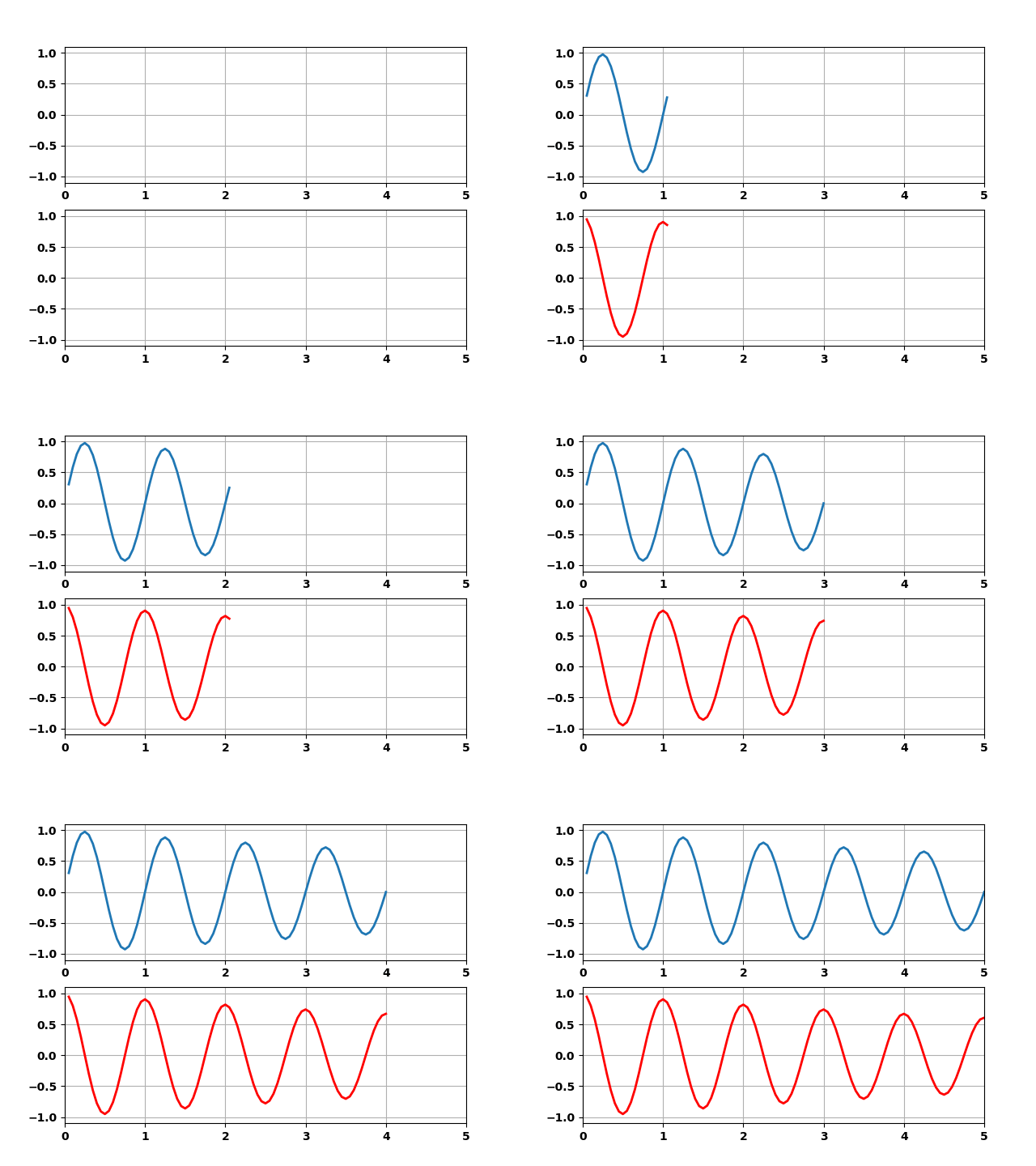
Basically you can use a very similar structure as the one you have in your example. You only need to create an additional axes (subplot) and a second line object:
import numpy as np
import matplotlib.pyplot as plt
import matplotlib.animation as animation

def data_gen():
    t = data_gen.t
    cnt = 0
    while cnt < 1000:
        cnt+=1
        t += 0.05
        y1 = np.sin(2*np.pi*t) * np.exp(-t/10.)
        y2 = np.cos(2*np.pi*t) * np.exp(-t/10.)
        # adapted the data generator to yield both sin and cos
        yield t, y1, y2

data_gen.t = 0

# create a figure with two subplots
fig, (ax1, ax2) = plt.subplots(2,1)

# intialize two line objects (one in each axes)
line1, = ax1.plot([], [], lw=2)
line2, = ax2.plot([], [], lw=2, color='r')
line = [line1, line2]

# the same axes initalizations as before (just now we do it for both of them)
for ax in [ax1, ax2]:
    ax.set_ylim(-1.1, 1.1)
    ax.set_xlim(0, 5)
    ax.grid()

# initialize the data arrays
xdata, y1data, y2data = [], [], []
def run(data):
    # update the data
    t, y1, y2 = data
    xdata.append(t)
    y1data.append(y1)
    y2data.append(y2)

    # axis limits checking. Same as before, just for both axes
    for ax in [ax1, ax2]:
        xmin, xmax = ax.get_xlim()
        if t >= xmax:
            ax.set_xlim(xmin, 2*xmax)
            ax.figure.canvas.draw()

    # update the data of both line objects
    line[0].set_data(xdata, y1data)
    line[1].set_data(xdata, y2data)

    return line

ani = animation.FuncAnimation(fig, run, data_gen, blit=True, interval=10,
    repeat=False)
plt.show()
All methods was sourced from stackoverflow.com or stackexchange.com, is licensed under cc by-sa 2.5, cc by-sa 3.0 and cc by-sa 4.0