I got the next url related to an online store https://www.tiendasjumbo.co/buscar?q=mani and I can’t extract the product label an another fields:
from selenium import webdriver
import time
from random import randint

driver = webdriver.Firefox(executable_path= "C:Program Files (x86)geckodriver.exe")
driver.implicitly_wait(10)
time.sleep(4)

url =  "https://www.tiendasjumbo.co/buscar?q=mani"
driver.maximize_window()
driver.get(url)
driver.find_element_by_xpath('//h1[@class="impulse-title"]')
What am I doing wrong, I also tried to switch the iframes but there is no way to achieve my goal? any help is welcome.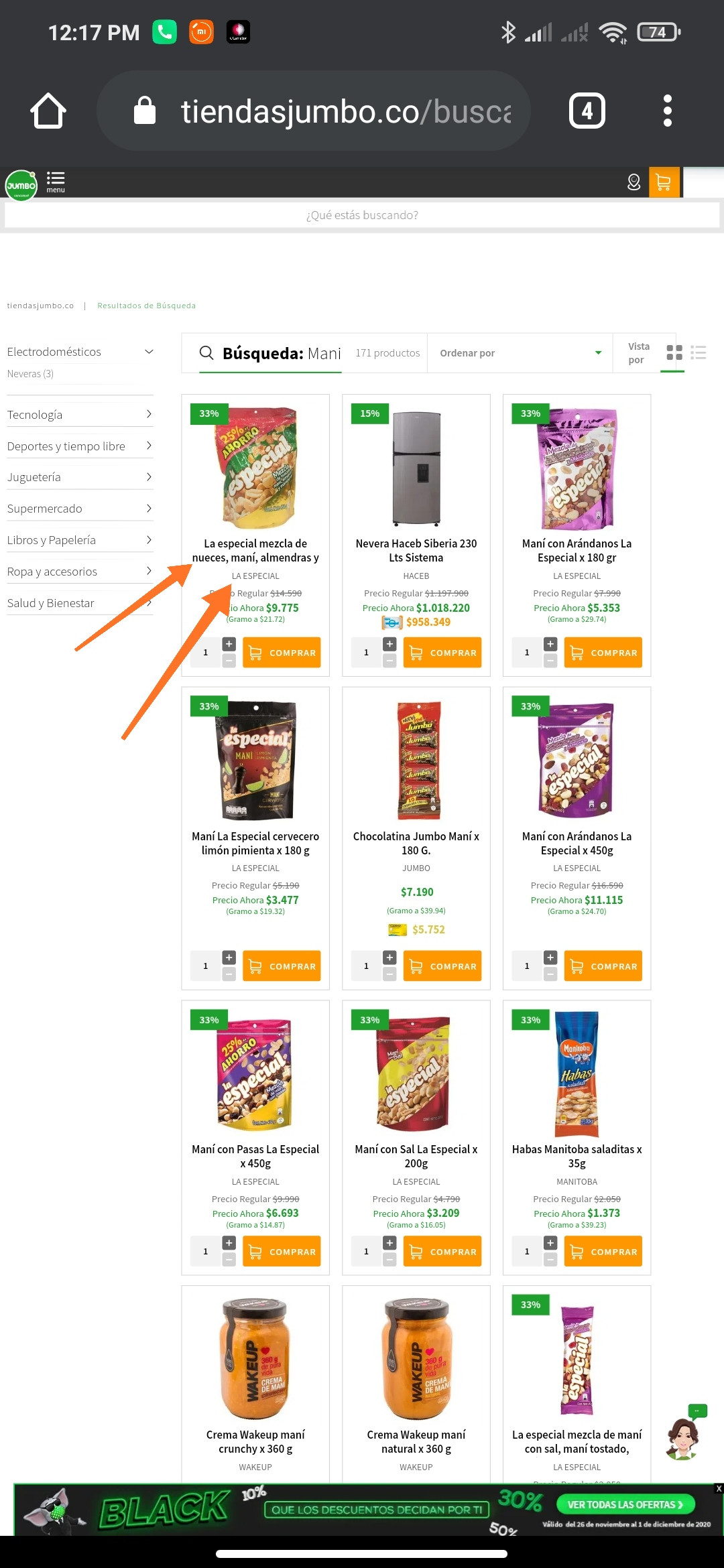
Answers:
Thank you for visiting the Q&A section on Magenaut. Please note that all the answers may not help you solve the issue immediately. So please treat them as advisements. If you found the post helpful (or not), leave a comment & I’ll get back to you as soon as possible.
Method 1
The products within the website https://www.tiendasjumbo.co/buscar?q=mani are located within a #shadow-root (open).
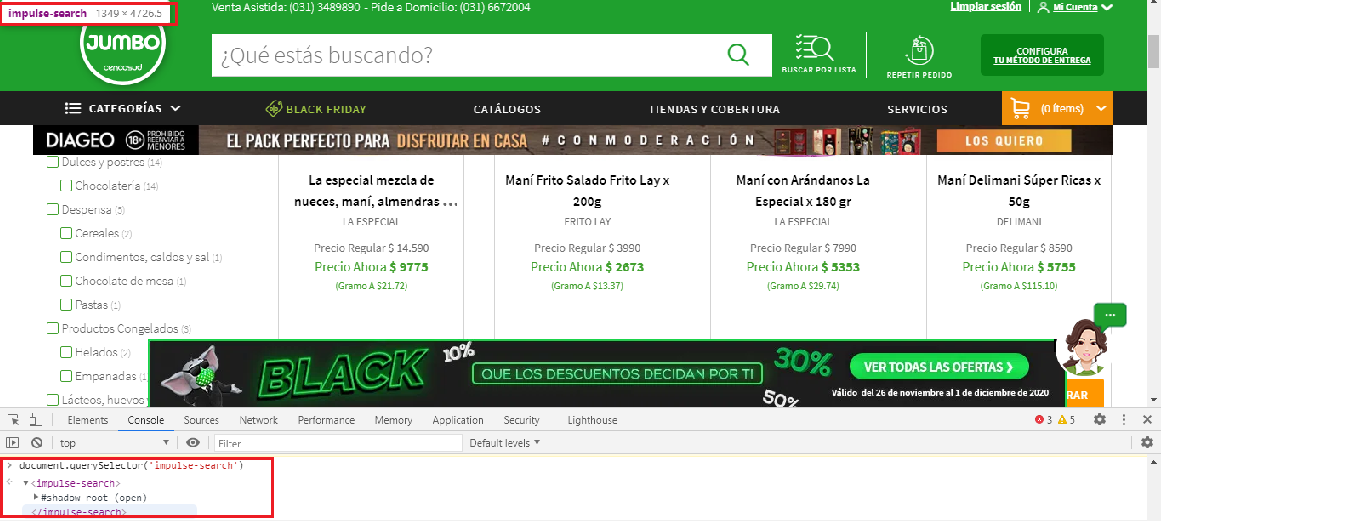
Solution
To extract the product label you have to use shadowRoot.querySelector() and you can use the following Locator Strategy:
-
Code Block:
driver.get('https://www.tiendasjumbo.co/buscar?q=mani') item = driver.execute_script("return document.querySelector('impulse-search').shadowRoot.querySelector('div.group-name-brand h1.impulse-title span.formatted-text')") print(item.text) -
Console Output:
La especial mezcla de nueces, maní, almendras y marañones x 450 g
References
You can find a couple of relevant discussions in:
- Unable to locate the Sign In element within #shadow-root (open) using Selenium and Python
- How to locate the First name field within shadow-root (open) within the website https://www.virustotal.com using Selenium and Python
All methods was sourced from stackoverflow.com or stackexchange.com, is licensed under cc by-sa 2.5, cc by-sa 3.0 and cc by-sa 4.0