Is there any way to plot a bar plot using matplotlib using data directly from a dict?
My dict looks like this:
D = {u'Label1':26, u'Label2': 17, u'Label3':30}
I was expecting
fig = plt.figure(figsize=(5.5,3),dpi=300)
ax = fig.add_subplot(111)
bar = ax.bar(D,range(1,len(D)+1,1),0.5)
to work, but it does not.
Here is the error:
>>> ax.bar(D,range(1,len(D)+1,1),0.5)
Traceback (most recent call last):
  File "<stdin>", line 1, in <module>
  File "/usr/local/lib/python2.7/site-packages/matplotlib/axes.py", line 4904, in bar
    self.add_patch(r)
  File "/usr/local/lib/python2.7/site-packages/matplotlib/axes.py", line 1570, in add_patch
    self._update_patch_limits(p)
  File "/usr/local/lib/python2.7/site-packages/matplotlib/axes.py", line 1588, in _update_patch_limits
    xys = patch.get_patch_transform().transform(vertices)
  File "/usr/local/lib/python2.7/site-packages/matplotlib/patches.py", line 580, in get_patch_transform
    self._update_patch_transform()
  File "/usr/local/lib/python2.7/site-packages/matplotlib/patches.py", line 576, in _update_patch_transform
    bbox = transforms.Bbox.from_bounds(x, y, width, height)
  File "/usr/local/lib/python2.7/site-packages/matplotlib/transforms.py", line 786, in from_bounds
    return Bbox.from_extents(x0, y0, x0 + width, y0 + height)
TypeError: coercing to Unicode: need string or buffer, float found
Answers:
Thank you for visiting the Q&A section on Magenaut. Please note that all the answers may not help you solve the issue immediately. So please treat them as advisements. If you found the post helpful (or not), leave a comment & I’ll get back to you as soon as possible.
Method 1
You can do it in two lines by first plotting the bar chart and then setting the appropriate ticks:
import matplotlib.pyplot as plt

D = {u'Label1':26, u'Label2': 17, u'Label3':30}

plt.bar(range(len(D)), list(D.values()), align='center')
plt.xticks(range(len(D)), list(D.keys()))
# # for python 2.x:
# plt.bar(range(len(D)), D.values(), align='center')  # python 2.x
# plt.xticks(range(len(D)), D.keys())  # in python 2.x

plt.show()
Note that the penultimate line should read plt.xticks(range(len(D)), list(D.keys())) in python3, because D.keys() returns a generator, which matplotlib cannot use directly.
Method 2
It’s a little simpler than most answers here suggest:
import matplotlib.pyplot as plt

D = {u'Label1':26, u'Label2': 17, u'Label3':30}
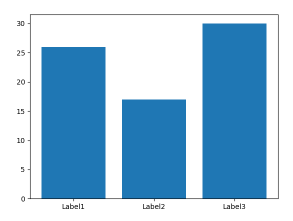
plt.bar(*zip(*D.items()))
plt.show()
Method 3
For future reference, the above code does not work with Python 3. For Python 3, the D.keys() needs to be converted to a list.
import matplotlib.pyplot as plt

D = {u'Label1':26, u'Label2': 17, u'Label3':30}

plt.bar(range(len(D)), D.values(), align='center')
plt.xticks(range(len(D)), list(D.keys()))

plt.show()
Method 4
The best way to implement it using matplotlib.pyplot.bar(range, height, tick_label) where the range provides scalar values for the positioning of the corresponding bar in the graph. tick_label does the same work as xticks(). One can replace it with an integer also and use multiple plt.bar(integer, height, tick_label). For detailed information please refer the documentation.
import matplotlib.pyplot as plt

data = {'apple': 67, 'mango': 60, 'lichi': 58}
names = list(data.keys())
values = list(data.values())

#tick_label does the some work as plt.xticks()
plt.bar(range(len(data)),values,tick_label=names)
plt.savefig('bar.png')
plt.show()
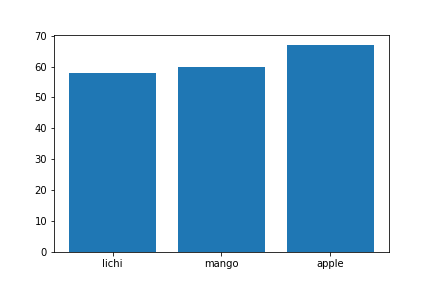
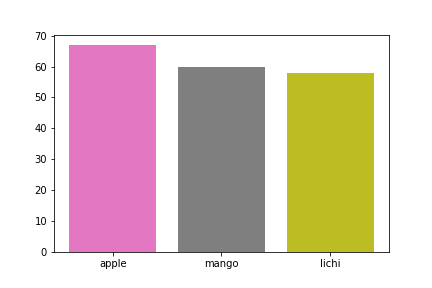
Additionally the same plot can be generated without using range(). But the problem encountered was that tick_label just worked for the last plt.bar() call. Hence xticks() was used for labelling:
data = {'apple': 67, 'mango': 60, 'lichi': 58}
names = list(data.keys())
values = list(data.values())
plt.bar(0,values[0],tick_label=names[0])
plt.bar(1,values[1],tick_label=names[1])
plt.bar(2,values[2],tick_label=names[2])
plt.xticks(range(0,3),names)
plt.savefig('fruit.png')
plt.show()
Method 5
Why not just:
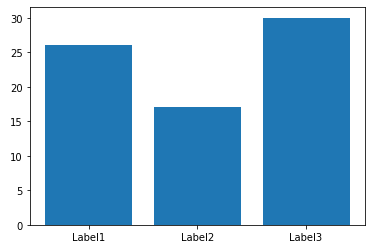
names, counts = zip(*D.items())
plt.bar(names, counts)
Method 6
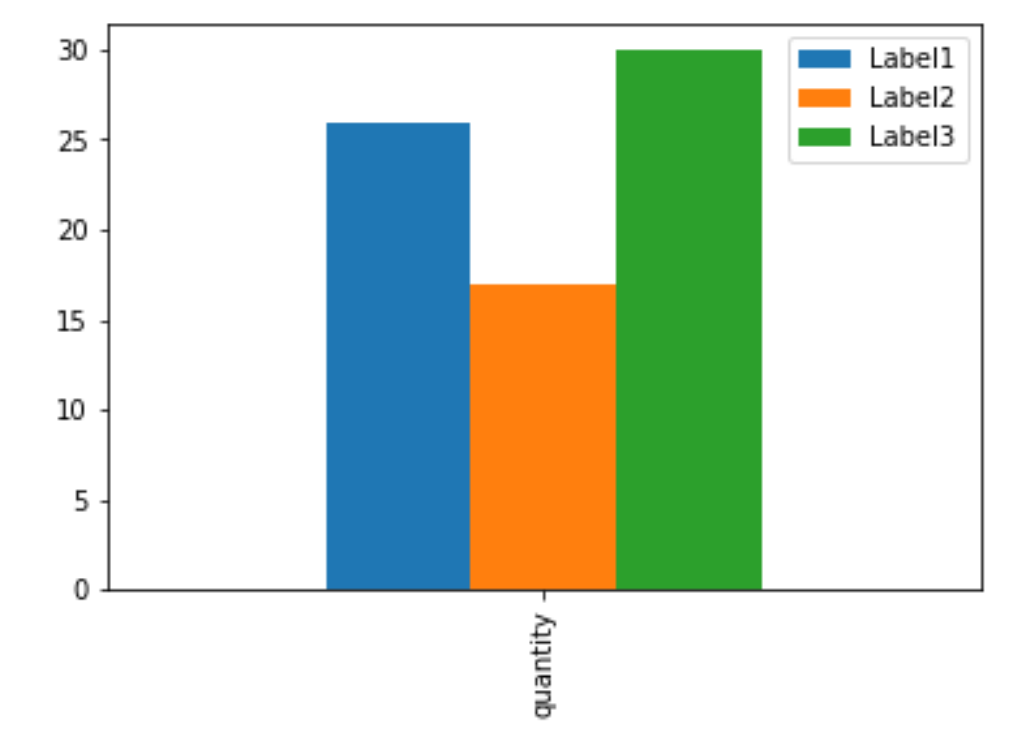
I often load the dict into a pandas DataFrame then use the plot function of the DataFrame.
Here is the one-liner:
pandas.DataFrame(D, index=['quantity']).plot(kind='bar')
Method 7
Why not just:
import seaborn as sns

sns.barplot(list(D.keys()), list(D.values()))
All methods was sourced from stackoverflow.com or stackexchange.com, is licensed under cc by-sa 2.5, cc by-sa 3.0 and cc by-sa 4.0