I want to download a daily xml file from a supplier. I managed to login and click the link Accept Download to start the downloading using chromedriver.
But I get the popup “This type of file may harm your computer”. The MIME of the page is text/html, I am not sure if link is text/javascript
I tried all suggested solutions with options like
print('Starting..')
prefs = {
'download.default_directory': 'C:\UsersMainDeskDownloads',
'download.prompt_for_download': False,
'download.extensions_to_open': 'xml',
'safebrowsing.enabled': False
}

options = Options()

options.add_experimental_option('prefs',prefs)

browser = webdriver.Chrome(options=options, executable_path='C:\chromedriver.exe')
How can I have my file automatically?
Additionaly I tried go in Settings of Chrome and turn off Ask to save file
I am running the script on Windows 7, with Python 3.7 and Visual Studio and the latest version of chromedriver
It is impossible to automate my download?
Answers:
Thank you for visiting the Q&A section on Magenaut. Please note that all the answers may not help you solve the issue immediately. So please treat them as advisements. If you found the post helpful (or not), leave a comment & I’ll get back to you as soon as possible.
Method 1
Some more information about webpage from where you are trying to download the xml file might have been helpful to debug the issue of the popup with text as “This type of file may harm your computer in a better way.
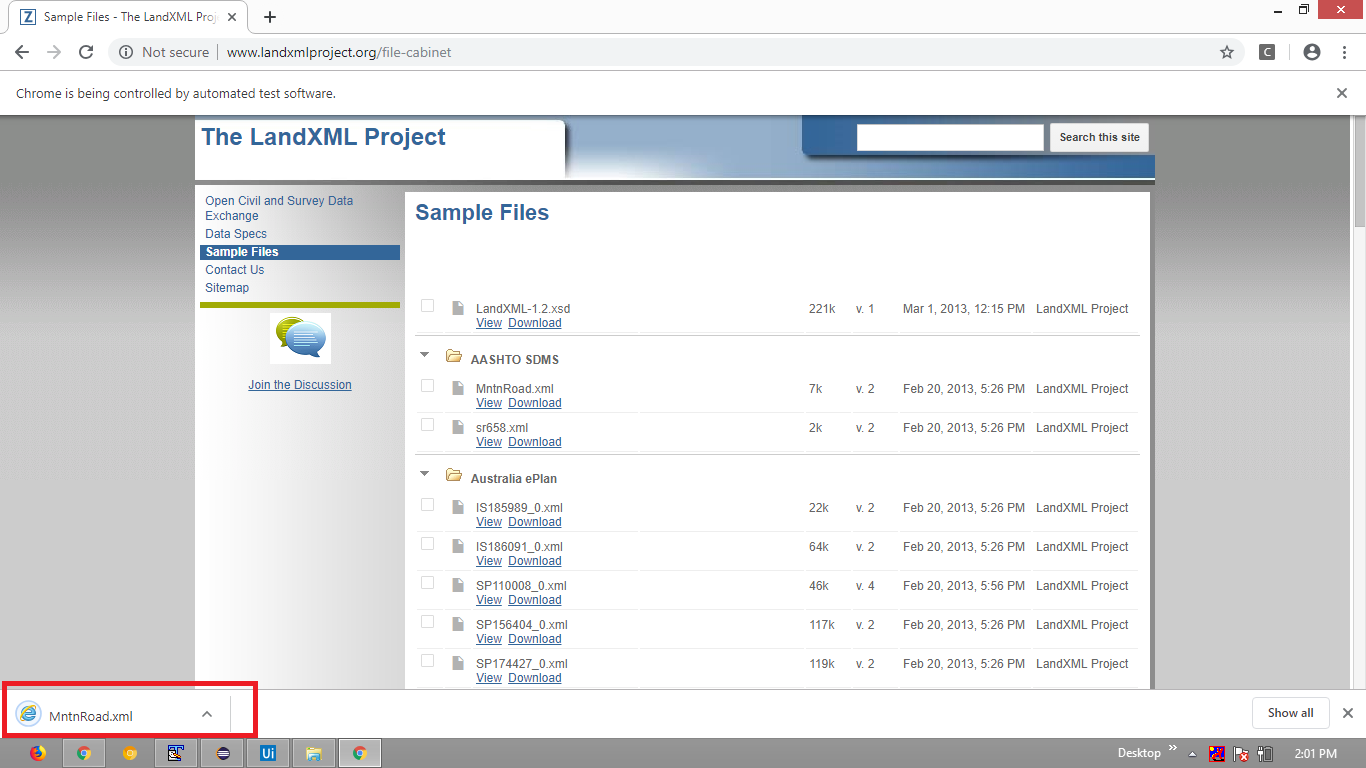
However here is a sample program to download xml file from this webpage:
-
Code Block:
from selenium import webdriver from selenium.webdriver.common.by import By from selenium.webdriver.support.ui import WebDriverWait from selenium.webdriver.support import expected_conditions as EC prefs = { 'download.default_directory': 'C:/Utility/Downloads/', 'download.prompt_for_download': False, 'download.extensions_to_open': 'xml', 'safebrowsing.enabled': True } options = webdriver.ChromeOptions() options.add_experimental_option('prefs',prefs) options.add_argument("start-maximized") # options.add_argument("disable-infobars") options.add_argument("--disable-extensions") options.add_argument("--safebrowsing-disable-download-protection") options.add_argument("safebrowsing-disable-extension-blacklist") driver = webdriver.Chrome(options=options, executable_path=r'C:UtilityBrowserDriverschromedriver.exe') driver.get("http://www.landxmlproject.org/file-cabinet") WebDriverWait(driver, 20).until(EC.element_to_be_clickable((By.XPATH, "//span[text()='MntnRoad.xml']//following::span[1]//a[text()='Download']"))).click() - Browser Snapshot:
All methods was sourced from stackoverflow.com or stackexchange.com, is licensed under cc by-sa 2.5, cc by-sa 3.0 and cc by-sa 4.0