How can I use any type of font in my font library on my computer (e.g. *otf or *ttf) in all my matplotlib figures?
Answers:
Thank you for visiting the Q&A section on Magenaut. Please note that all the answers may not help you solve the issue immediately. So please treat them as advisements. If you found the post helpful (or not), leave a comment & I’ll get back to you as soon as possible.
Method 1
See the example here: http://matplotlib.sourceforge.net/examples/api/font_file.html
In general, you’d do something like this if you’re wanting to use a specific .ttf file. (Keep in mind that pointing to a specific font file is usually a bad idea!)
import matplotlib.font_manager as fm
import matplotlib.pyplot as plt

fig, ax = plt.subplots()
ax.plot(range(10))

prop = fm.FontProperties(fname='/usr/share/fonts/truetype/groovygh.ttf')
ax.set_title('This is some random font', fontproperties=prop, size=32)

plt.show()
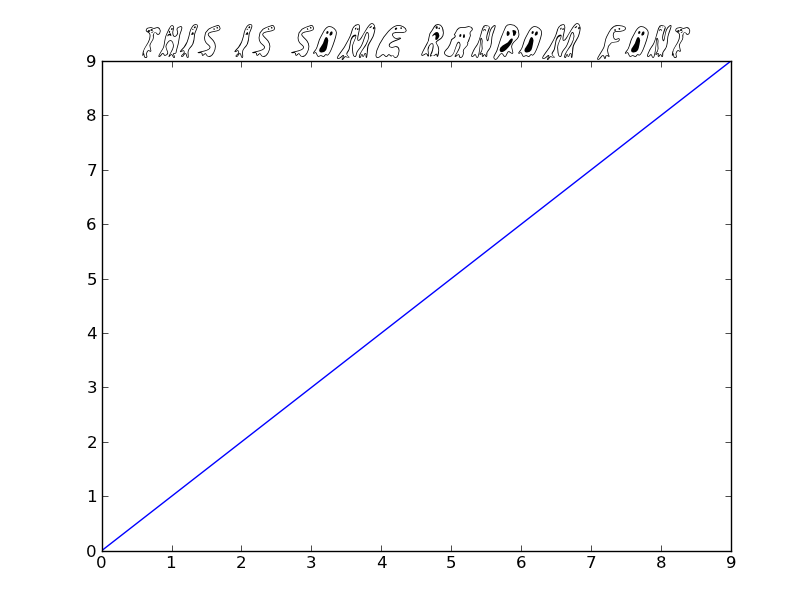
Usually, you’d just point to the name of the font, and let matplotlib worry about finding the specific file. E.g.
import matplotlib.pyplot as plt

plt.plot(range(10))
plt.title('This is some random font', family='GroovyGhosties', size=32)

plt.show()
If you want to have matplotlib always use a particular font, then customize your .matplotlibrc file. (font.family is what you’d want to set. Note that you should specify the name of the font, not the path to a specific .ttf file.)
As an example of doing this dynamically (i.e. without setting up a specific .matplotlibrc file):
import matplotlib as mpl
mpl.rcParams['font.family'] = 'GroovyGhosties'

import matplotlib.pyplot as plt

plt.plot(range(10))
plt.title('Everything is crazy!!!', size=32)
plt.show()
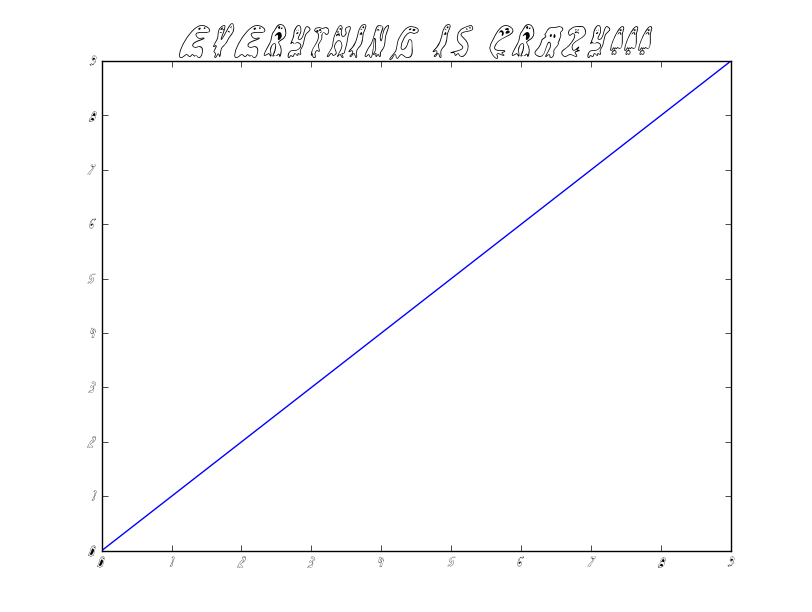
Method 2
On *nix, you can use all your system fonts by enabling matplotlib’s fontconfig backend.
However matplotlib does not really talk to fontconfig libraries it emulates its behaviour by running fontconfig cli utilities.
Therefore, nuking the matplotlib fontconfig cache so it discovers new fonts can be a lifesaver (the existence of this cache is direct proof of lack of complete fontconfig integration).
Method 3
You can specify the font and override the default font family in matplot config as well, e.g. for *nix
~/.matplotlib/matplotlibrc
font.family: sans-serif
font.sans-serif: your font,sans-serif
All methods was sourced from stackoverflow.com or stackexchange.com, is licensed under cc by-sa 2.5, cc by-sa 3.0 and cc by-sa 4.0