I have a wxPython program which reads from different datasets, performs various types of simple on-the-fly analysis on the data and plots various combinations of the datasets to matplotlib canvas. I would like to have the opportunity to dump currently plotted data to file for more sophisticated analysis later on.
The question is: are there any methods in matplotlib that allow access to the data currently plotted in matplotlib.Figure?
Answers:
Thank you for visiting the Q&A section on Magenaut. Please note that all the answers may not help you solve the issue immediately. So please treat them as advisements. If you found the post helpful (or not), leave a comment & I’ll get back to you as soon as possible.
Method 1
Jakub is right about modifying the Python script to write out the data directly from the source from which it was sent into the plot; that’s the way I’d prefer to do this. But for reference, if you do need to get data out of a plot, I think this should do it
gca().get_lines()[n].get_xydata()
Alternatively you can get the x and y data sets separately:
line = gca().get_lines()[n]
xd = line.get_xdata()
yd = line.get_ydata()
Method 2
The matplotlib.pyplot.gca can be used to extract data from matplotlib plots. Here is a simple example:
import matplotlib.pyplot as plt
plt.plot([1,2,3],[4,5,6])
ax = plt.gca()
line = ax.lines[0]
line.get_xydata()
On running this, you will see 2 outputs – the plot and the data:
array([[1., 4.],
   [2., 5.],
   [3., 6.]])
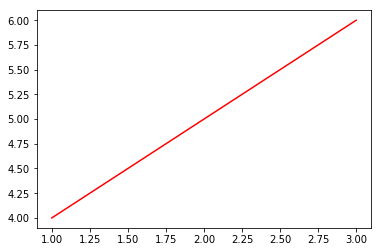
You can also get the x data and y data seperately.
On running line.get_xdata(), you will get:
array([1, 2, 3])
And on running line.get_ydata(), you will get:
array([4, 5, 6])
Note: gca stands for get current axis
Method 3
Its Python, so you can modify the source script directly so the data is dumped before it is plotted
Method 4
To sum up, for future reference:
If plotting with plt.plot() or plt.stem() or plt.step() you can get a list of Line2D objects with:
ax = plt.gca() # to get the axis
ax.get_lines()
For plt.pie(), plt.bar() or plt.barh() you can get a list of wedge or rectangle objects with:
ax = plt.gca() # to get the axis
ax.patches()
Then, depending on the situation you can get the data by running get_xdata(), get_ydata() (see Line2D) for more info.
or i.e get_height() for a bar plot (see Rectangle) for more info.
In general for all basic plotting functions, you can find what you are looking for by running ax.get_children()
that returns a list of the children Artists (the base class the includes all of the figure’s elements).
Method 5
I know this is an old question, but I feel there is a solution better than the ones offered here so I decided to write this answer.
You can use unittest.mock.patch to temporarily replace the matplotlib.axes.Axes.plot function:
from unittest.mock import patch

def save_data(self, *args, **kwargs):
    # save the data that was passed into the plot function
    print(args)

with patch('matplotlib.axes.Axes.plot', new=save_data):
    # some code that will eventually plot data
    a_function_that_plots()
Once you exit the with block, Axes.plot will resume normal behavior.
All methods was sourced from stackoverflow.com or stackexchange.com, is licensed under cc by-sa 2.5, cc by-sa 3.0 and cc by-sa 4.0