I was unsuccessful browsing web for a solution for the following simple question:
How to draw 3D polygon (say a filled rectangle or triangle) using vertices values?
I have tried many ideas but all failed, see:
from mpl_toolkits.mplot3d import Axes3D
from matplotlib.collections import PolyCollection
import matplotlib.pyplot as plt
fig = plt.figure()
ax = Axes3D(fig)
x = [0,1,1,0]
y = [0,0,1,1]
z = [0,1,0,1]
verts = [zip(x, y,z)]
ax.add_collection3d(PolyCollection(verts),zs=z)
plt.show()
I appreciate in advance any idea/comment.
Updates based on the accepted answer:
import mpl_toolkits.mplot3d as a3
import matplotlib.colors as colors
import pylab as pl
import numpy as np

ax = a3.Axes3D(pl.figure())
for i in range(10000):
    vtx = np.random.rand(3,3)
    tri = a3.art3d.Poly3DCollection([vtx])
    tri.set_color(colors.rgb2hex(np.random.rand(3)))
    tri.set_edgecolor('k')
    ax.add_collection3d(tri)
pl.show()
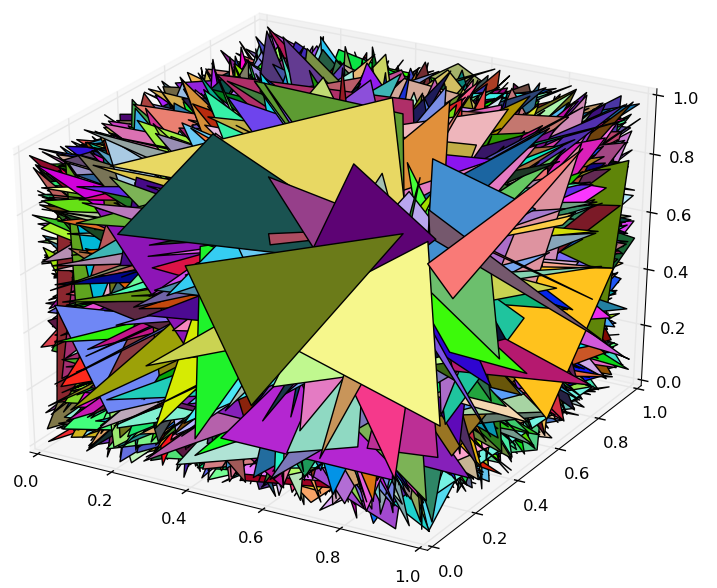
Here is the result:
Answers:
Thank you for visiting the Q&A section on Magenaut. Please note that all the answers may not help you solve the issue immediately. So please treat them as advisements. If you found the post helpful (or not), leave a comment & I’ll get back to you as soon as possible.
Method 1
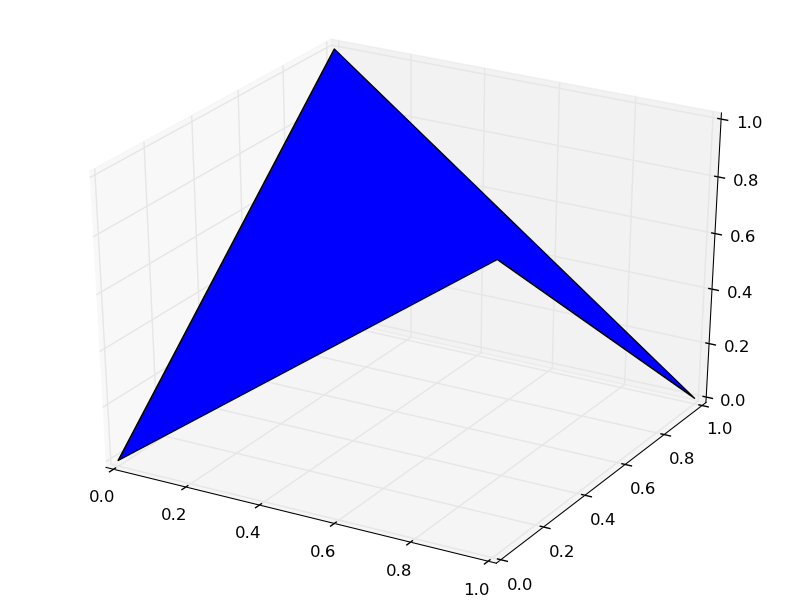
I think you’ve almost got it. Is this what you want?
from mpl_toolkits.mplot3d import Axes3D
from mpl_toolkits.mplot3d.art3d import Poly3DCollection
import matplotlib.pyplot as plt
fig = plt.figure()
ax = Axes3D(fig, auto_add_to_figure=False)
fig.add_axes(ax)
x = [0,1,1,0]
y = [0,0,1,1]
z = [0,1,0,1]
verts = [list(zip(x,y,z))]
ax.add_collection3d(Poly3DCollection(verts))
plt.show()
You might also be interested in art3d.pathpatch_2d_to_3d.
Method 2
The above solution is for Python 2, and gives an error ‘TypeError: object of type ‘zip’ has no len()’ when run with python 3.
See Plotting 3D Polygons in Python 3 for discussion on updating this to Python 3.
Here’s some working code from there:
from mpl_toolkits.mplot3d import Axes3D
from mpl_toolkits.mplot3d.art3d import Poly3DCollection
import matplotlib.pyplot as plt

fig = plt.figure()
ax = Axes3D(fig)
x = [0, 1, 1, 0]
y = [0, 0, 1, 1]
z = [0, 1, 0, 1]
verts = [list(zip(x, y, z))]
print(verts)
ax.add_collection3d(Poly3DCollection(verts), zs='z')
plt.show()
All methods was sourced from stackoverflow.com or stackexchange.com, is licensed under cc by-sa 2.5, cc by-sa 3.0 and cc by-sa 4.0