I’m relatively new in Mac OS. I’ve just installed XCode (for c++ compiler) and Anaconda with the latest Python 3 (for myself). Now I’m wondering how to install properly second Anaconda (for work) with Python 2?
I need both versions to work with iPython and Spyder IDE. Ideal way is to have totally separate Python environments. For example, I wish I could write like conda install scikit-learn for Python 3 environment and something like conda2 install scikit-learn for Python 2.
Answers:
Thank you for visiting the Q&A section on Magenaut. Please note that all the answers may not help you solve the issue immediately. So please treat them as advisements. If you found the post helpful (or not), leave a comment & I’ll get back to you as soon as possible.
Method 1
There is no need to install Anaconda again. Conda, the package manager for Anaconda, fully supports separated environments. The easiest way to create an environment for Python 2.7 is to do
conda create -n python2 python=2.7 anaconda
This will create an environment named python2 that contains the Python 2.7 version of Anaconda. You can activate this environment with
source activate python2
This will put that environment (typically ~/anaconda/envs/python2) in front in your PATH, so that when you type python at the terminal it will load the Python from that environment.
If you don’t want all of Anaconda, you can replace anaconda in the command above with whatever packages you want. You can use conda to install packages in that environment later, either by using the -n python2 flag to conda, or by activating the environment.
Method 2
Edit!: Please be sure that you should have both Python installed on your computer.
Maybe my answer is late for you but I can help someone who has the same problem!
You don’t have to download both Anaconda.
If you are using Spyder and Jupyter in Anaconda environmen and,
If you have already Anaconda 2 type in Terminal:
    python3 -m pip install ipykernel

    python3 -m ipykernel install --user
If you have already Anaconda 3 then type in terminal:
    python2 -m pip install ipykernel

    python2 -m ipykernel install --user
Then before use Spyder you can choose Python environment like below!
Sometimes only you can see root and your new Python environment, so root is your first anaconda environment!
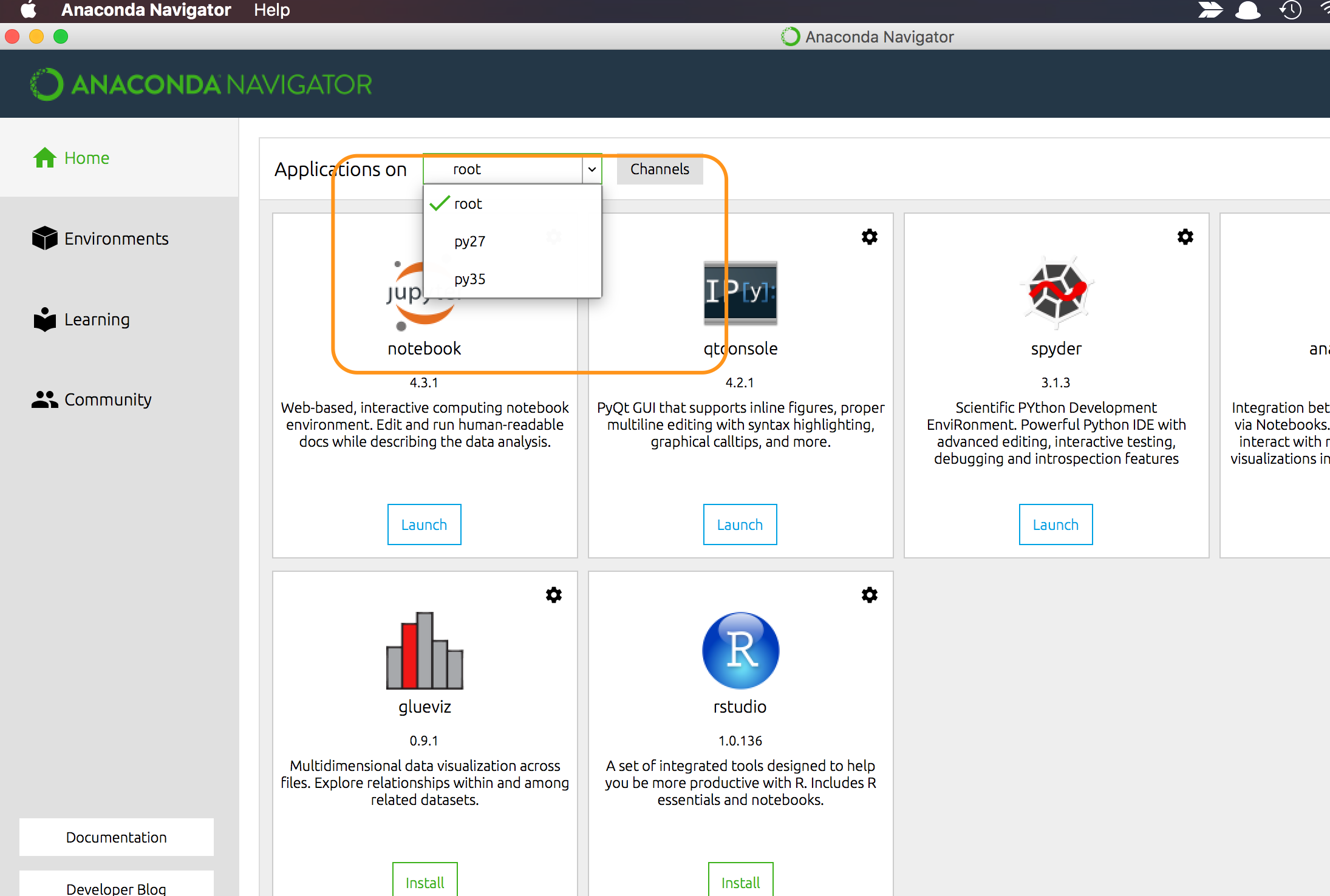
Also this is Jupyter. You can choose python version like this!
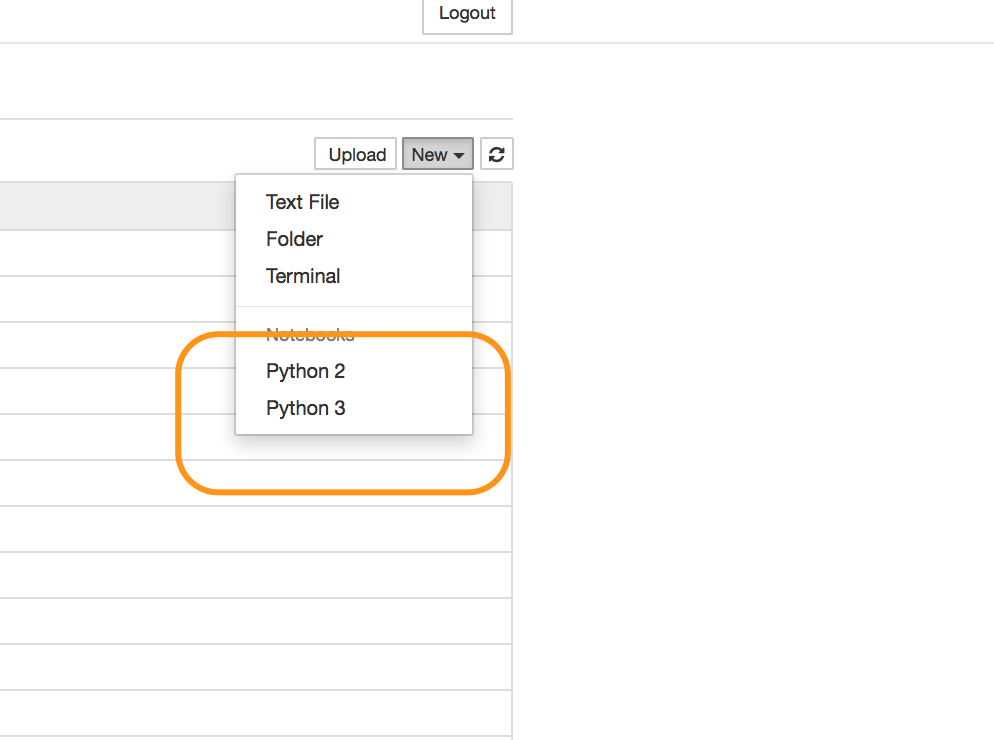
I hope it will help.
Method 3
This may be helpful if you have more than one python versions installed and dont know how to tell your ide’s to use a specific version.
- Install
anaconda. Latest version can be found here - Open the navigator by typing
anaconda-navigatorin terminal - Open environments. Click on
createand then choose your python version in that. - Now new environment will be created for your python version and you can install the IDE’s(which are listed there) just by clicking
installin that. - Launch the IDE in your environment so that that IDE will use the specified version for that environment.
Hope it helps!!
All methods was sourced from stackoverflow.com or stackexchange.com, is licensed under cc by-sa 2.5, cc by-sa 3.0 and cc by-sa 4.0