I have a main parent page with multiple sub-pages. The main parent page has some custom fields (meta boxes?) with specific values. My intent is to add dynamically these custom fields and their values to all sub-pages. I searched a solution but without success. Is this possible? And how?
Answers:
Thank you for visiting the Q&A section on Magenaut. Please note that all the answers may not help you solve the issue immediately. So please treat them as advisements. If you found the post helpful (or not), leave a comment & I’ll get back to you as soon as possible.
Method 1
The parent post ID is stored in $post->post_parent. So you can access the parent data by using that ID in get_post_meta().
To get the ancestors use get_post_ancestors( $post->ID ). It returns an array of parent IDs, the last one is the highest. Let’s invent a helper function for the next examples:
if ( ! function_exists( 'get_top_ancestor' ) )
{
    function get_top_ancestor( $post_id )
    {
        $ancestors = get_post_ancestors( $post_id );
        return empty ( $ancestors ) ? $post_id : end( $ancestors );
    }
}
Now we can use that helper in a filter for the_content:
add_filter( 'the_content', 'wpse_78325_parent_meta' );

function wpse_78325_parent_meta( $content )
{
    global $post;
    if ( ! is_page() or empty ( $post->post_parent ) )
        return $content;

    $top_id = get_top_ancestor( $post->ID );

    if ( ! $data = get_post_meta( $top_id, 'demo_data', TRUE ) )
        return $content;

    $extra = sprintf(
        '<p>Meta data <code>demo_data</code> from <a href="%1$s" rel="nofollow noreferrer noopener">parent post</a>:</p>
        <pre>%2$s</pre>',
        get_permalink( $top_id ),
        esc_html( $data )
    );

    return $extra . $content;
}
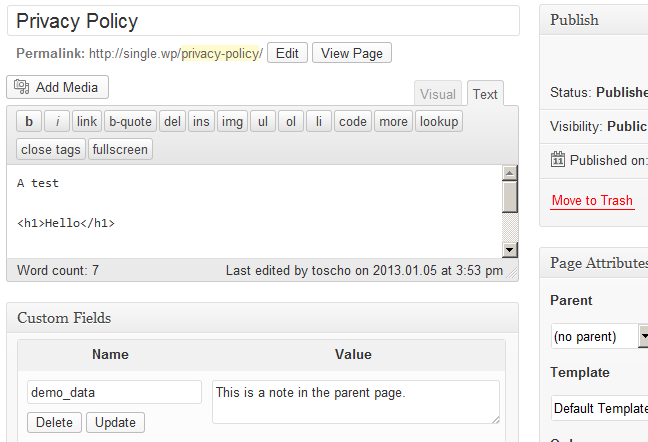
Let’s say you have a parent page Privacy Policy with a custom field demo_data …
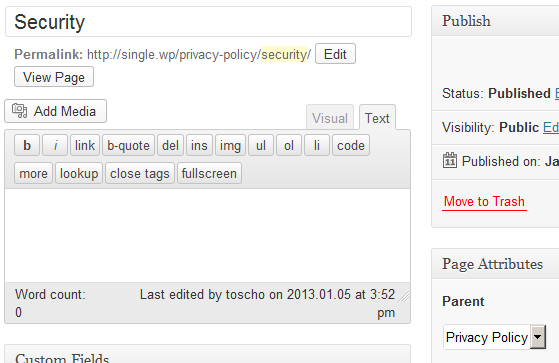
… and a child page Security …
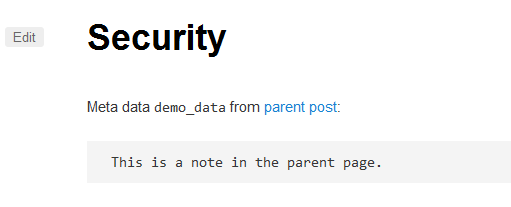
… then the code above would produce this result:
In reply to your comment: You can use the parent post meta wherever you need it. In your case, I would filter wp_nav_menu_args and call wp_nav_menu with a static string for menu.
Sample code, not tested, just a draft. 🙂
add_filter( 'wp_nav_menu_args', 'wpse_78325_parent_menu_name' );

function wpse_78325_parent_menu_name( $args )
{
    if ( 'primary' !== $args['theme_location'] or ! is_page() )
        return $args;

    global $post;

    $top_id = get_top_ancestor( $post->ID );

    /* prepend this line with a # to switch the logic
    if ( ! $name = get_post_meta( $top_id, 'MenuName', TRUE ) )
        return $args;

    $args['menu'] = $name;
    /*/
    foreach ( $args as $key => $value ) // you can use custom keys here
    {
        if ( $new = get_post_meta( $top_id, 'MenuName', TRUE ) )
        {
            $args[ $key ] = $new;
            unset ( $new );
        }
    }
    /**/

    return $args;
}
All methods was sourced from stackoverflow.com or stackexchange.com, is licensed under cc by-sa 2.5, cc by-sa 3.0 and cc by-sa 4.0