I have a problem with collisions in my game, spaceship’s mask doesn’t collide properly with a background and I believe that offset is a problem, however I’m not sure.
I’ve tried multiple collision techniques and checked a lot of answers to my problem, but none of them helped me.
import pygame as pg
import os

os.environ['SDL_VIDEO_WINDOW_POS'] = "%d,%d" % (2, 29)

pg.init()


def gameLoop():
    display_width = 1800
    display_height = 1000
    pg.display.set_caption("Kerbal Space Landing Simulator")
    clock = pg.time.Clock()
    display = pg.display.set_mode((display_width, display_height))
    sprsp = pg.image.load('C:/Users/PC/PycharmProjects/untitled/sprspaceship.png').convert_alpha()
    cosbg = pg.image.load('C:/Users/PC/PycharmProjects/untitled/cosmos bg.png').convert_alpha()
    done = False

class Spaceship:
    def __init__(self, x, y, mass):
        self.x = x
        self.y = y
        self.width = 139
        self.height = 106
        self.velx = 0
        self.vely = 0
        self.mass = mass
        self.color = (255, 255, 255)
        self.spr = sprsp
        self.fuel = 500
        self.mask = pg.mask.from_surface(self.spr)
        self.angle = 0
        self.changerot = 0

    def check_controls(self):
        if keys[pg.K_SPACE] and self.fuel > 0:
            if self.angle > 0:
                self.vely += 0.005 * (self.angle - 90)
                self.velx += -0.005 * self.angle
            else:
                self.vely += -0.005 * (self.angle + 90)
                self.velx += -0.005 * self.angle

            self.fuel += -3
        if keys[pg.K_LEFT] and self.angle < 90:
            self.angle += 2
        if keys[pg.K_RIGHT] and self.angle > -90:
            self.angle += -2

    def update_pos(self):
        self.vely += 0.01
        self.x += self.velx
        self.y += self.vely
        self.mask = pg.mask.from_surface(self.spr)

    def update_rotation(self):
        self.rspr = pg.transform.rotate(self.spr, self.angle)
        self.changerot -= self.angle

    def draw(self):
        if self.fuel > 0:
            pg.draw.rect(display, (255, 255, 255), (display_width - 100, 100 + 500 - self.fuel, 10, self.fuel), 0)
        display.blit(self.rspr, (int(self.x), int(self.y)))

        self.changerot = 0

class Terrain(object):
    def __init__(self, x, y):
        self.x = x
        self.y = y
        self.mask = pg.mask.from_threshold(display, (160, 160, 160))
        self.hitbox = pg.Rect(self.x, self.y, display_width, 500)
        self.ox = display_width // 2 - self.x // 2
        self.oy = display_height // 2 - self.y // 2

    def draw(self):
        pg.draw.rect(display, (160, 160, 160), (self.x, self.y, display_width, 500), 0)

spaceship = (Spaceship(500, 100, 1))
terrain = (Terrain(0, 800))

def redrawGameWindow():
    display.blit(cosbg, (0, 0))
    spaceship.draw()
    terrain.draw()
    pg.display.update()

def check_for_collisions():
    offset = (int(spaceship.x - terrain.ox), int(spaceship.y - terrain.oy))
    print(offset)
    print(spaceship.mask.overlap(terrain.mask, offset))
    return spaceship.mask.overlap(terrain.mask, offset)
    # return spaceship.hitbox.colliderect(terrain.hitbox)
    # return pg.sprite.spritecollide(spaceship.spr, terrain.mask, False, pg.sprite.collide_mask)

while not done:
    for event in pg.event.get():
        if event.type == pg.QUIT:
            done = True

    keys = pg.key.get_pressed()
    mouse_pressed = pg.mouse.get_pressed()
    x, y = pg.mouse.get_pos()

    spaceship.check_controls()
    spaceship.update_pos()
    spaceship.update_rotation()
    if check_for_collisions() is not None:
        print('Hit! You've hit the ground with the speed:', spaceship.vely)
        exit()

    redrawGameWindow()
    clock.tick(60)

gameLoop()
Spaceship doesn’t collide with the surface. I know how to fix it using simpler code, but in future I want to use randomly generated terrain. Could you help me with these collisions?
Answers:
Thank you for visiting the Q&A section on Magenaut. Please note that all the answers may not help you solve the issue immediately. So please treat them as advisements. If you found the post helpful (or not), leave a comment & I’ll get back to you as soon as possible.
Method 1
The mask for the Terrain is never set. Crate a proper Terrain mask:
class Terrain(object):
    def __init__(self, x, y):
        self.x = x
        self.y = y

        maskSurf = pg.Surface((display_width, display_height)).convert_alpha()
        maskSurf.fill(0)
        pg.draw.rect(maskSurf, (160, 160, 160), (self.x, self.y, display_width, 500), 0)
        self.mask = pg.mask.from_surface(maskSurf)
        print(self.mask.count())

        # [...]
When using pygame.mask.Mask.overlap(), then you’ve to check the overlapping of the Spaceship and the Terrain, rather than the Terrain and the Spaceship.
Since the Terrain mask is a mask of the entire screen, the offset for the overlap() test is the position of the Spaceship:
def check_for_collisions():
    offset = (int(spaceship.x), int(spaceship.y))
    collide = terrain.mask.overlap(spaceship.mask, offset)
    print(offset, collide)
    return collide
Minimal example:  repl.it/@Rabbid76/PyGame-SurfaceMaskIntersect
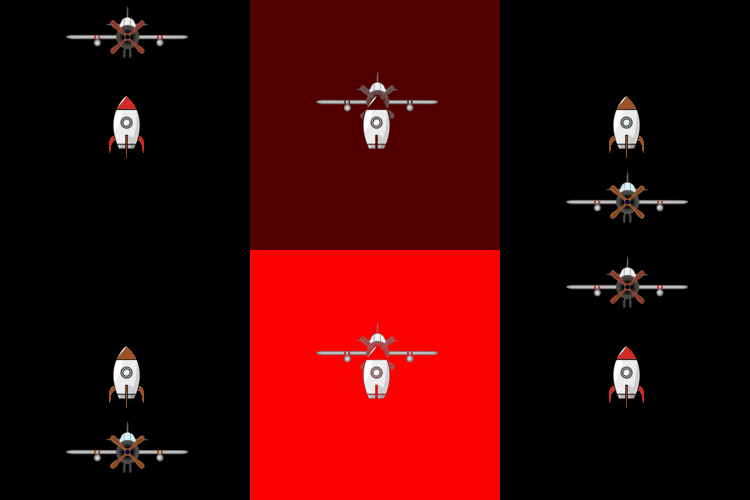
See also: Mask
All methods was sourced from stackoverflow.com or stackexchange.com, is licensed under cc by-sa 2.5, cc by-sa 3.0 and cc by-sa 4.0