I want to change the color of the grdiview cell based on condition and the condition is that if Passport is about to expire with in one month or if it already expired so i want to check both condition if it is going to expire or if it already expired then i want to change the color into red. thanks
protected void OnRowDataBound_gvPass(object sender, GridViewRowEventArgs e)
    {
      DateTime todaysDate = DateTime.Now.Date;
      if (e.Row.RowType == DataControlRowType.DataRow)
      {


        Label lblPassportExpDate = (Label)e.Row.FindControl("PassportExpDate");
        DateTime PassportExpDateDate = DateTime.Parse(lblPassportExpDate.Text);
        if (PassportExpDateDate < DateTime.Today || PassportExpDateDate < todaysDate.AddDays(30))
        {
          //e.Row.BackColor = System.Drawing.Color.Red;
          gvDriverStatus.Columns[3].ItemStyle.ForeColor = System.Drawing.Color.Red;
        }

      }
    }
Answers:
Thank you for visiting the Q&A section on Magenaut. Please note that all the answers may not help you solve the issue immediately. So please treat them as advisements. If you found the post helpful (or not), leave a comment & I’ll get back to you as soon as possible.
Method 1
Here’s a simplified piece of code that worked for me and you could easily adapt for your case:
protected void Page_Load(object sender, EventArgs e)
{
    refDate = new DateTime(1996, 7, 15);
}

protected void GridView1_RowDataBound(object sender, GridViewRowEventArgs e)
{
    if (e.Row.RowIndex >= 0)
    {
        if (DateTime.Parse(e.Row.Cells[3].Text) < refDate)
        {
            e.Row.Cells[3].BackColor = Color.Red;
        }
    }
}
This is the result i get:
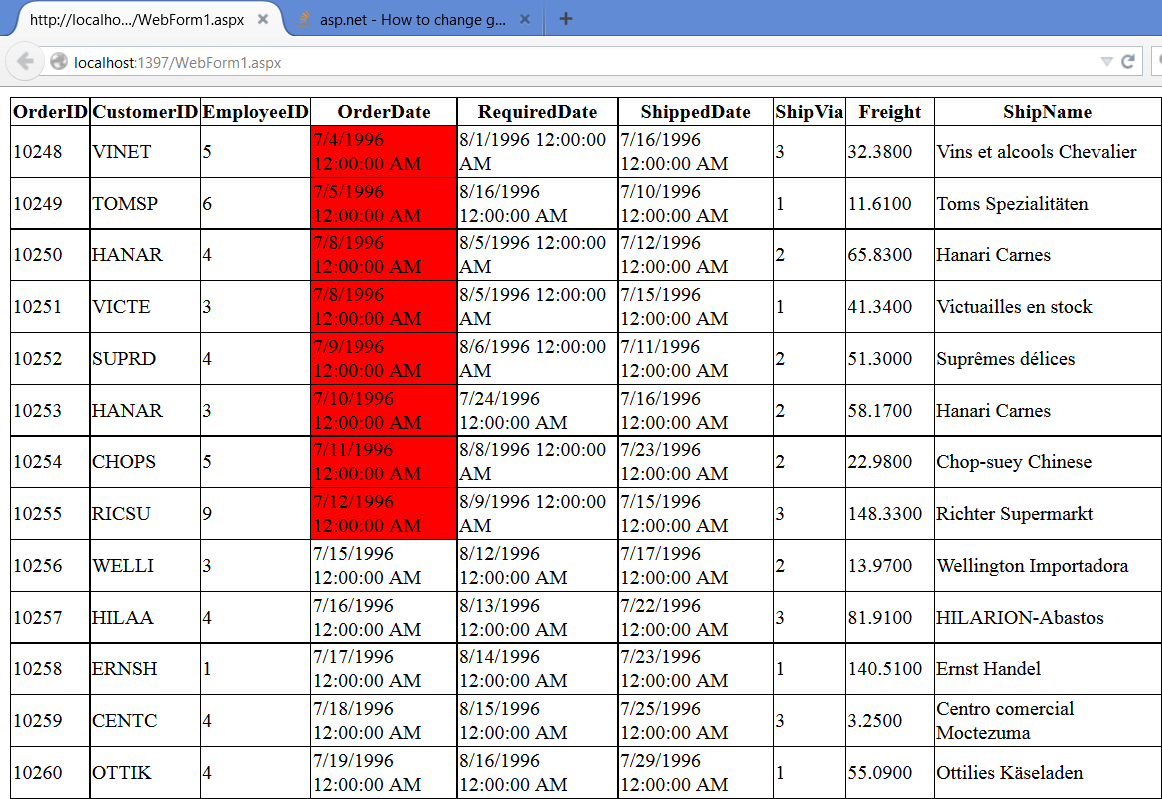
Note I’m using a hard coded refDate of 07/15/1996, so it makes sense with data in my local database.
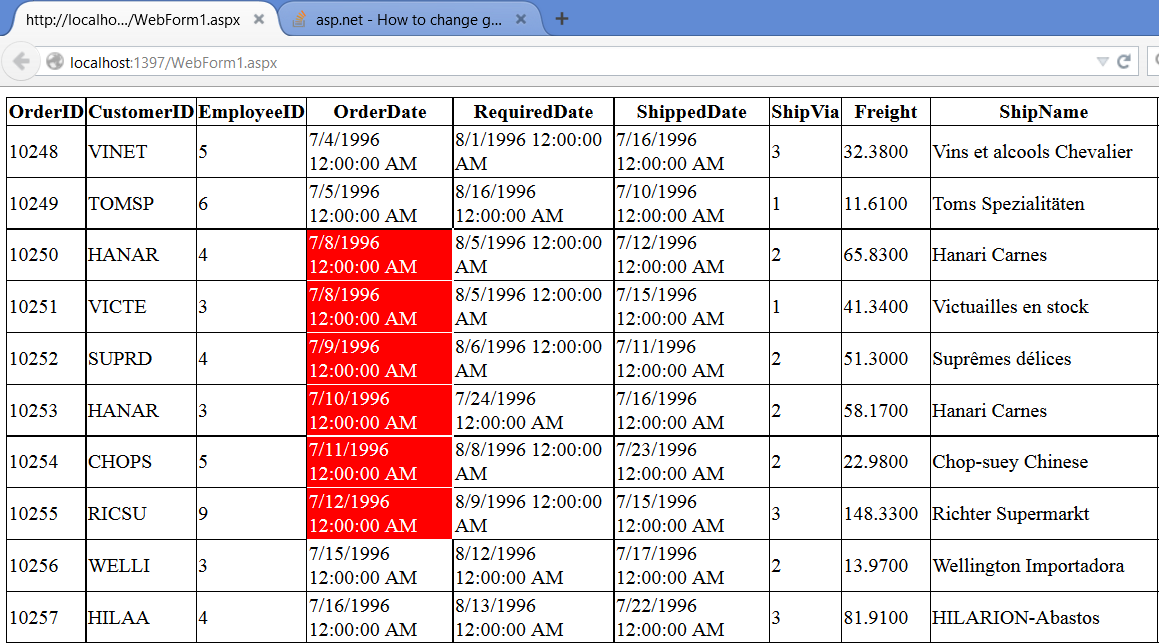
EDIT: I made it an interval, just so is a little more interesting:
protected void Page_Load(object sender, EventArgs e)
{
    minDate = new DateTime(1996, 7, 7);
    maxDate = new DateTime(1996, 7, 15);
}

protected void GridView1_RowDataBound(object sender, GridViewRowEventArgs e)
{
    if (e.Row.RowIndex >= 0)
    {
        var curDate = DateTime.Parse(e.Row.Cells[3].Text);

        if (minDate < curDate && curDate < maxDate)
        {
            e.Row.Cells[3].BackColor = Color.Red;
            e.Row.Cells[3].ForeColor = Color.White;
        }
    }
}
All methods was sourced from stackoverflow.com or stackexchange.com, is licensed under cc by-sa 2.5, cc by-sa 3.0 and cc by-sa 4.0