I currently have MVC project that calls python script via Process (new processStartinfo(“/path/to/python.exe”, ” /path/to/script.py”). Which works perfectly fine in visual studio.
When i publish this on azure how will it be able to call python.exe? (Im probably not constructing this question accurately since this is my very first web to publish and do not have full understanding of publishing)
P.S. I did try to use IronPython but since my script uses NLTK, i ran into bunch of issues so it was easier to install python&nltk with pip, then call python.exe with through command line that takes argument of /path/to/script.py. Any input is appreciated.
EDIT: my homeController starts a process that passes in path_of_python, path_of_script to command line, redirects the output and does work on the data it gets back (from output).
Answers:
Thank you for visiting the Q&A section on Magenaut. Please note that all the answers may not help you solve the issue immediately. So please treat them as advisements. If you found the post helpful (or not), leave a comment & I’ll get back to you as soon as possible.
Method 1
It seems to be possible to use Python script with NLTK package in C# on Azure website.
I tried to implement it via a workaround way as below, and it works fine.
Step 1. For installing Python & NLTK on Azure WebApp
- Access the Kudu tool of your webapp via the url
https://<your webapp name>.scm.azurewebsites.net. - Install a site extension
Python 2.7.12 x86which will be installed at the pathD:homeif using the 32bit version of Azure WebApp as example.
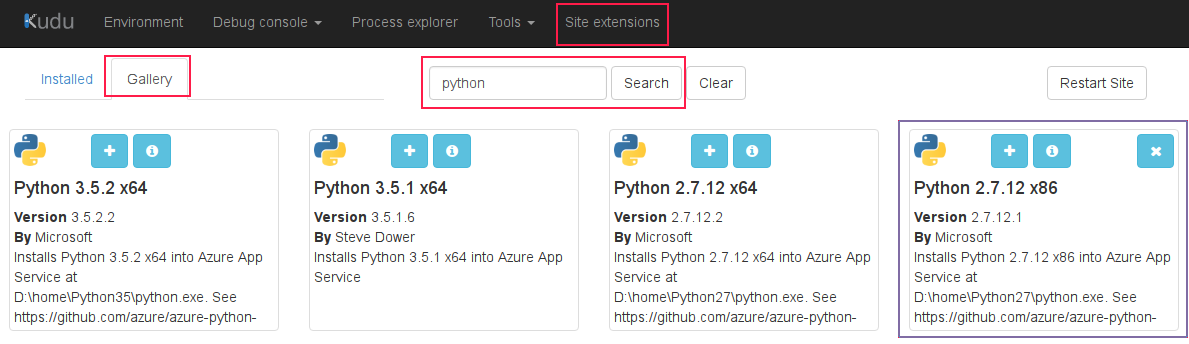
- Switch to the Kudu CMD, then you can see a new Python runtime which has been installed at here and you have permission to do any operations on it.
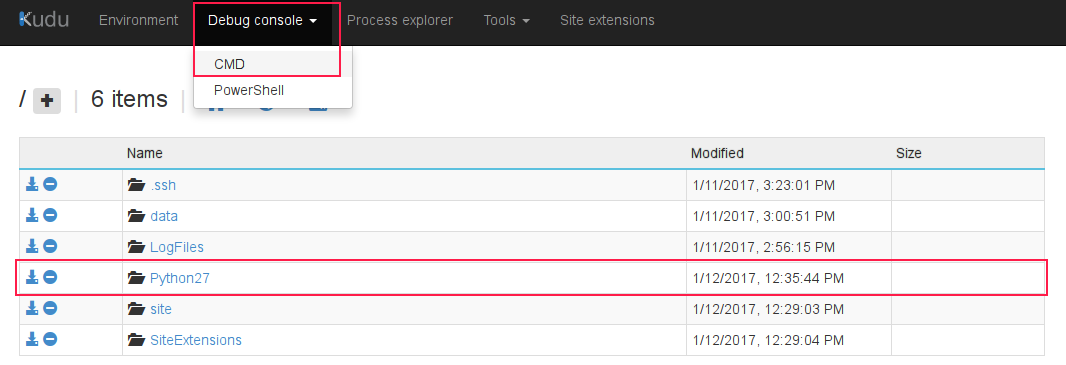
- Commands
cd Python27andtouch get-pip.pyand copy the content of the urlhttps://bootstrap.pypa.io/get-pip.pyinto theget-pip.pyviaEditbutton, then runpython get-pip.pyto install thepiptool.
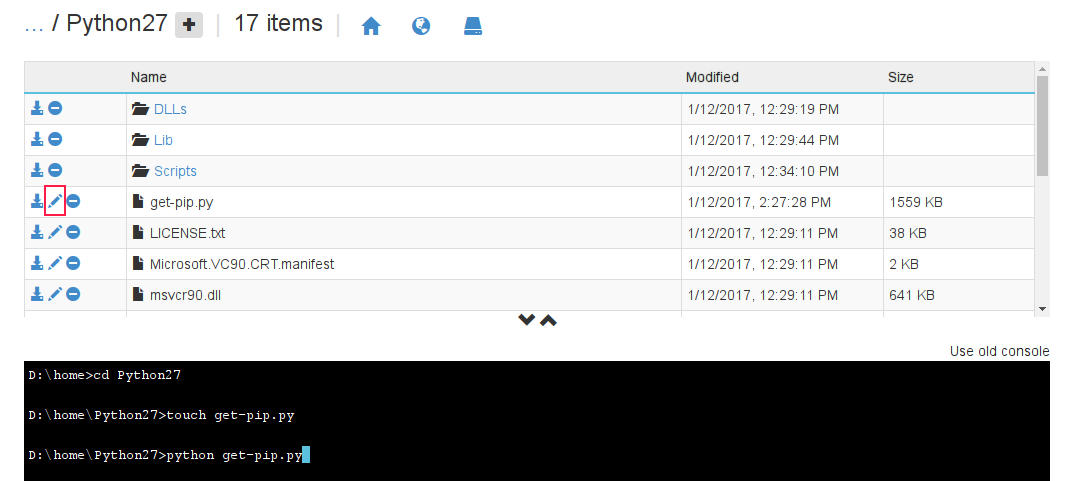
- Command
Scriptspip install nltkto installnltkpackage. - To download the nltk data, command
python -m nltk.downloader -d D:homePython27nltk_data allas below, please don’t close the current browser window or switch other urls until the command completed
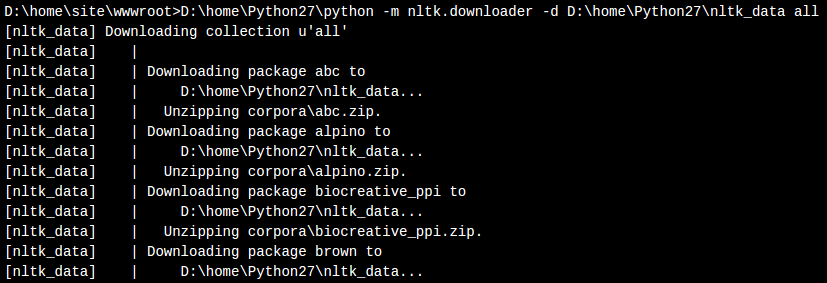
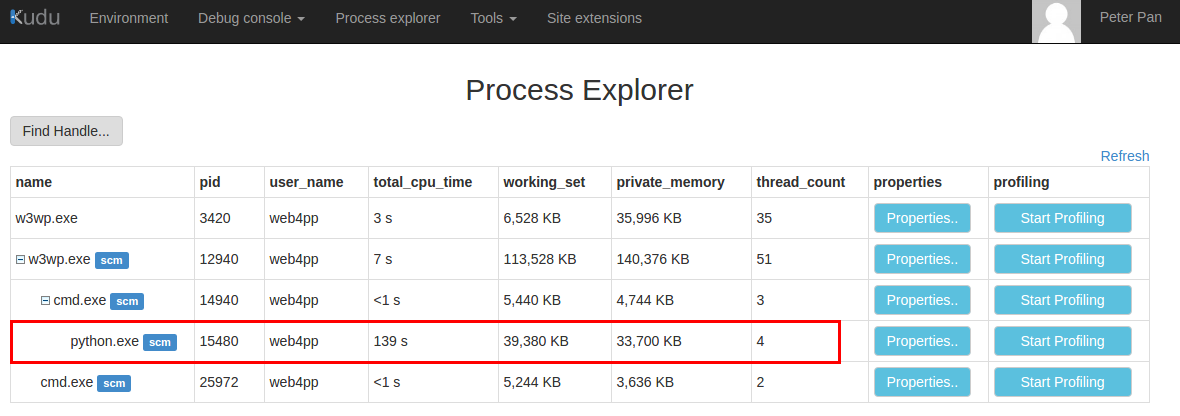
You can view the download task in process as below via the urlhttps://<your webapp name>.scm.azurewebsites.net/ProcessExplorer/at the other browser window.
6.1 Or you can download the nltk data on local to upload them into Azure WebApp.
Step 2. For testing Python script with NLTK package
-
Command
touch test.pyat the pathwwwroot, and edit the content below.import nltk sentence = """At eight o'clock on Thursday morning ... Arthur didn't feel very good.""" tokens = nltk.word_tokenize(sentence) print tokens
-
The console show the result as below, it works.

Step 3. Calls python script via Process in C#
Just only using the absoulte path of python runtime & script D:homePython27python & D:homesitewwwroottest.python instead of them in your C# code.
Please try and feedback your result. Any concern, please feel free to let me know.
All methods was sourced from stackoverflow.com or stackexchange.com, is licensed under cc by-sa 2.5, cc by-sa 3.0 and cc by-sa 4.0