I have two related models.
public partial class bs_delivery_type
{
    public decimal delivery_id { get; set; }
    public decimal delivery_city_id { get; set; }
    public string delivery_address { get; set; }

    public virtual bs_cities bs_cities { get; set; }
}
and the second one:
public partial class bs_cities
{
    public bs_cities()
    {
        this.bs_delivery_type = new HashSet<bs_delivery_type>();
    }

    public decimal cities_id { get; set; }
    public string cities_name { get; set; }

    public virtual ICollection<bs_delivery_type> bs_delivery_type { get; set; }
}
and I have such ViewBag’s for dropdownlist’s:
ViewBag.city = new SelectList(_db.bs_cities, "cities_id", "cities_id");
ViewBag.delivery_adress = new SelectList(_db.bs_cities, "delivery_id", "delivery_address");
When I choose city in first dropdownlist, in the second one there has to be appeared binded list with delivery_adress, where delivery_city_id = cities_id(from first dropdownlist).
How to do that?
Edit:
I tryed method from @Izzy’s comment, so here is my actual view:
@model Bike_Store.Models.DeliveryModel

@{
ViewBag.Title = "Checkout";
}
<script src="~/Scripts/bootstrap.min.js"></script>
<script src="~/Scripts/jquery-3.1.1.min.js"></script>


<script src="https://ajax.googleapis.com/ajax/libs/jqueryui/1.8/jquery-ui.min.js"></script>
<script type="text/javascript">
function GetDelivery(_stateId) {
    var procemessage = "<option value='0'> Please wait...</option>";
    $("#ddldelivery").html(procemessage).show();
    var url = "/Shop/GetDeliveryByCityId/";

    $.ajax({
        url: url,
        data: { cities_id: _stateId },
        cache: false,
        type: "POST",
        success: function (data) {
            var markup = "<option value='0'>Select adress</option>";
            for (var x = 0; x < data.length; x++) {
                markup += "<option value=" + data[x].Value + ">" + data[x].Text + "</option>";
            }
            $("#ddldelivery").html(markup).show();
        },
        error: function (reponse) {
            alert("error : " + reponse);
        }
    });

}
</script>
<h2>Checkout</h2>
@using (Html.BeginForm())
{
@Html.DropDownListFor(m=>m.CitiesModel, new SelectList(Model.CitiesModel, "cities_id", "cities_name"), new {@id = "ddldelivery", @style="width:200px", @onchange="javascript:GetDelivery(this.value);"})
<br />
<br />
<select id="ddldelivery" name="ddldelivery" style="width:200px">

</select>
<br /><br />
}
My controller now looks like this:
public List<bs_cities> GetAllCities()
    {
        List<bs_cities> cities = new List<bs_cities>();
        foreach (var city in _db.bs_cities)
        {
            cities.Add(city);
        }
        return cities;
    }

    public List<bs_delivery_type> GetAllDeliveries()
    {
        List<bs_delivery_type> deliveries = new List<bs_delivery_type>();
        foreach (var delivery in _db.bs_delivery_type)
        {
            deliveries.Add(delivery);
        }
        return deliveries;
    }

    [HttpPost]
    public ActionResult GetDeliveryByCityId(decimal cities_id)
    {
        List<bs_delivery_type> delivery = new List<bs_delivery_type>();
        delivery = GetAllDeliveries().Where(m => m.delivery_city_id == cities_id).ToList();
        SelectList objDelivery = new SelectList(delivery, "delivery_id", "delivery_address", 0);
        return Json(objDelivery);
    }

    public ViewResult Checkout()
    {
        DeliveryModel deliveryModel = new DeliveryModel();
        deliveryModel.CitiesModel = new List<bs_cities>();
        deliveryModel.CitiesModel = GetAllCities();
        return View(deliveryModel);
    }
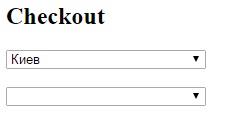
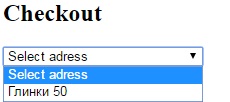
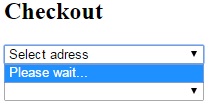
The problem now is that i have 2 ddls, but works only first one.
In scrshot you can see I have a list of cities, when I choose a city, in this same ddl appears a list of delivery adresses, and when I choose adress – its desappears. What a magic? Help me please with Ajax.
List of cities
I guesse i fixed it, the problem was in:
@Html.DropDownListFor(m=>m.CitiesModel, new SelectList(Model.CitiesModel, "cities_id", "cities_name"), new {@id = "ddldelivery", @style="width:200px", @onchange="javascript:GetDelivery(this.value);"})
I changes @id = "ddldelivery" to @id = "ddlcity" and it works now
Answers:
Thank you for visiting the Q&A section on Magenaut. Please note that all the answers may not help you solve the issue immediately. So please treat them as advisements. If you found the post helpful (or not), leave a comment & I’ll get back to you as soon as possible.
Method 1
The following guide will show you:
- Create a partial view
- Takes cityid as input and outputs the delivery address list
- Load partial view into your select
Note: Partial view solution may be overkill in this situation, but for similar problems it is actually quite usefull.
PartialView .cshtml
Filename: _deliveryTypePartial.cshtml
@model List<bs_delivery_type>

@foreach(var item in Model)
{
    <option value="@item.delivery_id">
        @item.delivery_address
    </option>
}
Controller Code for Partial View:
public IActionResult _deliveryTypePartial(decimal city_id)
{
    List<bs_delivery_type> model = context.bs_delivery_types.Where(row => row.delivery_city_id == delivery_city_id).ToList();
    return PartialView(model);
}
And then Finally, for your AJAX
I notice that your two dropdownlists have identical ID’s witch will cloud your javascript code and is considered bad practice, so for the purposes of this guide I will call the first dropdownlist:
ddlcity
Now, inside your onchange function for ddlcity:
$('#ddldelivery').load("/ControllerName/_deliveryTypePartial?city_id=" _stateId);
This should load the partial view into your second dropdown list.
PS: As I completed this question you had already used the direct ajax method, I agree that both methods are equally suitable in this case. You can perhaps use the method outlined here if the actual objects you need to populate are a lot more complex.
All methods was sourced from stackoverflow.com or stackexchange.com, is licensed under cc by-sa 2.5, cc by-sa 3.0 and cc by-sa 4.0