I managed to add a custom option-select for images with
function attachment_field_credit( $form_fields, $post ) {
    $field_value = get_post_meta( $post->ID, 'first_image', true );
    $isSelected1 = $field_value == '1' ? 'selected ' : '';
    $isSelected2 = $field_value != '1' ? 'selected ' : '';
    $form_fields['first_image'] = array(
        'label' => __( 'Use as first image' ),
        'input' => 'html',
        'html' => "<select name='attachments[{$post->ID}][first_image]' id='attachments[{$post->ID}][first_image]'>
                    <option ".$isSelected1." value='1'>Yes</option>
                    <option ".$isSelected2."  value='2'>No</option>
                   </select>"
    );
    return $form_fields;
}
add_filter( 'attachment_fields_to_edit', 'attachment_field_credit', 10, 2 );
Now I need to do almost the same for links. So if I click on Pages -> Add New -> Insert / Edit Link I get this:
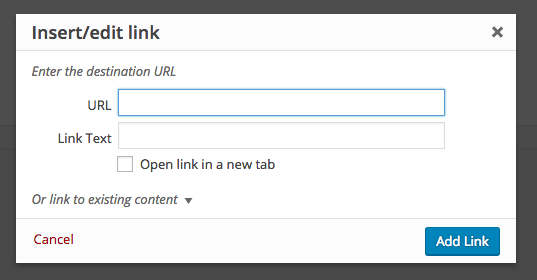
Can I add another option-select field for those links? How to do that?
Answers:
Thank you for visiting the Q&A section on Magenaut. Please note that all the answers may not help you solve the issue immediately. So please treat them as advisements. If you found the post helpful (or not), leave a comment & I’ll get back to you as soon as possible.
Method 1
The dialog HTML comes from WP_Editors::wp_link_dialog() but no hooks in there.
We could instead use jQuery to append the custom HTML to the link dialog and try to override e.g. the wpLink.getAttrs(), because it’s very short 😉
Demo example:
jQuery( document ).ready( function( $ ) {
    $('#link-options').append(
        '<div>
            <label><span>Link Class</span>
            <select name="wpse-link-class" id="wpse_link_class">
                <option value="normal">normal</option>
                <option value="lightbox">lightbox</option>
           </select>
           </label>
       </div>' );

    wpLink.getAttrs = function() {
        wpLink.correctURL();
        return {
            class:      $( '#wpse_link_class' ).val(),
            href:       $.trim( $( '#wp-link-url' ).val() ),
            target:     $( '#wp-link-target' ).prop( 'checked' ) ? '_blank' : ''
        };
    }
});
I just did a quick test and it seems to work but needs further testing and adjustments when updating links. Here’s an old hack that I did that might need a refresh.
Update
It looks like you want to add the rel="nofollow" option to the link dialog, so let’s update the above approach for that case:
We add the rel link attribute with:
/**
 * Modify link attributes
 */
wpLink.getAttrs = function() {
    wpLink.correctURL();
    return {
        rel:        $( '#wpse-rel-no-follow' ).prop( 'checked' ) ? 'nofollow' : '',
        href:       $.trim( $( '#wp-link-url' ).val() ),
        target:     $( '#wp-link-target' ).prop( 'checked' ) ? '_blank' : ''
    };
}
If the rel attribute is empty, then it will be automatically removed from the link in the editor.
Then we can hook into the wplink-open event that fires when the link dialog is opened. Here we can inject our custom HTML and update it according to the current link selection:
$(document).on( 'wplink-open', function( wrap ) {

    // Custom HTML added to the link dialog
    if( $('#wpse-rel-no-follow').length < 1 )
        $('#link-options').append( '<div> <label><span></span> <input type="checkbox" id="wpse-rel-no-follow"/> No Follow Link</label></div>');

    // Get the current link selection:
    var _node = wpse_getLink();

    if( _node ) {
        // Fetch the rel attribute
        var _rel = $( _node ).attr( 'rel' );

        // Update the checkbox
        $('#wpse-rel-no-follow').prop( 'checked', 'nofollow' === _rel );
    }

});
where we use the following helper function, based on the getLink() core function, to get the HTML of the selected link:
function wpse_getLink() {
    var _ed = window.tinymce.get( window.wpActiveEditor );
    if ( _ed && ! _ed.isHidden() ) {
        return _ed.dom.getParent( _ed.selection.getNode(), 'a[href]' );
    }
    return null;
}
Here’s the output:
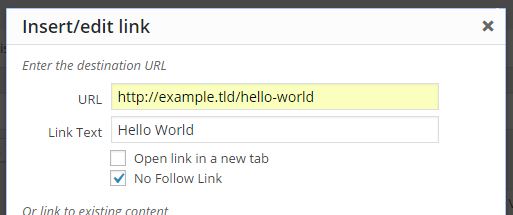
with the following HTML:

ps: This could be tested further and might also be extended to support translations
Method 2
Looking at the core, there’s no trace of any filter or action in the wp_link_dialog function, which would have made your life easier…
Investigating how others has solved this problem, there’s a plugin that does more or less the same as you want. Basically it deregisters the wplink.js, wp_deregister_script('wplink'); and registers again a modified version of the file, this time including the desired extra field.
Although I don’t think this is the best method (taking into account possible subsequent conflicts while updating WordPress), I think that it is the easiest wat to get it.
Hope it helps!
Method 3
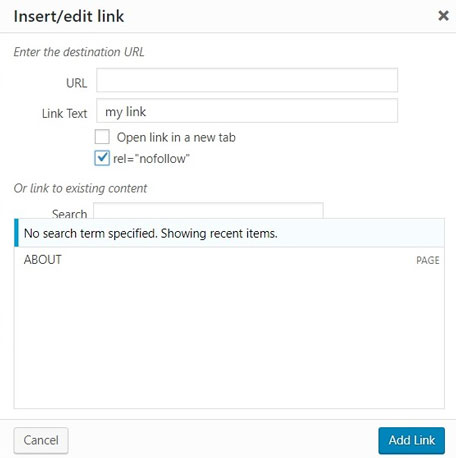
This is my simple solution, it will add an checkbox without overriding ‘wplink.js’
add_action('admin_print_footer_scripts', function() {
    ?>
    <script type="text/javascript">
    /* <![CDATA[ */
    (function($) {
      $(function() {
        $(document).on("wplink-open", function(inputs_wrap) {
          $("#link-options").append(
            $("<div></div>").addClass("link-nofollow").html(
              $("<label></label>").html([
                $("<span></span>"),
                $("<input></input>").attr({"type": "checkbox", "id": "wp-link-nofollow"}),
                "rel="nofollow""
              ])
            )
          );
          if (wpLink && typeof(wpLink.getAttrs) == "function") {
            wpLink.getAttrs = function() {
              wpLink.correctURL();
              <?php /* [attention] Do not use inputs.url.val() or any input.* */ ?>
              return {
                href: $.trim( $("#wp-link-url").val() ),
                target: $("#wp-link-target").prop("checked") ? "_blank" : null,
                rel: $("#wp-link-nofollow").prop("checked") ? "nofollow" : null
              };
            };
          }
        });
      });
    })(jQuery);
    /* ]]> */
    </script>
    <?php
}, 45);
Method 4
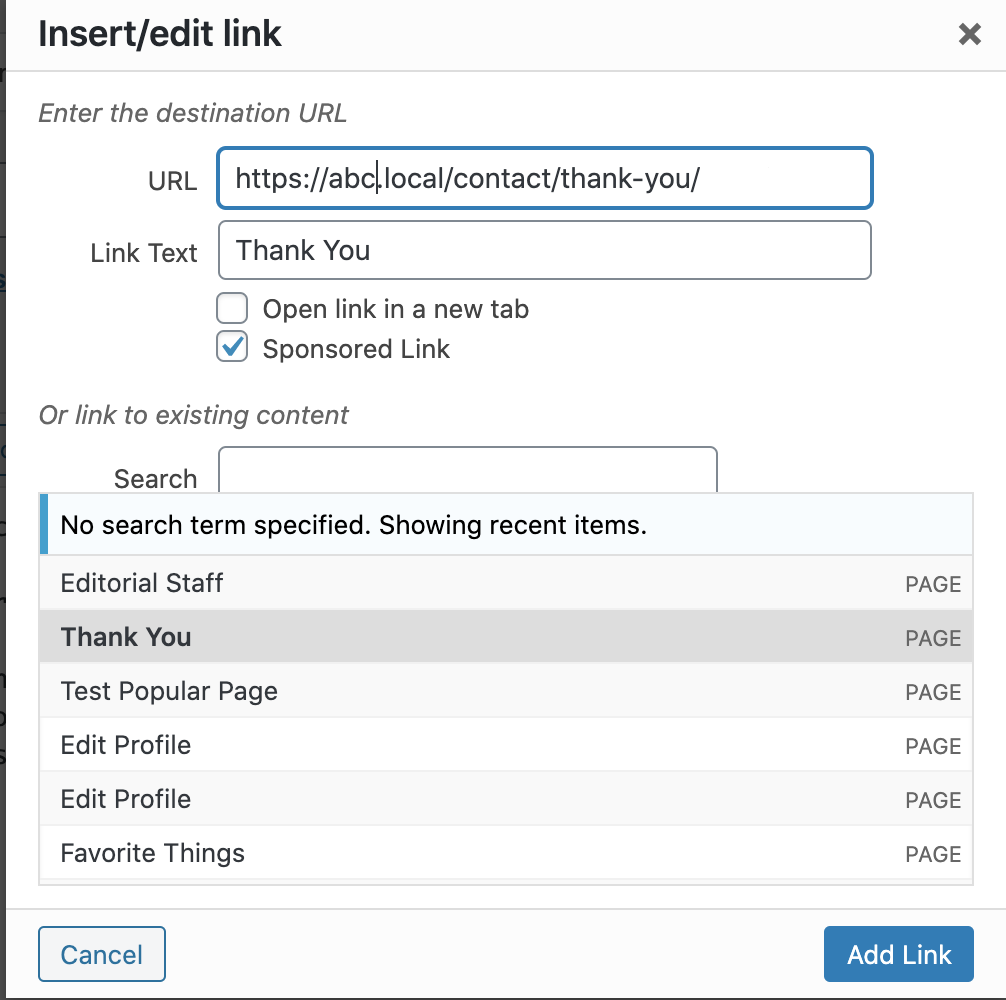
In my case, I was looking to add the checkbox to enable ‘rel=sponsored’ as Google has recommended that sponsored posts be marked Sponsored now instead of No Follow from 2020.
/**
 * Custom scripts for Admin
 */

jQuery( document ).ready( function() {
    // Adding custom checkbox to enable sponsored link
    jQuery( '#link-options' ).append( '<div><label><span></span> <input type="checkbox" id="wpse-rel-sponsored"/> Sponsored Link</label></div>');

    // Override buildHtml function from wplink.js
    wpLink.buildHtml = function(attrs) {
        var sponsored = jQuery( '#wpse-rel-sponsored' ).prop( 'checked' ) ? true : false;
        var html = '<a href="' + attrs.href + '" rel="nofollow noreferrer noopener"';

        if ( sponsored && attrs.target ) {
            html += ' rel="sponsored" target="' + attrs.target + '"';  // 'Sponsored' and 'New tab' selected
        } else if ( sponsored ) {
            html += ' rel="sponsored" '; // Only 'Sponsored' selected
        } else if ( attrs.target ) {
            html += ' rel="noopener" target="' + attrs.target + '"'; // Only 'new tab' selected
        }
        return html + '>';
    }
} );
All methods was sourced from stackoverflow.com or stackexchange.com, is licensed under cc by-sa 2.5, cc by-sa 3.0 and cc by-sa 4.0