Currently whenever I try to register a user or login using the default membership services built into ASP.Net MVC4 on my host provider DiscountASP I receive the error
To call this method, the “Membership.Provider” property must be an instance of “ExtendedMembershipProvider”.
This doesn’t happen locally.
Here is my InitializeSimpleMembershipAttribute.cs:
[AttributeUsage(AttributeTargets.Class | AttributeTargets.Method, AllowMultiple = false, Inherited = true)]
public sealed class InitializeSimpleMembershipAttribute : ActionFilterAttribute
{
    private static SimpleMembershipInitializer _initializer;
    private static object _initializerLock = new object();
    private static bool _isInitialized;

    public override void OnActionExecuting(ActionExecutingContext filterContext)
    {
        // Ensure ASP.NET Simple Membership is initialized only once per app start
        LazyInitializer.EnsureInitialized(ref _initializer, ref _isInitialized, ref _initializerLock);
    }

    private abstract class SimpleMembershipInitializer
    {
        protected SimpleMembershipInitializer()
        {
            Database.SetInitializer<UsersContext>(null);

            try
            {
                using (var context = new UsersContext())
                {
                    if (!context.Database.Exists())
                    {
                        // Create the SimpleMembership database without Entity Framework migration schema
                        ((IObjectContextAdapter)context).ObjectContext.CreateDatabase();
                    }
                }

                WebSecurity.InitializeDatabaseConnection("DefaultConnection", "UserProfile", "UserId", "UserName", autoCreateTables: true);
            }
            catch (Exception ex)
            {
                throw new InvalidOperationException("The ASP.NET Simple Membership database could not be initialized. For more information, please see http://go.microsoft.com/fwlink/?LinkId=256588", ex);
            }
        }
    }
}
Here is a full screenshot of the error:
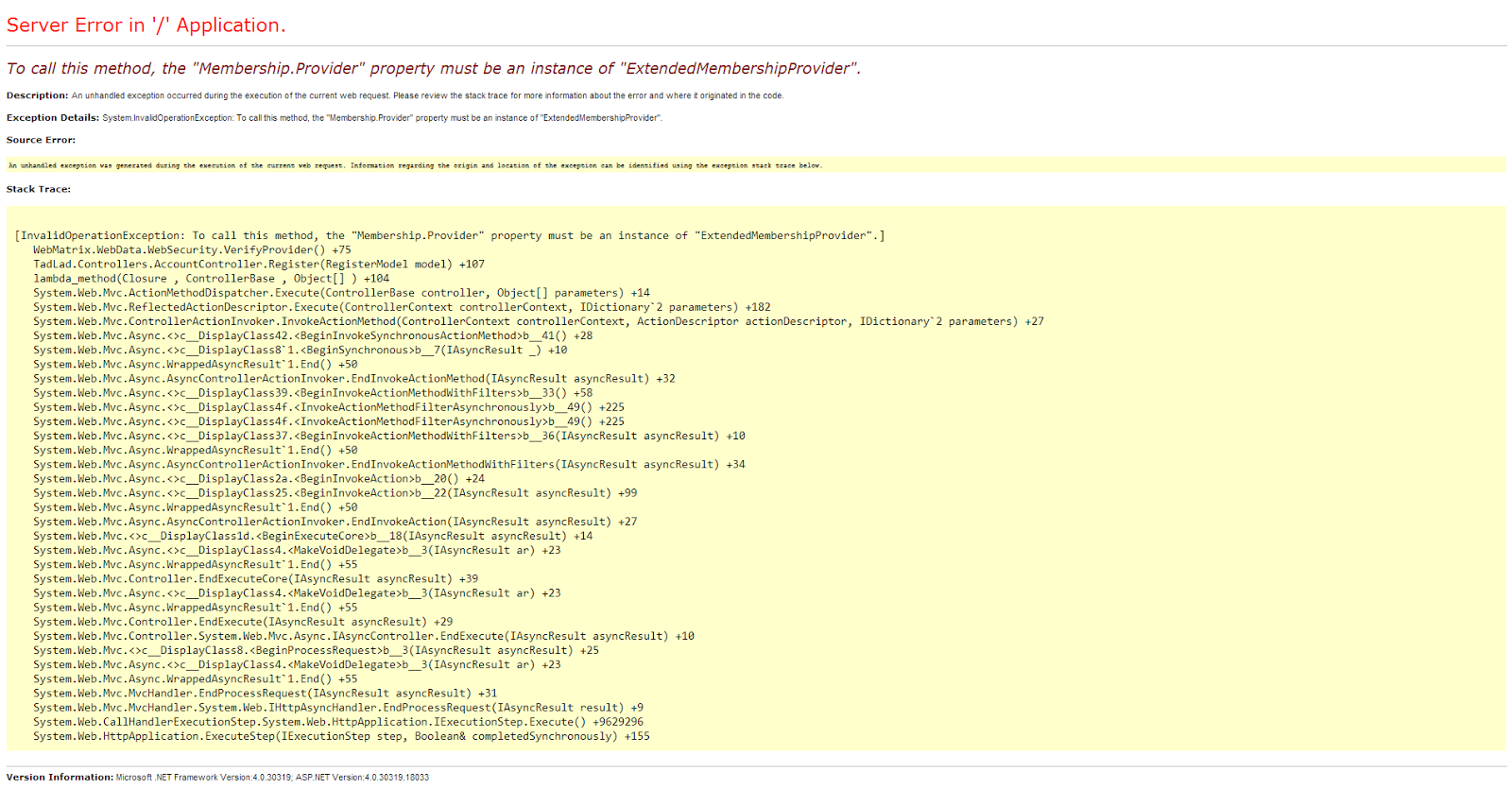
Does anyone know how I can fix this or know an article that addresses it?
Answers:
Thank you for visiting the Q&A section on Magenaut. Please note that all the answers may not help you solve the issue immediately. So please treat them as advisements. If you found the post helpful (or not), leave a comment & I’ll get back to you as soon as possible.
Method 1
Try setting the following up in your web.config within the <system.web> node:
    <roleManager enabled="true" defaultProvider="SimpleRoleProvider">
        <providers>
            <clear />
            <add name="SimpleRoleProvider" type="WebMatrix.WebData.SimpleRoleProvider, WebMatrix.WebData" />
        </providers>
    </roleManager>
    <membership defaultProvider="SimpleMembershipProvider">
        <providers>
            <clear />
            <add name="SimpleMembershipProvider" type="WebMatrix.WebData.SimpleMembershipProvider, WebMatrix.WebData" />
        </providers>
    </membership>
    <sessionState mode="InProc" customProvider="DefaultSessionProvider">
        <providers>
            <add name="DefaultSessionProvider" type="System.Web.Providers.DefaultSessionStateProvider, System.Web.Providers, Version=1.0.0.0, Culture=neutral, PublicKeyToken=31bf3856ad364e35" connectionStringName="DefaultConnection" />
        </providers>
    </sessionState>
Sounds like SimpleMembership isn’t recognized when you go to use it.
Also, it may be worth including, the WebMatrix.webData library can be installed via NuGet:
PM> Install-Package Microsoft.AspNet.WebPages.WebData
Method 2
Try to change the Login function under AccountController.cs
        //
    // POST: /Account/Login

    [AllowAnonymous]
    [HttpPost]
    public ActionResult Login(LoginModel model, string returnUrl)
    {
        if (ModelState.IsValid)
        {
            if (Membership.ValidateUser(model.UserName, model.Password))
            {
                FormsAuthentication.SetAuthCookie(model.UserName, model.RememberMe);
                if (Url.IsLocalUrl(returnUrl))
                {
                    return Redirect(returnUrl);
                }
                else
                {
                    return RedirectToAction("Index", "Home");
                }
            }
            else
            {
                ModelState.AddModelError("", "The user name or password provided is incorrect.");
            }
        }

        // If we got this far, something failed, redisplay form
        return View(model);
    }
Method 3
Did steps above but that didn’t help. What helped was changing web.config:
      <dependentAssembly>
    <assemblyIdentity name="WebMatrix.Data" publicKeyToken="31bf3856ad364e35" culture="neutral" />
    <bindingRedirect oldVersion="0.0.0.0-3.1.0.0" newVersion="3.0.0.0" />
  </dependentAssembly>
          <dependentAssembly>
    <assemblyIdentity name="WebMatrix.WebData" publicKeyToken="31bf3856ad364e35" culture="neutral" />
    <bindingRedirect oldVersion="0.0.0.0-3.1.0.0" newVersion="3.0.0.0" />
  </dependentAssembly>
Method 4
I had the same error, but it was 100% references for me. I have had trouble getting WebMatrix.WebSecurity working several times…each time is because I did not create the project using the MVC 4 Internet template.
The key is that the references and config work by default in the template, so just recreate your project and it will be fine.
My fix is:
1. Back up my project to another folder.
2. Check out all files
3. Create a new MVC 4 Internet project, under the exact same name.
4. Copy + Paste (overwrite) the original project.
5. Add any missing references, changed routes, .config settings/DB connections.
Method 5
I am just fix the same problem.
My problem start after update nuget packages.. My VS 2019 add new lines “membership” and “roleManager” in web.config so it is become duplicated (as previously has been exist).
I am commented the old values, then this “membership.provider” warning shown each time logoff and login.
Just use the old one because more suitable with your code.
Below is the generated code in web.config that I remove :
<membership defaultProvider="DefaultMembershipProvider">
      <providers>
        <add name="DefaultMembershipProvider" type="System.Web.Providers.DefaultMembershipProvider, System.Web.Providers, Version=2.0.0.0, Culture=neutral, PublicKeyToken=31bf3856ad364e35" connectionStringName="DefaultConnection" enablePasswordRetrieval="false" enablePasswordReset="true" requiresQuestionAndAnswer="false" requiresUniqueEmail="false" maxInvalidPasswordAttempts="5" minRequiredPasswordLength="6" minRequiredNonalphanumericCharacters="0" passwordAttemptWindow="10" applicationName="/" />
      </providers>
    </membership>
    <roleManager defaultProvider="DefaultRoleProvider">
      <providers>
        <add name="DefaultRoleProvider" type="System.Web.Providers.DefaultRoleProvider, System.Web.Providers, Version=2.0.0.0, Culture=neutral, PublicKeyToken=31bf3856ad364e35" connectionStringName="DefaultConnection" applicationName="/" />
      </providers>
    </roleManager>
All methods was sourced from stackoverflow.com or stackexchange.com, is licensed under cc by-sa 2.5, cc by-sa 3.0 and cc by-sa 4.0