In asp.net page I need to know how to maintain the value of a particular label assign by the html button click. After postback done.
Detailed code:
 <table>
        <tr>
            <td><asp:Label ID="lbl1" runat="server" ClientIDMode="Static">Before Changing</asp:Label></td>

            <td><asp:Label id="lbl2" runat="server" ClientIDMode="Static"></asp:Label></td>

            <td><asp:TextBox ID="txtbox" runat="server"></asp:TextBox></td>

</tr>

        <tr>
            <td><asp:Button ID="btnasp" runat="server"  Text="ASP Button" Height="50px" Width="150px" OnClick="btnasp_Click"/></td>

            <td><input type="button" id="btnhtml" value="HTML Button" onclick="showlabel()"  style="height:50px; width:150px"/></td>
        </tr>

    </table>
Script
 <script type="text/javascript">
    function showlabel() {
        $('#lbl1').text("After Changing");

        }
</script>
cs code
   protected void btnasp_Click(object sender, EventArgs e)
    {

        txtbox.Text = lbl1.Text;
    }
OutPut
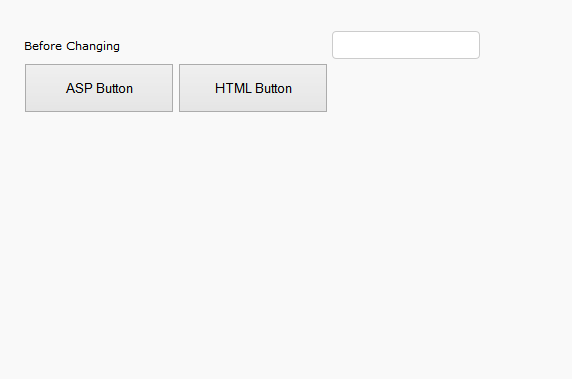
If I click HTML button the label text before changing is change to after changing. Then I click the ASP button after changing value is show in textbox.
This is done without adding value in hidden field and not using the server control to html button. How is this possible?
Answers:
Thank you for visiting the Q&A section on Magenaut. Please note that all the answers may not help you solve the issue immediately. So please treat them as advisements. If you found the post helpful (or not), leave a comment & I’ll get back to you as soon as possible.
Method 1
The label is converted into a span element and the html elements, like span or div, do not have ViewState. Neither the text or html of these is sent
server side like form elements.
Form elements that are posted are the input elements as well as hidden fields. ASP.net maintains ViewState using hidden field and input elements.
I am afraid you have to use hidden fields to maintain the value of labels between postbacks.
HTML
<input id="hdnLabelState" type="hidden" runat="server" >
Javascript
document.getElementById('<%= hdnLabelState.ClientID %>').value = "changed value of span";
Server side (code behind)
string changedLabelValue = hdnLabelState.Value;
All methods was sourced from stackoverflow.com or stackexchange.com, is licensed under cc by-sa 2.5, cc by-sa 3.0 and cc by-sa 4.0