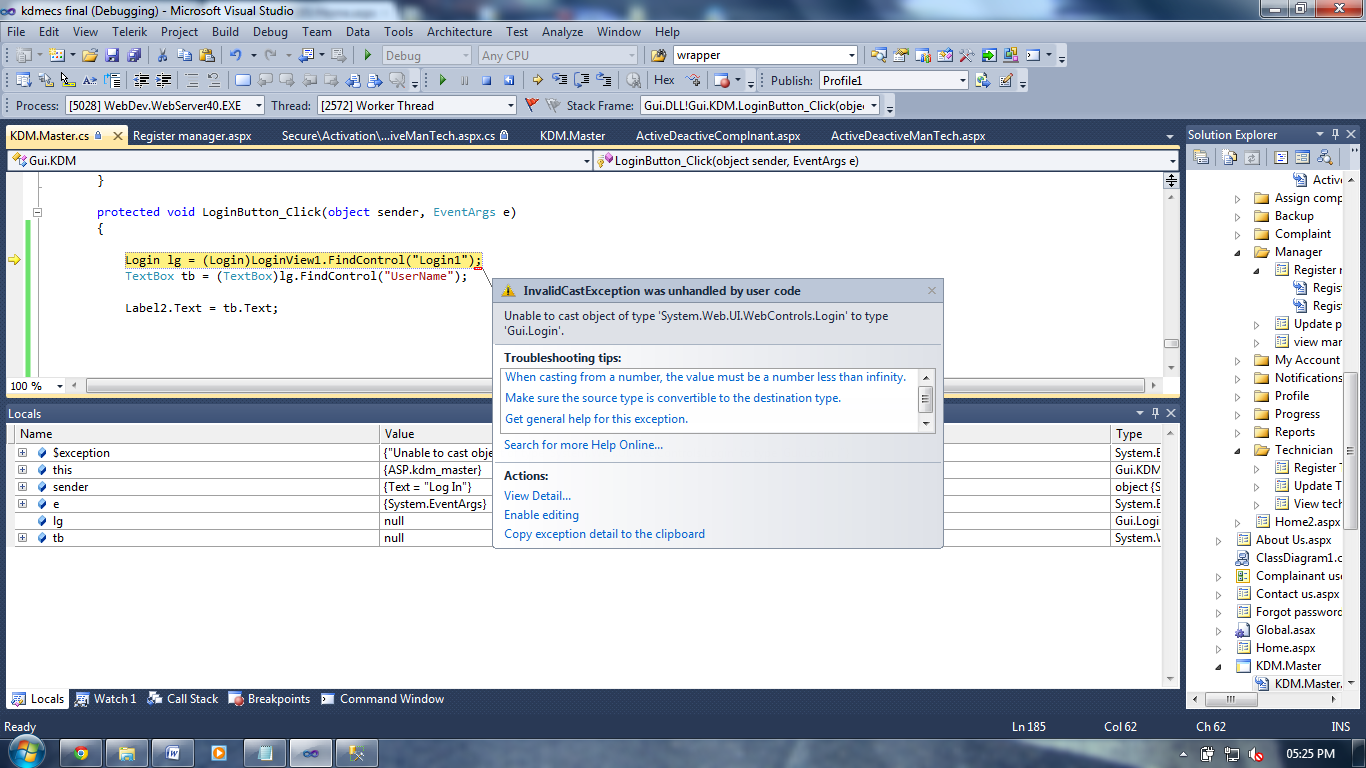
 I have a masterpage with a loginview, in the loginview i have an asp login control. i also have a label that is NOT contained in a loginview.
How do i access the username textbox control in the asp login control and display the text in a label.
Please help!
This is my code:
Login lg = (Login)LoginView1.FindControl("Login1");
TextBox tb = (TextBox)lg.FindControl("UserName");

Label2.Text = tb.Text;
ok this is what i need to do: A complainant can deactivate his account. A manager and technicians accounts are deactivated and if necessary also reactivated by the administrator. the complainant can reactivate his account at any time.
i need to validate the username entered in the textbox to first check if it is an active user. if not it allows them to reactivate it. how do i access the text from the username textbox. the rest i can figure out.
Answers:
Thank you for visiting the Q&A section on Magenaut. Please note that all the answers may not help you solve the issue immediately. So please treat them as advisements. If you found the post helpful (or not), leave a comment & I’ll get back to you as soon as possible.
Method 1
Maybe you must check if the user is authenticated or not, because the TextBox is inside the AnonymousTemplate or it’s a Namespace issue(WebControls.Login):
if (!HttpContext.Current.User.Identity.IsAuthenticated) {
   Login lg = (WebControls.Login)LoginView1.FindControl("Login1");
   TextBox tb = (TextBox)lg.FindControl("UserName");
   Label2.Text = tb.Text;
}
But normally you would get the UserName/Password via the appropriate properties UserName/Password of the Login.
Edit: Your added screenshot is very small but i see that you are getting an InvalidCastException, so my asumption on the namespace issue was correct.
All methods was sourced from stackoverflow.com or stackexchange.com, is licensed under cc by-sa 2.5, cc by-sa 3.0 and cc by-sa 4.0