I created a Master-Detail type project in Xamarin. When I selected an item from the Master page the background color is orange by default. How can I change this to a color of my choosing?
Answers:
Thank you for visiting the Q&A section on Magenaut. Please note that all the answers may not help you solve the issue immediately. So please treat them as advisements. If you found the post helpful (or not), leave a comment & I’ll get back to you as soon as possible.
Method 1
You can bind BackgroundColor for ContentView of ViewCell , then use ViewModel and ItemTapped method of ListView to modify the selected item background color .
For example , the xaml code as follow:
<ListView x:Name="ListViewMenu"
            HasUnevenRows="True" ItemTapped="ListViewMenu_ItemTapped">
    <ListView.ItemTemplate>
        <DataTemplate>
            <ViewCell >
                <Grid Padding="10"
                        BackgroundColor="{Binding SelectedBackgroundColor}">
                    <Label Text="{Binding Title}" d:Text="{Binding .}" FontSize="20"/>
                </Grid>
            </ViewCell>
        </DataTemplate>
    </ListView.ItemTemplate>
</ListView>
Then in HomeMenuItem model add SelectedBackgroundColor property :
public enum MenuItemType
{
    Browse,
    About
}
public class HomeMenuItem : INotifyPropertyChanged
{
    public event PropertyChangedEventHandler PropertyChanged;
    public MenuItemType Id { get; set; }

    public string Title { get; set; }

    private Color selectedBackgroundColor;
    public Color SelectedBackgroundColor
    {
        set
        {
            if (selectedBackgroundColor != value)
            {
                selectedBackgroundColor = value;
                OnPropertyChanged("SelectedBackgroundColor");
            }
        }
        get
        {
            return selectedBackgroundColor;
        }
    }

    protected virtual void OnPropertyChanged(string propertyName)
    {
        PropertyChanged?.Invoke(this, new PropertyChangedEventArgs(propertyName));
    }

}
Then in MenuPage modify ItemSource as follow:
public partial class MenuPage : ContentPage
{
    MainPage RootPage { get => Application.Current.MainPage as MainPage; }
    List<HomeMenuItem> menuItems;
    List<HomeMenuItem> tmpItems; // add a tmp list to remove setted backgroud color
    public MenuPage()
    {
        InitializeComponent();

        tmpItems = new List<HomeMenuItem>();

        menuItems = new List<HomeMenuItem>
        {
            new HomeMenuItem {Id = MenuItemType.Browse, Title="Browse" },
            new HomeMenuItem {Id = MenuItemType.About, Title="About" }
        };

        menuItems[0].SelectedBackgroundColor = Color.Red; // default set the first item be selected, you can modify as your wants
        tmpItems.Add(menuItems[0]); // add the selected item (default is the first)

        ListViewMenu.ItemsSource = menuItems;

        ListViewMenu.SelectedItem = menuItems[0];
        ListViewMenu.ItemSelected += async (sender, e) =>
        {
            if (e.SelectedItem == null)
                return;

            var id = (int)((HomeMenuItem)e.SelectedItem).Id;
            await RootPage.NavigateFromMenu(id);
        };
    }

    private void ListViewMenu_ItemTapped(object sender, ItemTappedEventArgs e)
    {
        menuItems[e.ItemIndex].SelectedBackgroundColor = Color.Red;
        tmpItems[0].SelectedBackgroundColor = Color.Transparent;
        tmpItems[0] = menuItems[e.ItemIndex];
    }
}
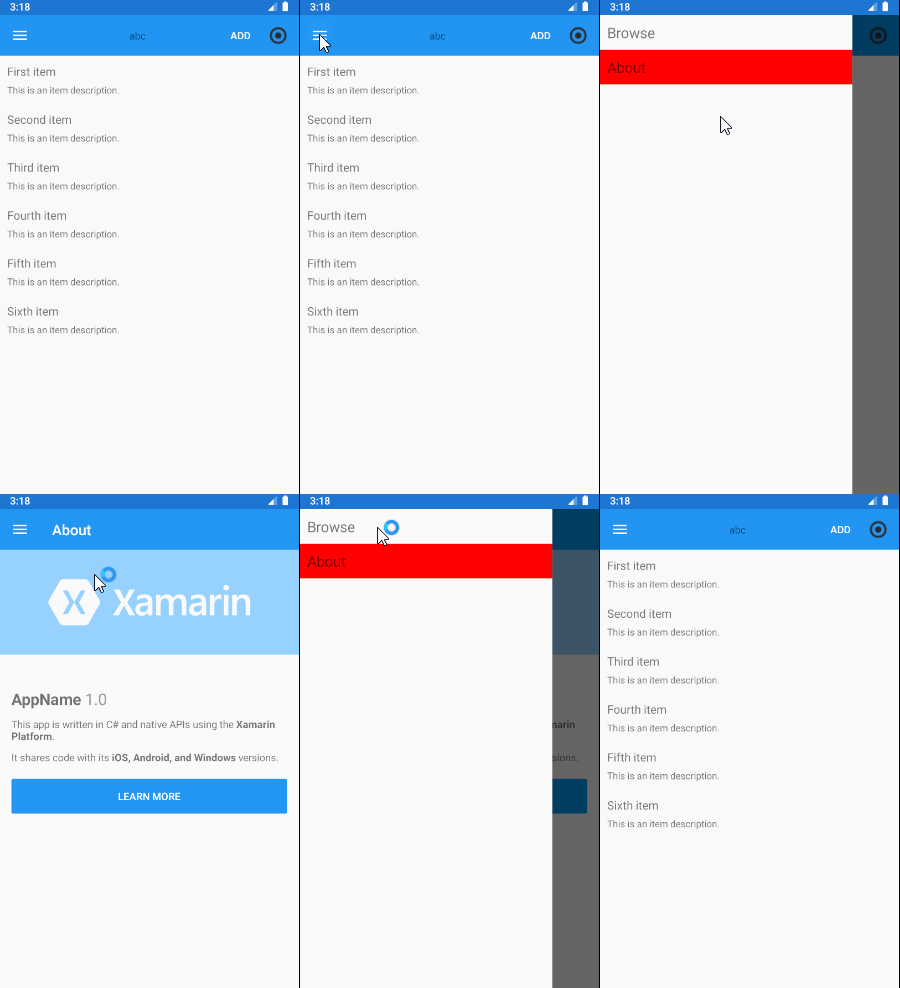
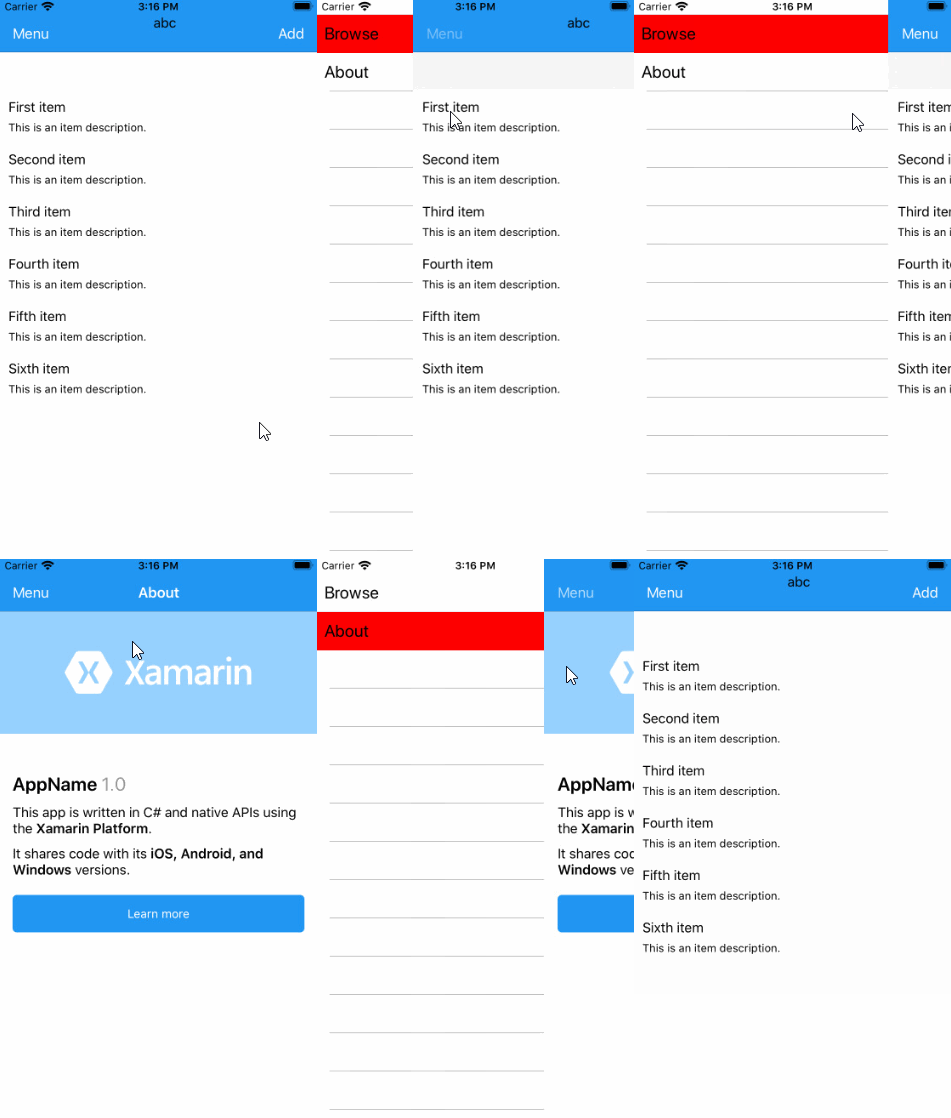
The effect :
Method 2
This problem is specific to Android. In the Android project add this line to Resourcesvaluesstyles.xml inside the <style> tag:
<item name="android:colorActivatedHighlight">#00FFFFFF</item>
All methods was sourced from stackoverflow.com or stackexchange.com, is licensed under cc by-sa 2.5, cc by-sa 3.0 and cc by-sa 4.0