I have created online meeting using Microsoft-Graph-API and able to add attendee using below code:
 GraphServiceClient graphClient = GraphAuthProvider();
                //meetingAttendees
                MeetingParticipants meetingParticipants = new MeetingParticipants();

                List<MeetingParticipantInfo> meetingParticipantInfos = new List<MeetingParticipantInfo>() { };
                meetingParticipants.Attendees = meetingParticipantInfos;

                foreach (DataRow dataRow in drAttendee)
                {
                    meetingParticipantInfos.Add(new MeetingParticipantInfo { Upn = dataRow["Email"].NullToString() });
                }

                var onlineMeeting = new OnlineMeeting
                {
                    StartDateTime = DateTimeOffset.Parse(dr["StartDateTime"].NullToString()),
                    EndDateTime = DateTimeOffset.Parse(dr["EndDateTime"].NullToString()),
                    Subject = dr["TrainingName"].NullToString(),
                    Participants = meetingParticipants

                };

                NewlyCreatedMeeting = await graphClient.Me.OnlineMeetings.Request().AddAsync(onlineMeeting);
My question is how Ms-Graph-API authenticates the attendee while joining actual meeting started by the organizer.It only ask for guest name as shown in the img:
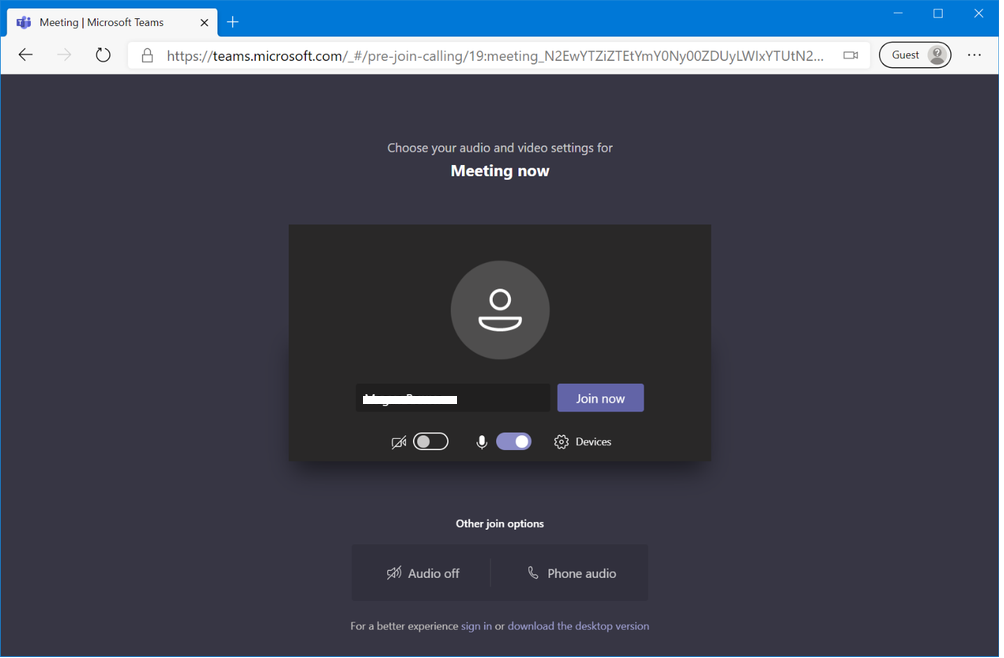
For Eg:if attendee added while creating online meeting is with email id=”[email protected]“.As shown in the img while joining he enters “abcxyz” or anything as name instead of emailid.How he can be authenticated as same attendee and not the anonymous user.
any help is appreciated.
Answers:
Thank you for visiting the Q&A section on Magenaut. Please note that all the answers may not help you solve the issue immediately. So please treat them as advisements. If you found the post helpful (or not), leave a comment & I’ll get back to you as soon as possible.
Method 1
The attendees property in Microsoft Graph has no substantial use for the time being. I believe this property is still in change.
Even if you set attendees, they are the same as other users in the organization and can join into this meeting.
The difference between attendees and anonymous users is that if you set the lobbyBypassScope attribute, you can distinguish the way they enter the meeting. (Currently this attribute is only applicable to the beta version)
So if you set lobbyBypassScope to organization, attendees (and other users in the organization) can directly enter the meeting, bypassing the lobby. But anonymous users will need to be admit.
The login behavior of attendees is as follows: when you have logged in to the attendees account, you will display a login interface that is different from anonymous users. If you are not logged in to the attendees account, you can first enter an anonymous name and then click sign in to log in to the account. The meeting will recognize your attendees, not an anonymous user.
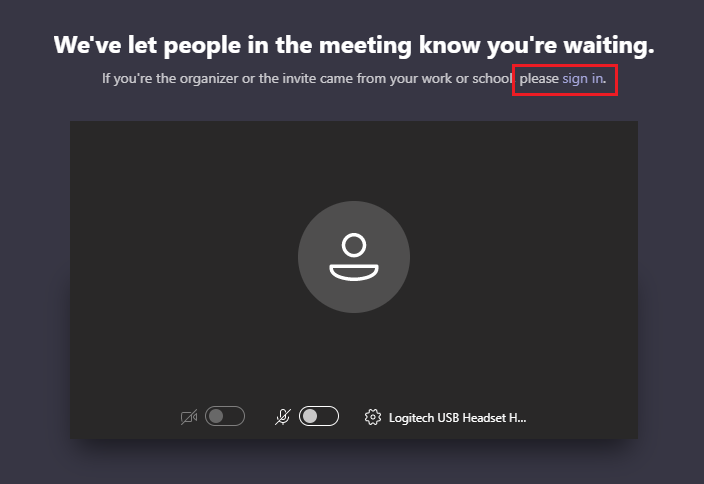
You can use what I said above to determine whether this user has joined this meeting as an anonymous user or not.
All methods was sourced from stackoverflow.com or stackexchange.com, is licensed under cc by-sa 2.5, cc by-sa 3.0 and cc by-sa 4.0