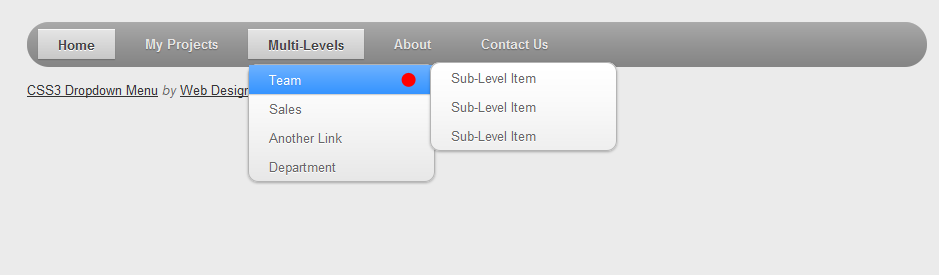
I’m wondering if it is possible to add different classes to second/third/fourth/etc-level items that have children in Appearance > Menus tree?
That’s how I call the menu:
 <?php $menu_args = array(
    'container'       => '',
    'menu_class'      => '',
    'menu_id'         => 'my-menu',
    'walker'          => new Description_Walker);

    wp_nav_menu($menu_args );
 ?>
I know every link owns different ID like <li id="menu-item-3230">, but I want the solution to be dynamic so I won’t have to edit code every time I change something. I guess the easiest way will be to attach additional class to these items but how?
Answers:
Thank you for visiting the Q&A section on Magenaut. Please note that all the answers may not help you solve the issue immediately. So please treat them as advisements. If you found the post helpful (or not), leave a comment & I’ll get back to you as soon as possible.
Method 1
There are two ways of doing this:
-
Javascript. You could use JQuery to select the
<li>that have<ul>children of class ‘sub-menu’, inserting content, or appending a CSS class which you then style. For example:$('.sub-menu').parent().addClass('myclass') -
PHP, a new walker function. Copy the code from wp-includes/nav-menu-template.php (until approx line 109) into your themes functions.php to create a new walker. Pass this walker as an argument to your menu call. In the modified Walker insert a
<span>for an arrow on a sub-menu level item.function start_lvl(&$output, $depth) { $indent = str_repeat("t", $depth); $output .= "n$indent<span class="right-arrow">→</span><ul class="sub-menu">n"; }This will add a small arrow that you can then style just before the sub-menu list item.
Method 2
You can extend the menu walker, and add a “has_children” class on items that have sub-menus:
class My_Walker_Nav_Menu extends Walker_Nav_Menu{
  public function display_element($el, &$children, $max_depth, $depth = 0, $args, &$output){
    $id = $this->db_fields['id'];

    if(isset($children[$el->$id]))
      $el->classes[] = 'has_children';

    parent::display_element($el, $children, $max_depth, $depth, $args, $output);
  }
}
and pass your instance of the class as argument in wp_nav_menu():
wp_nav_menu(array(
  'theme_location'  => 'whatever',
  'walker'          => new My_Walker_Nav_Menu(),
));
Then add your arrow with CSS, like Philip posted:
li.has_children > a:after { content: " →"; }
Method 3
One solution is to add a custom CSS class when you’re creating/editing your menu in the admin. If you don’t already see the CSS option box, go to screen options on the menu admin page and tick it.
Method 4
with css you can also use the content property,
something like this must do the job,
#div-id ul li a:after { content: " →"; }
All methods was sourced from stackoverflow.com or stackexchange.com, is licensed under cc by-sa 2.5, cc by-sa 3.0 and cc by-sa 4.0