Aa you know, as of WP3.0 there are options for custom advanced queries, which is great.
As of this, some query parameters of custom fields like meta_key, meta_value were deprecated for the new meta_query parameter (see here)
I try to have a pretty simple query with the new syntax, query posts by a certain post_type (services) that contains a specified meta_key (order_in_archive)- this is going well as expected.
But – I want to orderby the query by the meta_value, and with no success.
This is my query –
   query_posts(
    array(  'post_type' => 'services',
        'order' => 'ASC',
        'orderby' => 'meta_value',
        'meta_query' => array(
            array('key' => 'order_in_archive'))
    )
);
I tried orderby also by meta_value_numeric and meta_value, but in any case the results are being ordered by the publication date (as regular posts do).
Anyone know how can this be done?
Thanks
Answers:
Thank you for visiting the Q&A section on Magenaut. Please note that all the answers may not help you solve the issue immediately. So please treat them as advisements. If you found the post helpful (or not), leave a comment & I’ll get back to you as soon as possible.
Method 1
You can define the meta key for orderby parameter using the old method (I tested on WP 3.1.1)…
query_posts(
    array(  'post_type' => 'services',
            'order'     => 'ASC',
            'meta_key' => 'some_key',
            'orderby'   => 'meta_value', //or 'meta_value_num'
            'meta_query' => array(
                                array('key' => 'order_in_archive',
                                      'value' => 'some_value'
                                )
                            )
    )
);
Method 2
This issue in general is cleared up as of WordPress 4.2 by using named queries. e.g.
$args = array(
  'post_type' => 'services',
  'orderby'   => 'order_clause',
  'meta_query' => array(
       'order_clause' => array(
            'key' => 'order_in_archive',
            'value' => 'some_value',
            'type' => 'NUMERIC' // unless the field is not a number
)));
For me, I wanted to order by a numeric field and I had to use 'type' => 'NUMERIC' inside the meta query.
Method 3
The WP Codex is actually confusing when addressing this problem.
You do not actually need the meta_query param to use the orderby, instead it uses the meta_key param, which although by WP Codex is deprecated is has been established here: How do you use orderby with meta_query in WordPress 3.1? that orderyby still needs the meta_key.
so it should be
query_posts( array(
  'post_type' => 'services',
  'order' => 'ASC',
  'orderby' => 'meta_value',
  'meta_key' => 'order_in_archive'
) )
Method 4
It´s easy:
Here is my code:
query_posts(array(
        'post_type' => 'directors',
        'posts_per_page' => -1,
        'order'    => 'ASC',
        'orderby'  => 'director_weight',
        'meta_key' => 'director_weight'
) );
The main detail is: include meta_key, my code didn´t order unless meta_key is included, and that’s all:
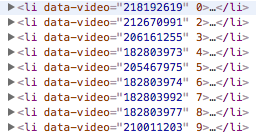
Here is the full code of a list of directors pictures order by director_weight:
<?php
    query_posts(array(
        'post_type' => 'directors',
        'posts_per_page' => -1,
        'order'    => 'ASC',
        'orderby'  => 'director_weight',
        'meta_key' => 'director_weight'
    ) );
    while (have_posts()) : the_post();
?>
    <li <?php echo get_field('director_weight') ?>>
        <img src="<?php echo get_field('director_imagen') ?>">
    </li>
<?php
    endwhile;
    wp_reset_query();
?>
Method 5
Don’t use query_posts.
$meta_query = new WP_Meta_Query( $meta_query_args );

$meta_query_args = array(
   'post_type' => 'services',
    'order'     => 'ASC',
    'meta_key' => 'your_key',
    'orderby'   => 'meta_value', //or 'meta_value_num'
    'meta_query' => array(
                    array('key' => 'order_in_archive',
                        'value' => 'some_value'
)));
Use the WP_Meta_Query parameters
Method 6
Following solution works:
$args = array(
    'post_type' => 'services',
    'order' => 'ASC',
    'orderby'   => 'order_clause',
    'meta_query' => array(
        'order_clause' => array(
            'key' => 'order_in_archive'
        )
    )
);
You needed to provide the key of the meta_query sub array order_clause for your orderby value.
Method 7
I found this to work quite well.
<?php
query_posts(
array(  'posts_per_page' => '-1',
        'post_type' => 'services',
        'order'     => 'DESC',
        'meta_key' => '_order',
        'orderby'   => 'meta_value_num', //or 'meta_value_num'
      )
);
Method 8
I had a set of custom event dates I needed to sort by date descending. Since my custom event date was stored in my wp_postmeta table, and was typically different to the post_date or modified dates, this worked for me:
  $args = array(
    'post_type' => 'events', // my post type - yours can be 'posts'
    'post_status' => 'publish', // only get posts with this status
    'orderby' => 'meta_value', // orderby the meta_value of the following meta_key
    'meta_key' => 'my_custom_eventdate', // the custom meta_key name
    'order'=> 'DESC' // sort descending
  );

  $posts = new WP_Query($args);
You can then loop through $posts like so:
foreach($posts->posts as $p){

    $post_id = $p->ID;
    // and so on ...

    // # example of how I retrieve my event date
    $event = get_post_meta($post_id, 'my_custom_eventdate', true);
}
All methods was sourced from stackoverflow.com or stackexchange.com, is licensed under cc by-sa 2.5, cc by-sa 3.0 and cc by-sa 4.0