I use TinyMCE advanced on my WordPress website. My logged-in users have the ability to fill forms with WYSIWYG fields. I don’t understand why some styles are not applied on those fields while it applied well on the admin area. Fields are set in up with ACF or formidable forms. In both case I have the same issue.
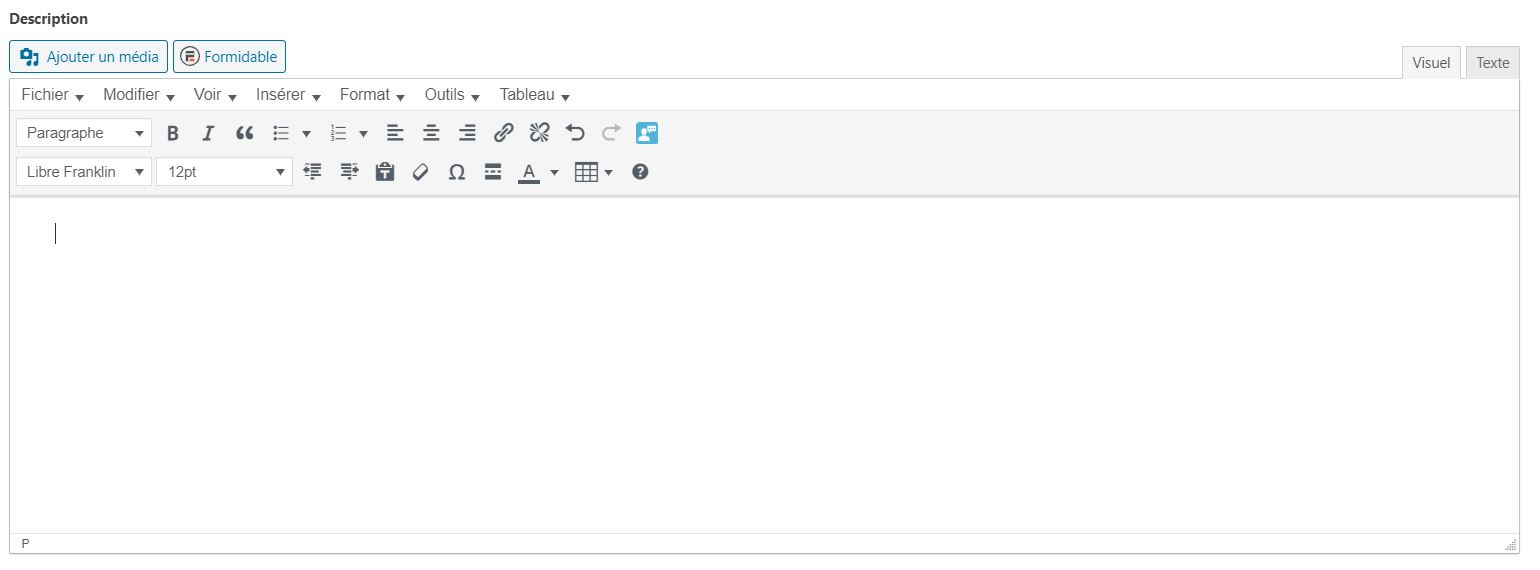
On the admin:
On the frontend:
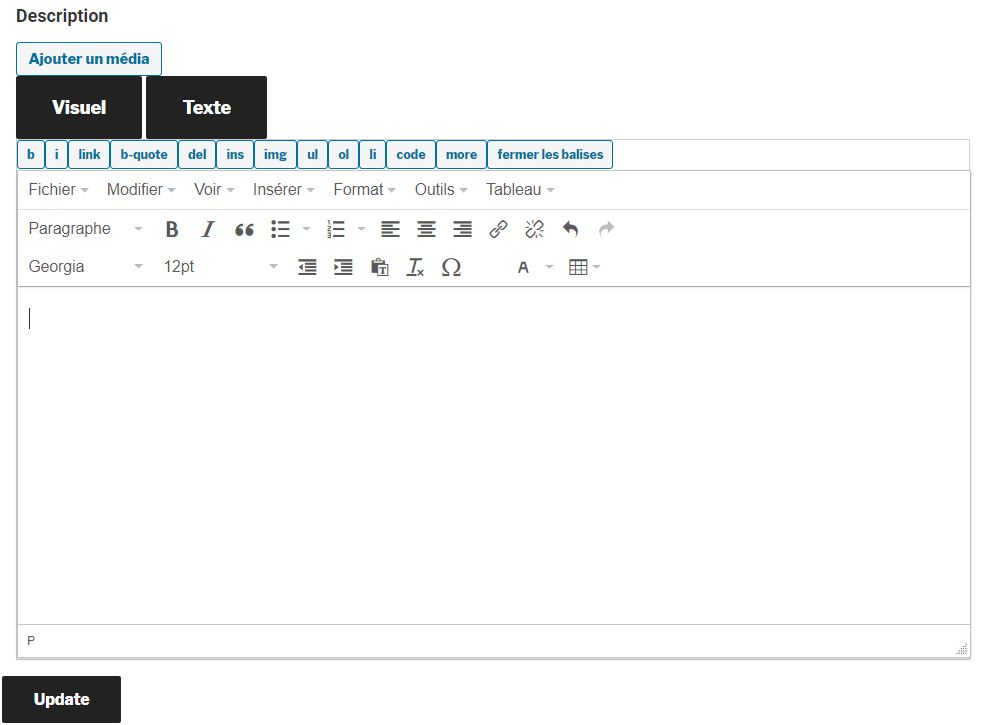
There are many discussion about TinyMCE style and I did a lot of reseach, but I still don’t understand why this happen.
Thanks in advance for your answers.
EDIT:
Seems like editor.css is not loaded in the frontend, I forced the loading of this css using this piece of code
function wpb_adding_styles() {
wp_register_style('my_stylesheet','https://www.example.com/wp-includes/css/editor.min.css?ver=5.4.2');
wp_enqueue_style('my_stylesheet');
}
add_action( 'wp_enqueue_scripts', 'wpb_adding_styles' );
The result is better but nor perfect. Also for non admin user the icons disappears, here the result:
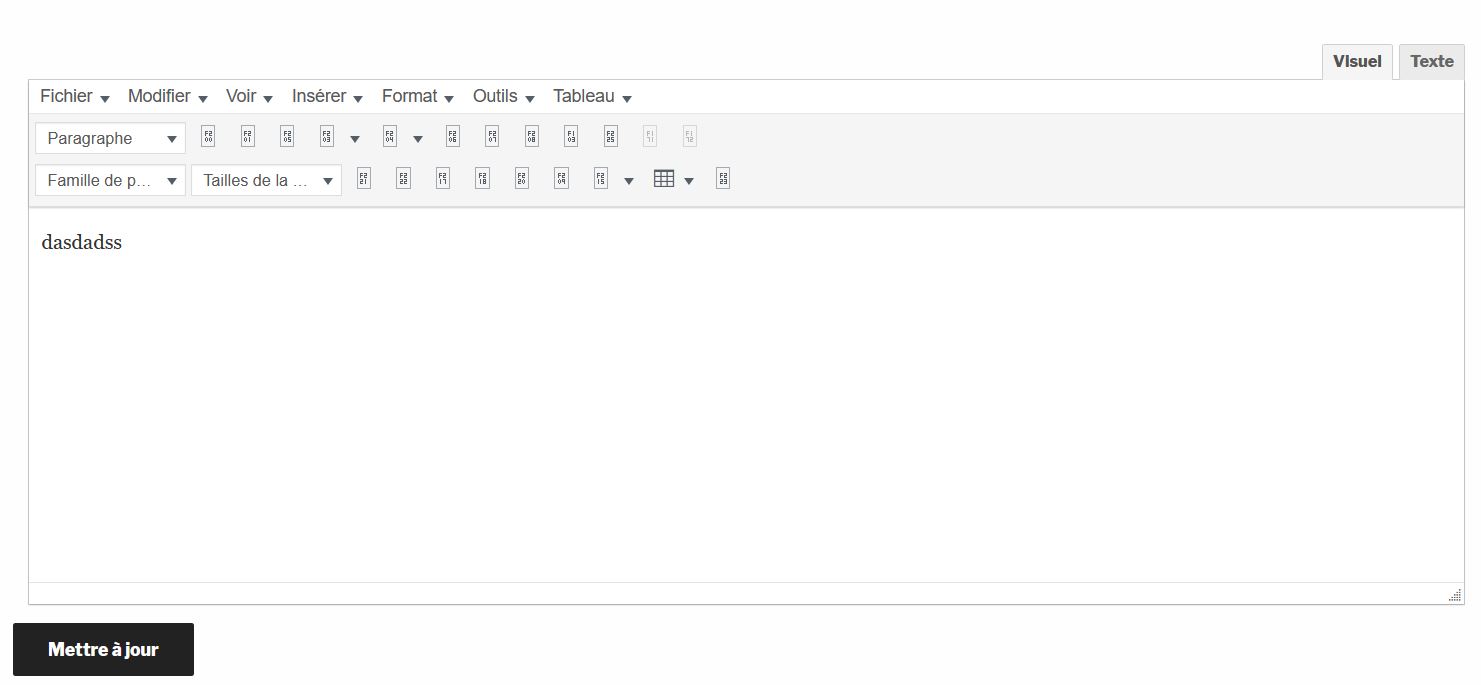
Thanks for your help !
Answers:
Thank you for visiting the Q&A section on Magenaut. Please note that all the answers may not help you solve the issue immediately. So please treat them as advisements. If you found the post helpful (or not), leave a comment & I’ll get back to you as soon as possible.
Method 1
The answer is simple: Styles from your theme are also applied to the TinyMCE editor. This is just how CSS works, and it means that the default styles that your theme applies to standard HTML will also apply to TinyMCE, as well as any HTML classes that the editor uses that also happen to be used by your theme.
The editor in your first screenshot is the editor loaded in the back-end of WordPress, so that’s what it looks like when WordPress’ admin styles are also applied to it. It’s never going to look exactly the same as long as your theme is loading your own styles.
The only “solution” is to use the developer tools of your browser to inspect TinyMCE’s elements and see what styles from your theme are applying to them, and then either remove them or overwrite them with styles that are closer to te WordPress admin’s.
Method 2
Thanks @Jacob-peattie @mozboz,
Indeed, we can just adapt the css to make it word on my twentyseventeen theme. I found a file called editor.css. I copy past a specific section on my style.css file (I m not sure if it’s the best place as I have only 2 pages on 40 that have a WYSIWYG field).
I found weird that I have to write custom css for that, and I don’t understand why my theme is “incompatible”.
Thanks,
/* Editors */
.wp-editor-wrap {
    position: relative;
}

.wp-editor-tools {
    position: relative;
    z-index: 1;
}

.wp-editor-tools:after {
    clear: both;
    content: "";
    display: table;
}

.wp-editor-container {
    clear: both;
    border: 1px solid #e5e5e5;
}

.wp-editor-area {
    font-family: Consolas, Monaco, monospace;
    font-size: 13px;
    padding: 10px;
    margin: 1px 0 0;
    line-height: 150%;
    border: 0;
    outline: none;
    display: block;
    resize: vertical;
    box-sizing: border-box;
}

.rtl .wp-editor-area {
    font-family: Tahoma, Monaco, monospace;
}

.locale-he-il .wp-editor-area {
    font-family: Arial, Monaco, monospace;
}

.wp-editor-container textarea.wp-editor-area {
    width: 100%;
    margin: 0;
    box-shadow: none;
}

.wp-editor-tabs {
    float: right;
}

.wp-switch-editor {
    float: left;
    box-sizing: content-box;
    position: relative;
    top: 1px;
    background: #ebebeb;
    color: #666;
    cursor: pointer;
    font-size: 13px;
    line-height: 1.46153846;
    height: 20px;
    margin: 5px 0 0 5px;
    padding: 3px 8px 4px;
    border: 1px solid #e5e5e5;
}

.wp-switch-editor:focus {
    box-shadow:
        0 0 0 1px #5b9dd9,
        0 0 2px 1px rgba(30, 140, 190, 0.8);
    outline: none;
    color: #23282d;
}

.wp-switch-editor:active,
.html-active .switch-html:focus,
.tmce-active .switch-tmce:focus {
    box-shadow: none;
}

.wp-switch-editor:active {
    background-color: #f5f5f5;
    box-shadow: none;
}

.js .tmce-active .wp-editor-area {
    color: #fff;
}

.tmce-active .quicktags-toolbar {
    display: none;
}

.tmce-active .switch-tmce,
.html-active .switch-html {
    background: #f5f5f5;
    color: #555;
    border-bottom-color: #f5f5f5;
}

.wp-media-buttons {
    float: left;
}

.wp-media-buttons .button {
    margin-right: 5px;
    margin-bottom: 4px;
    padding-left: 7px;
    padding-right: 7px;
}

.wp-media-buttons .button:active {
    position: relative;
    top: 1px;
    margin-top: -1px;
    margin-bottom: 1px;
}

.wp-media-buttons .insert-media {
    padding-left: 5px;
}

.wp-media-buttons a {
    text-decoration: none;
    color: #444;
    font-size: 12px;
}

.wp-media-buttons img {
    padding: 0 4px;
    vertical-align: middle;
}

.wp-media-buttons span.wp-media-buttons-icon {
    display: inline-block;
    width: 20px;
    height: 20px;
    line-height: 1;
    vertical-align: middle;
    margin: 0 2px;
}

.wp-media-buttons .add_media span.wp-media-buttons-icon {
    background: none;
}

.wp-media-buttons .add_media span.wp-media-buttons-icon:before {
    font: normal 18px/1 dashicons;
    speak: none;
    -webkit-font-smoothing: antialiased;
    -moz-osx-font-smoothing: grayscale;
}

.wp-media-buttons .add_media span.wp-media-buttons-icon:before {
    content: "f104";
}

.mce-content-body dl.wp-caption {
    max-width: 100%;
}
All methods was sourced from stackoverflow.com or stackexchange.com, is licensed under cc by-sa 2.5, cc by-sa 3.0 and cc by-sa 4.0