I have edited functions.php file recently and also added a new folder to themes folder for custom endpoint and after that I wasn’t able to login to wp-admin. I deleted the folder and code line from functions.php but it still doesn’t let me to login. I have cleared all cache and cookies but still I get the same error 🙁
This mixed content error was visible earlier but I was able to login then.
P.S. I have recently changed wordpress domain name as well as home url and site url, also used search and replace tool to replace all old urls to new ones.
P.P.S. the theme that I edited is a copy of the original and is with symlink.
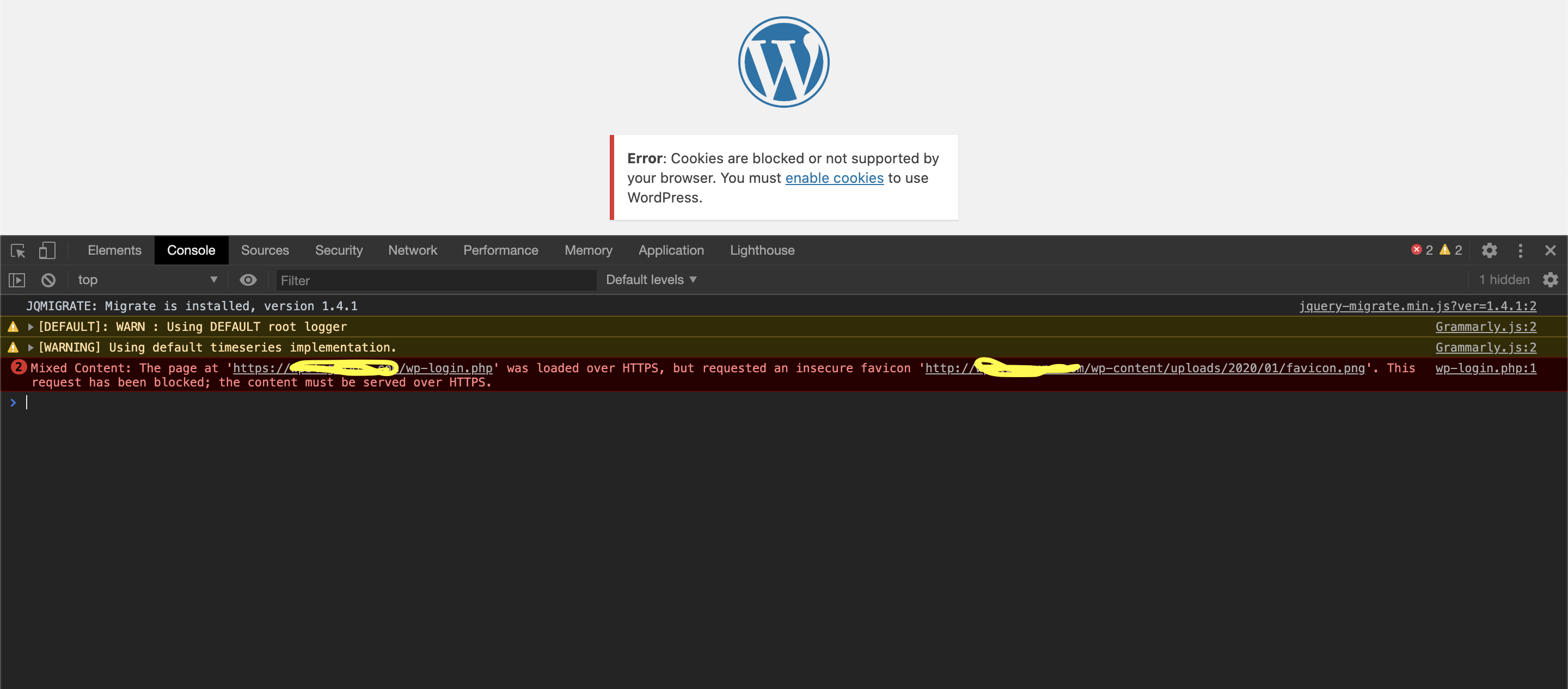
P.P.P.S. I have fixed mixed content error but the cookie error still occurs 🙁
Answers:
Thank you for visiting the Q&A section on Magenaut. Please note that all the answers may not help you solve the issue immediately. So please treat them as advisements. If you found the post helpful (or not), leave a comment & I’ll get back to you as soon as possible.
Method 1
I added these lines in wp-config above /* That's all, stop editing! Happy blogging. */ line:
define('ADMIN_COOKIE_PATH', '/');
define('COOKIE_DOMAIN', '');
define('COOKIEPATH', '');
define('SITECOOKIEPATH', '');
define('COOKIE_DOMAIN', $_SERVER['HTTP_HOST'] );
All methods was sourced from stackoverflow.com or stackexchange.com, is licensed under cc by-sa 2.5, cc by-sa 3.0 and cc by-sa 4.0