I have the following custom sidebar:
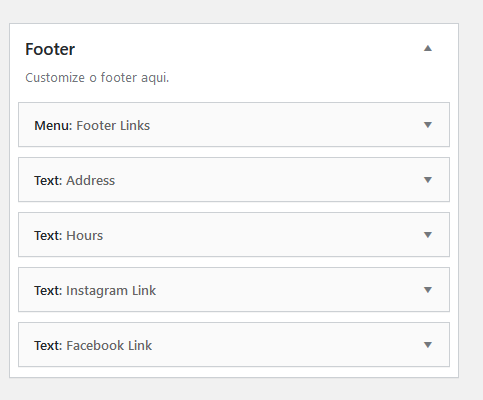
I want to know if it’s possible to get the values stored in each widget individually. I already tried doing the following:
global $wp_registered_widgets;
$widgets = wp_get_sidebars_widgets();

echo "<pre>";
var_dump($widgets['footer-1']);
foreach ($widgets['footer-1'] as $widget) {
  var_dump($wp_registered_widgets[$widget]);
}
echo "</pre>";
But the first var_dump only returns:
array(5) {
  [0]=>
  string(10) "nav_menu-2"
  [1]=>
  string(6) "text-2"
  [2]=>
  string(6) "text-3"
  [3]=>
  string(6) "text-4"
  [4]=>
  string(6) "text-5"
}
And the var_dump inside the foreach only returns this properties:
array(7) {
  ["name"]=>
  string(4) "Menu"
  ["id"]=>
  string(10) "nav_menu-2"
  ["callback"]=>
  array(2) {
    [0]=>
    object(WP_Nav_Menu_Widget)#4570 (9) {
      ["id_base"]=>
      string(8) "nav_menu"
      ["name"]=>
      string(4) "Menu"
      ["option_name"]=>
      string(15) "widget_nav_menu"
      ["alt_option_name"]=>
      NULL
      ["widget_options"]=>
      array(3) {
        ["classname"]=>
        string(15) "widget_nav_menu"
        ["customize_selective_refresh"]=>
        bool(true)
        ["description"]=>
        string(41) "Add a menu to your widget area."
      }
      ["control_options"]=>
      array(1) {
        ["id_base"]=>
        string(8) "nav_menu"
      }
      ["number"]=>
      int(2)
      ["id"]=>
      string(10) "nav_menu-2"
      ["updated"]=>
      bool(false)
    }
    [1]=>
    string(16) "display_callback"
  }
  ["params"]=>
  array(1) {
    [0]=>
    array(1) {
      ["number"]=>
      int(2)
    }
  }
  ["classname"]=>
  string(15) "widget_nav_menu"
  ["customize_selective_refresh"]=>
  bool(true)
  ["description"]=>
  string(41) "Add a menu to your widgets area."
}
I need what’s inside of each widget. So for the texts, I need to retrieve what’s stored in the textarea. Is this possible?
Answers:
Thank you for visiting the Q&A section on Magenaut. Please note that all the answers may not help you solve the issue immediately. So please treat them as advisements. If you found the post helpful (or not), leave a comment & I’ll get back to you as soon as possible.
Method 1
I think you’re doing this the hard way. I would first visit phpMyAdmin, find your WP database, find the Options table, and then search the option_name field for the name of your widget using the %search_term% form. When you find it you’ll see all the data behind the widget stored in a single field/string called option_value that’s serialized using php’s serialize function. Simply grab the field’s contents and unserialize it using unserialize(‘raw_field_contents’) (note the single quotes around the raw data), which will produce a single array with all the values behind that widget.
Okay, so that’s the manual process. It would seem more efficient to retrieve the serialized widget values using WP’s database functions to retrieve the values for each widget you’re interested in. Your values would then be returned in a variable, so the decode form would be unserialize($variable) without the single quotes. Note that the first index in the multidimensional array is the particular instance of the widget. For instance, if you placed a widget in the sidebar and the same widget in the footer area this first index number allows you to differentiate between instances.
All methods was sourced from stackoverflow.com or stackexchange.com, is licensed under cc by-sa 2.5, cc by-sa 3.0 and cc by-sa 4.0