With some WP update, the single block button suddenly disappeared from Gutenberg blocks. Now, we only have a block ‘Buttons’ element (don’t know why actually. I reckon’ that >80 per cent of all uses are single button scenarios…).
So, how can I adjust alignment from within the editor, if I have only a single button? Say, I need to center the button. Can’t find any alignment options with the element anymore either, as people suggested here.
Answers:
Thank you for visiting the Q&A section on Magenaut. Please note that all the answers may not help you solve the issue immediately. So please treat them as advisements. If you found the post helpful (or not), leave a comment & I’ll get back to you as soon as possible.
Method 1
-
select the entire ‘buttons’ block
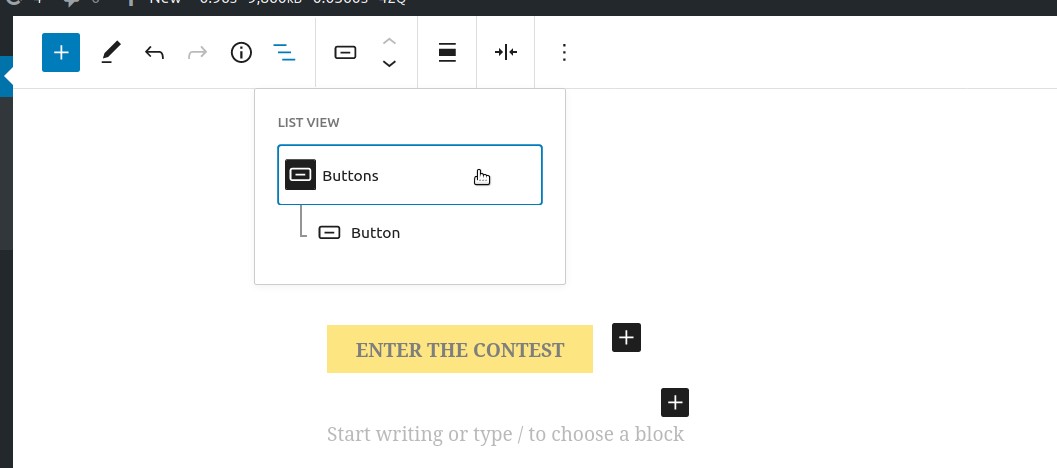
-
once the entire buttons block is selected,
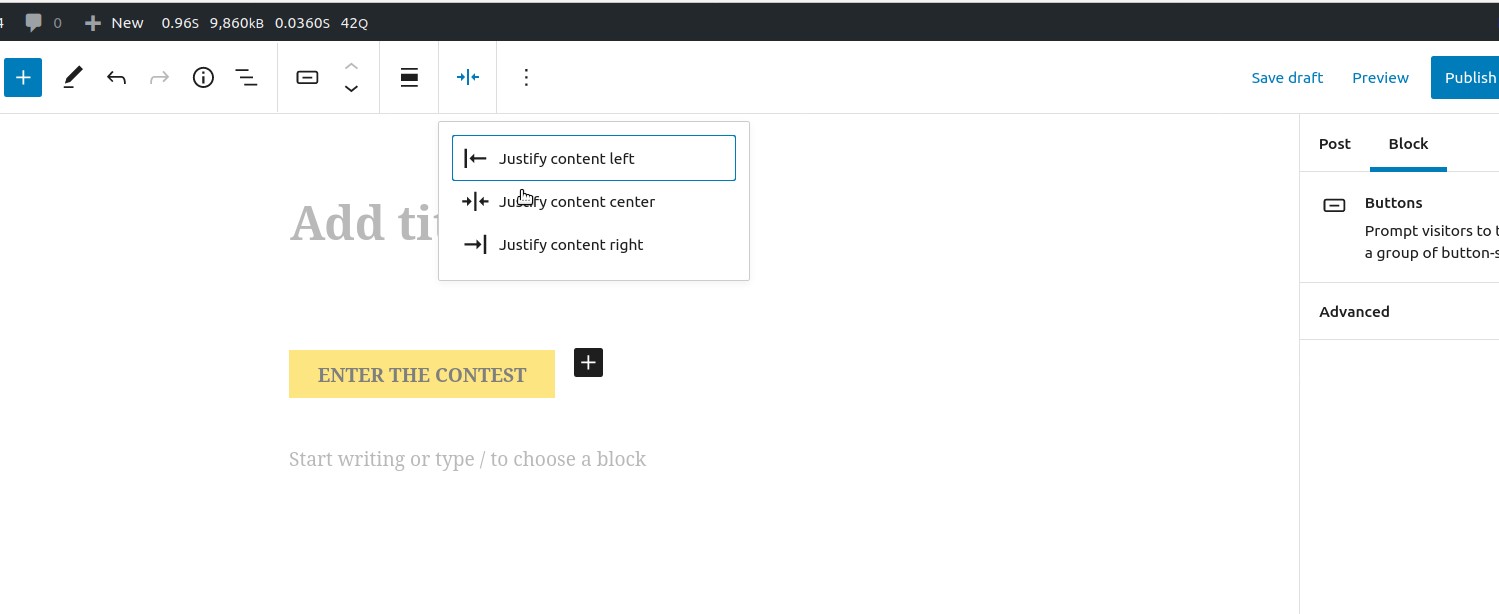
For future reference, the wordpress.com button article is usually current although it is currently out of date at the moment.
All methods was sourced from stackoverflow.com or stackexchange.com, is licensed under cc by-sa 2.5, cc by-sa 3.0 and cc by-sa 4.0