Okay – This may be a little elementary for some but I’m a bit confused here, and would love some insight. I have two sections of my website – my “Lessons” section, which is my main posts page, and an “Arrangements” section, which is a custom post type that I’m trying to get to act like my “Lessons” page, the Arrangements section doesn’t show an Author, or Breadcrumbs.
For an example, see the following site: Personal Site
Problem:
On my Lessons section, I can see breadcrumbs:

And my author section comes up on single posts:
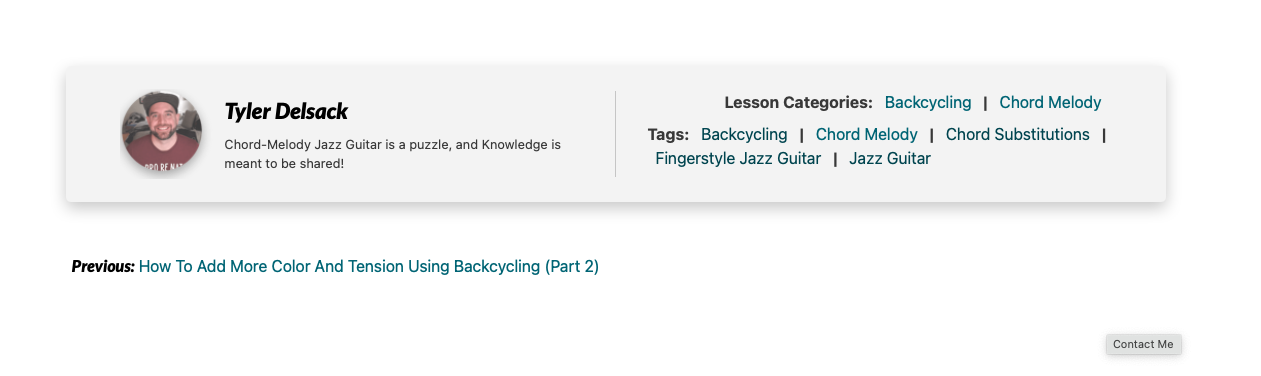
On the Arrangements section, the breadcrumbs do not work if you click through to a post, and neither does the Author Section.
Breadcrumbs should be “Home | Arrangements | Summertime”, instead they look like:

And author section is missing.

Any ideas? Here’s what I have so far:
My Lessons section is controlled by my index.php.
My Arrangements section is controlled by a custom Template file called arrangements.php.
In the arrangements.php file, I have the following loop:
$args = array(
    'post_type'   => 'arrangements',
    'post_status' => 'publish',
);

$new_post_loop = new WP_Query($args);
?>
<main id="primary" class="site-main">

    <?php
    if ($new_post_loop->have_posts()) :

        while ($new_post_loop->have_posts()) :

            $new_post_loop->the_post();

            get_template_part('template-parts/content', 'blog');

        endwhile;

        the_posts_navigation();

    else :

        get_template_part('template-parts/content', 'none');

    endif;

    wp_reset_postdata();

    ?>
Answers:
Thank you for visiting the Q&A section on Magenaut. Please note that all the answers may not help you solve the issue immediately. So please treat them as advisements. If you found the post helpful (or not), leave a comment & I’ll get back to you as soon as possible.
Method 1
When you declare your “Arrangements” custom post type, be sure to add ‘author’ and ‘breadcrumbs’ as parameters to the “supports” array. For example, it might look something like:
        $supports = array(
            'title',
            'author',
            'breadcrumbs',
            'editor',
            'excerpt',
            'thumbnail',
            'comments',
            'custom-fields',
            'revisions',
        );


        $labels = array(
            'name'                  => 'Arrangements',
            'singular_name'         => 'Arrangement',
            'menu_name'             => 'Arrangements admin menu'),
            'name_admin_bar'        => 'Arrangements add new on admin bar',
            'add_new'               => 'Add New Arrangement',
            'add_new_item'          => 'Add New Arrangement',
            'new_item'              => 'Add New Arrangement',
            'edit_item'             => 'Edit Arrangement',
            'view_item'             => 'View Arrangement',
            'all_items'             => 'All Arrangements',
            'search_items'          => 'Search Arrangements',
            'parent_item_colon'     => 'Parent Arrangement:',
            'not_found'             => 'No Arrangement Found',
            'not_found_in_trash'    => 'No Arrangements found in trash',
            'filter_items_list'     => 'Filter Arrangements',
            'items_list_navigation' => 'Arrangements list navigation',
            'items_list'            => 'Arrangements list',
        );

        $args = array(
            'labels'          => $labels,
            'supports'        => $supports,
            'public'          => true,
            'capability_type' => 'post',
            'rewrite'         => array( 'slug' => 'arrangements', 'with_front' => false ),
            'menu_position'   => 2,// or whatever
            'menu_icon'       => ( version_compare( $GLOBALS['wp_version'], '3.8', '>=' ) ) ? 'dashicons-admin-generic' : false ,// or whatever
            'has_archive'     => true,
        );

        register_post_type( 'arrangement', $args );
That should sort out the author section display issue. Hopefully it will address the breadcrumbs as well. If not, then as another user suggested, the Yoast breadcrumbs may involve additional complexity.
Reference: https://developer.wordpress.org/plugins/post-types/registering-custom-post-types/
All methods was sourced from stackoverflow.com or stackexchange.com, is licensed under cc by-sa 2.5, cc by-sa 3.0 and cc by-sa 4.0