I’ve been playing a little bit with the woocommerce storefront theme and woocommerce, and I wanted to display the “Add to basket” and “Read more” at the same time on the shop page for each product when possible. I came out with a solution, but I wonder if there is a different way to do this so I don’t have to use CSS to hide a “Read more” button next to another “Read more”. Ideally, I wouldn’t need CSS and there would be only one “Read more” button when it’s not possible to add to the cart.
Here is the code I used:
add_action( 'woocommerce_after_shop_loop_item', 'woocommerce_template_loop_add_to_cart', 10 );
function woocommerce_template_loop_add_to_cart() {
    global $product;

    $link = apply_filters( 'woocommerce_loop_product_link', get_the_permalink(), $product );
    echo '<div class="woocommerce-LoopProduct-buttons-container">';
        echo '<a href="' . esc_url( $link ) . '" class="button button--read-more">'.__( 'Read more', 'woocommerce' ).'</a>';
        echo apply_filters(
            'woocommerce_loop_add_to_cart_link', // WPCS: XSS ok.
            sprintf(
                '<a href="%s" data-quantity="%s" class="%s" %s>%s</a>',
                esc_url( $product->add_to_cart_url() ),
                esc_attr( isset( $args['quantity'] ) ? $args['quantity'] : 1 ),
                esc_attr( isset( $args['class'] ) ? $args['class'] : 'button' ),
                isset( $args['attributes'] ) ? wc_implode_html_attributes( $args['attributes'] ) : '',
                esc_html( $product->add_to_cart_text() )
            ),
            $product,
            $args
        );
    echo '</div>';
}
And some CSS (SCSS) that does the trick:
...
      .button {
        margin: 5px 15px;
        & ~ a[href^="http"] {
            display: none;
        }
      }
...
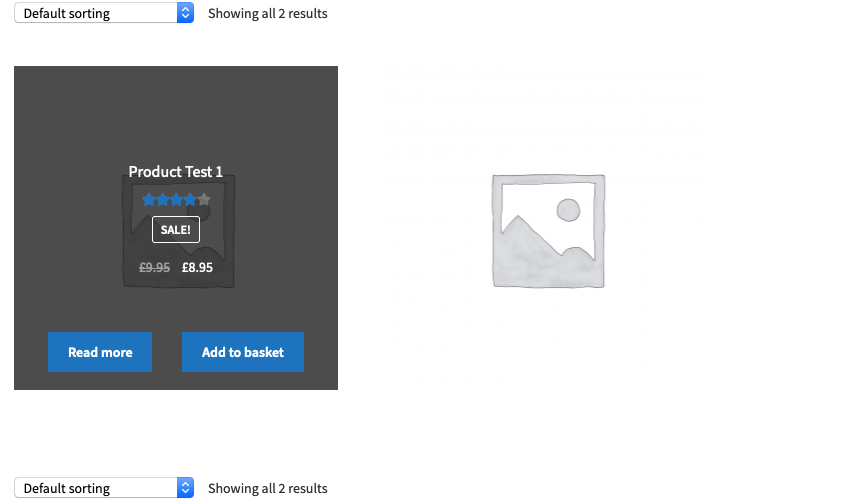
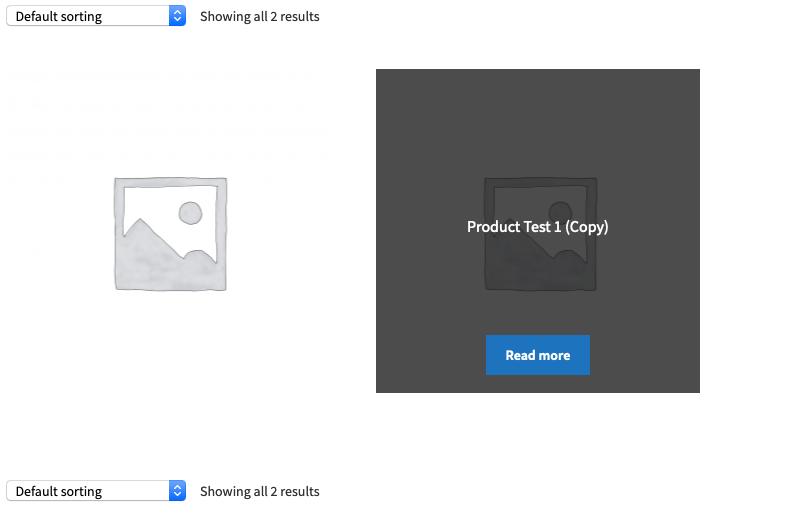
Here is how it looks like and hopefully helps to better understand what I want to optimize:
Answers:
Thank you for visiting the Q&A section on Magenaut. Please note that all the answers may not help you solve the issue immediately. So please treat them as advisements. If you found the post helpful (or not), leave a comment & I’ll get back to you as soon as possible.
Method 1
Would something like this achieve what you are after? Could be refined more by using the default read more function rather than echoing it.
function add_extra_read_more_btn() {
    global $product;
    if ($product->is_purchasable()) {
        echo '<div class="woocommerce-LoopProduct-buttons-container">';
        echo '<a class="button product_type_simple" href="'.get_permalink($product->ID).'">Read more</a>';
    }
}
add_action( 'woocommerce_after_shop_loop_item', 'add_extra_read_more_btn', 9 );

function close_extra_read_more_btn_wrap() {
    global $product;
    if ($product->is_purchasable()) {
        echo '</div>';
    }
}
add_action( 'woocommerce_after_shop_loop_item', 'close_extra_read_more_btn_wrap', 11 );
Method 2
Here is my solution:
function woocommerce_template_loop_add_to_cart() {
    global $product;

    $defaults = array(
        'quantity'   => 1,
        'class'      => implode(
            ' ',
            array_filter(
                array(
                    'button',
                    'product_type_' . $product->get_type(),
                    $product->is_purchasable() && $product->is_in_stock() ? 'add_to_cart_button' : '',
                    $product->supports( 'ajax_add_to_cart' ) && $product->is_purchasable() && $product->is_in_stock() ? 'ajax_add_to_cart' : '',
                )
            )
        ),
        'attributes' => array(
            'data-product_id'  => $product->get_id(),
            'data-product_sku' => $product->get_sku(),
            'aria-label'       => $product->add_to_cart_description(),
            'rel'              => 'nofollow',
        ),
    );

    $args = apply_filters( 'woocommerce_loop_add_to_cart_args', wp_parse_args( $args, $defaults ), $product );

    $link = apply_filters( 'woocommerce_loop_product_link', get_the_permalink(), $product );
    echo '<div class="woocommerce-LoopProduct-buttons-container">';
        if ( $product->is_purchasable() ) {
            echo '<a href="' . esc_url( $link ) . '" class="button button--read-more">'.__( 'Read more', 'woocommerce' ).'</a>';
        }
        echo apply_filters(
            'woocommerce_loop_add_to_cart_link', // WPCS: XSS ok.
            sprintf(
                '<a href="%s" data-quantity="%s" class="%s" %s>%s</a>',
                esc_url( $product->add_to_cart_url() ),
                esc_attr( isset( $args['quantity'] ) ? $args['quantity'] : 1 ),
                esc_attr( isset( $args['class'] ) ? $args['class'] : 'button' ),
                isset( $args['attributes'] ) ? wc_implode_html_attributes( $args['attributes'] ) : '',
                esc_html( $product->add_to_cart_text() )
            ),
            $product,
            $args
        );

    echo '</div>';
}
This was the key factor:
if ( $product->is_purchasable() ) {
    echo '<a href="' . esc_url( $link ) . '" class="button button--read-more">'.__( 'Read more', 'woocommerce' ).'</a>';
}
The $args were missing, so I also added it.
All methods was sourced from stackoverflow.com or stackexchange.com, is licensed under cc by-sa 2.5, cc by-sa 3.0 and cc by-sa 4.0