Is there a way to add a custom field to the add new attribute page or edit attribute in Woocommerce ?
Preferably with CMB2, but whatever works.
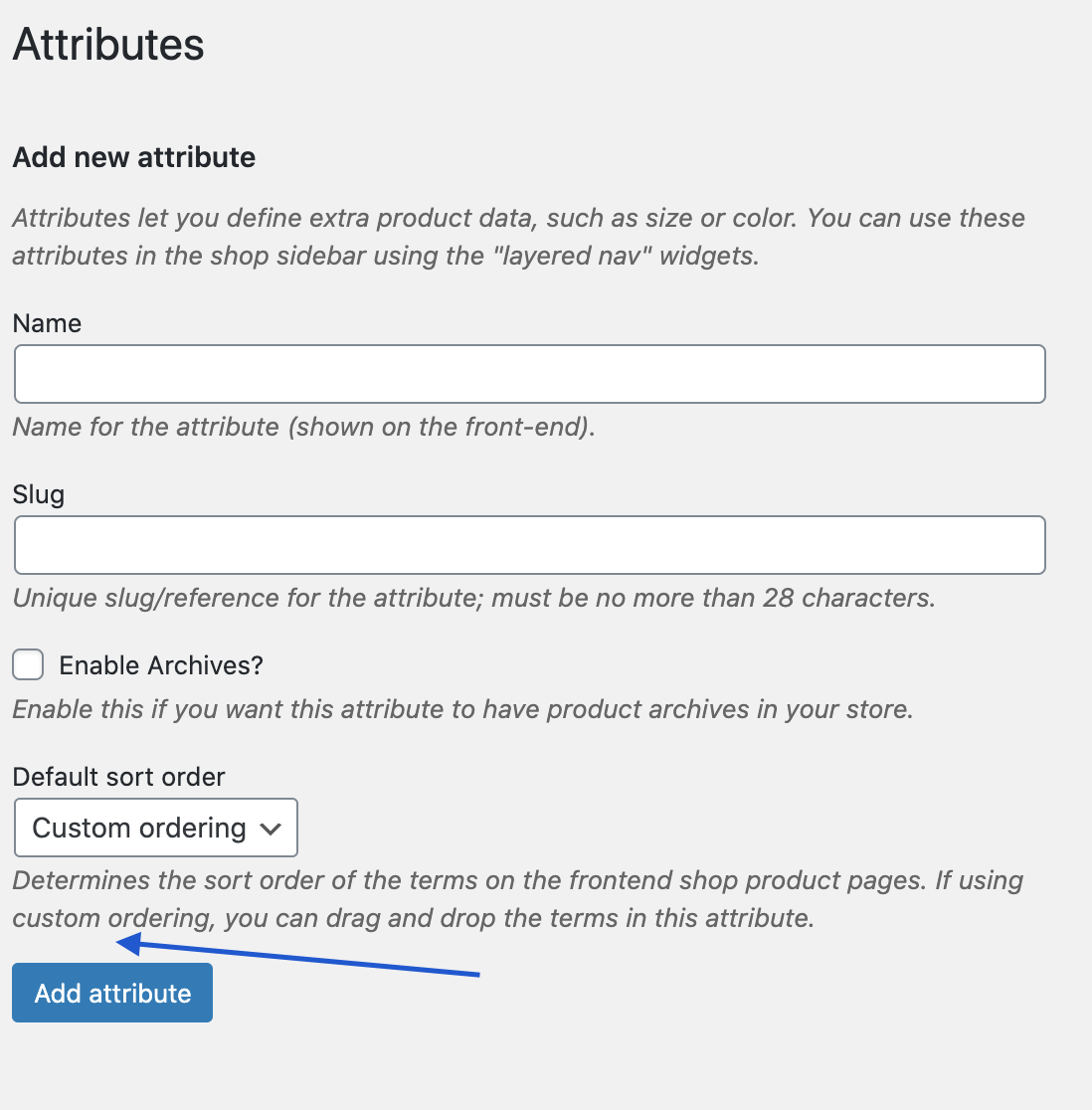
As I understand, this specific section of woocommerce is a taxonomy inception – it’s a taxonomy that creates taxonomies 🙂
I looked under woocommerce/includes/class-wc-post-types.php but not sure what filter would do the trick (if any).
I’ve managed to add fields to the individual terms but I need a field for the attribute itself.
Answers:
Thank you for visiting the Q&A section on Magenaut. Please note that all the answers may not help you solve the issue immediately. So please treat them as advisements. If you found the post helpful (or not), leave a comment & I’ll get back to you as soon as possible.
Method 1
Yes, you can add custom fields to WooCommerce (product) attributes, which are WordPress custom taxonomies — e.g. an attribute named Color creates a taxonomy with the slug pa_color.
But because the data are stored in the woocommerce_attribute_taxonomies table which does not offer a field for custom data, you’ll need to save your data somewhere else, e.g. the WordPress options table (wp_options) like what I did in the examples below:
Add “My Field” to the attribute form:
function my_edit_wc_attribute_my_field() {
    $id = isset( $_GET['edit'] ) ? absint( $_GET['edit'] ) : 0;
    $value = $id ? get_option( "wc_attribute_my_field-$id" ) : '';
    ?>
        <tr class="form-field">
            <th scope="row" valign="top">
                <label for="my-field">My Field</label>
            </th>
            <td>
                <input name="my_field" id="my-field" value="<?php echo esc_attr( $value ); ?>" />
            </td>
        </tr>
    <?php
}
add_action( 'woocommerce_after_add_attribute_fields', 'my_edit_wc_attribute_my_field' );
add_action( 'woocommerce_after_edit_attribute_fields', 'my_edit_wc_attribute_my_field' );
Set/save the “My Field” value, e.g. in the options table:
function my_save_wc_attribute_my_field( $id ) {
    if ( is_admin() && isset( $_POST['my_field'] ) ) {
        $option = "wc_attribute_my_field-$id";
        update_option( $option, sanitize_text_field( $_POST['my_field'] ) );
    }
}
add_action( 'woocommerce_attribute_added', 'my_save_wc_attribute_my_field' );
add_action( 'woocommerce_attribute_updated', 'my_save_wc_attribute_my_field' );
Delete the custom option when the attribute is deleted.
add_action( 'woocommerce_attribute_deleted', function ( $id ) {
    delete_option( "wc_attribute_my_field-$id" );
} );
Then for example, on a taxonomy/term archive page, you can get the My Field value like so:
$term = get_queried_object();
$attr_id = wc_attribute_taxonomy_id_by_name( $term->taxonomy );
$my_field = get_option( "wc_attribute_my_field-$attr_id" );
All methods was sourced from stackoverflow.com or stackexchange.com, is licensed under cc by-sa 2.5, cc by-sa 3.0 and cc by-sa 4.0