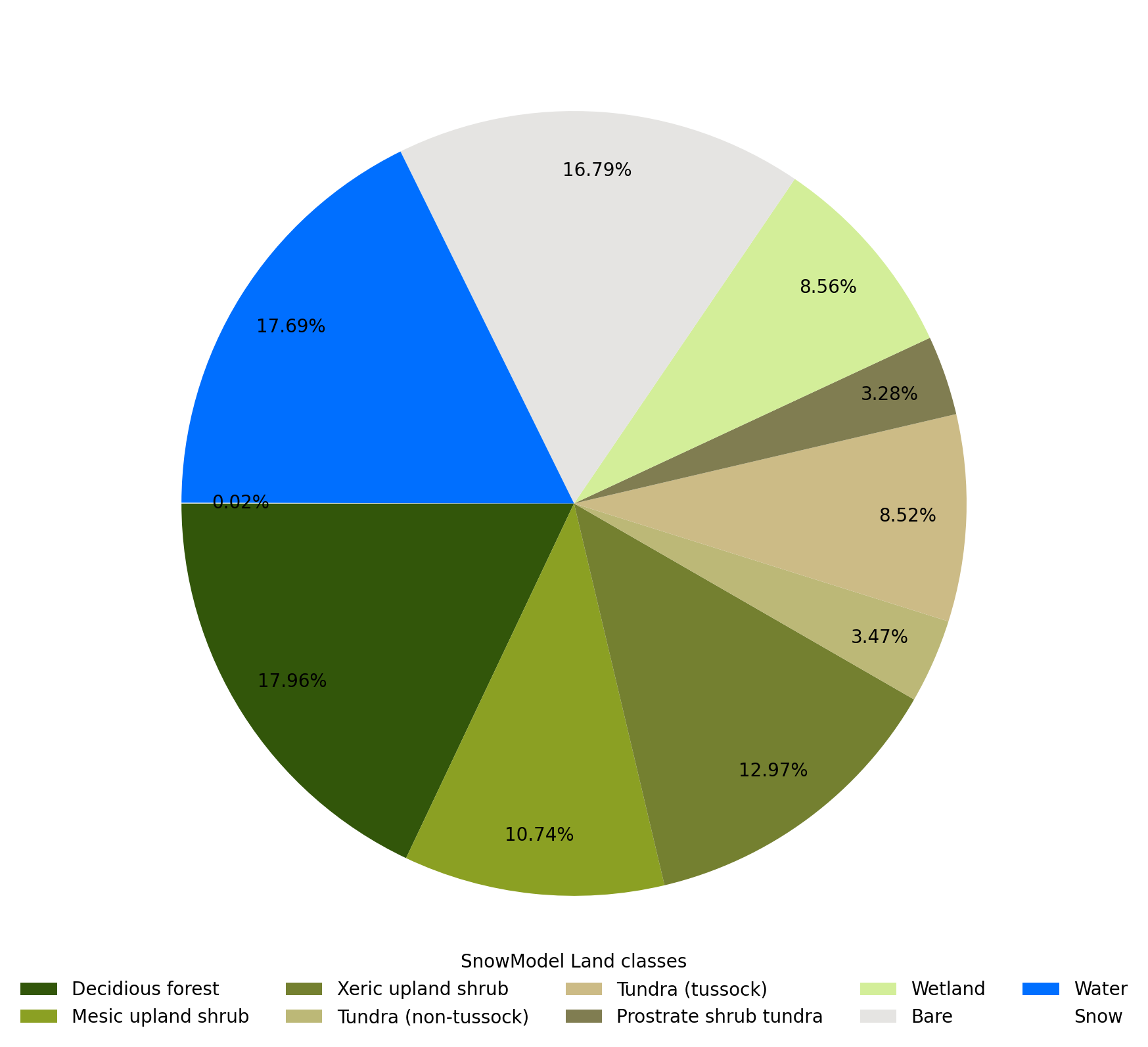
I’ve made this pie chart in python and I would like to know how to add a black frame around each boxcolor in the legend. I mean around of each color square like in qgis for example.
array = np.array([17.96, 10.74, 12.97,  3.47,  8.52,  3.28,  8.56, 16.79, 17.69,
        0.02])
colors = ['#32560a','#8ba023','#748030','#bcb877', '#ccbb86','#807d51','#d3ee99', '#e5e4e2', '#006fff', '#ffffff']
labels = ['Decidious forest', 'Mesic upland shrub', 'Xeric upland shrub', 'Tundra (non-tussock)','Tundra (tussock)','Prostrate shrub tundra', 'Wetland', 'Bare', 'Water', 'Snow']
fig, ax = plt.subplots(figsize=(10, 8))
ax.pie(array,labels=None,colors=colors, autopct='%0.2f%%', startangle=180, pctdistance=0.85, labeldistance = 1.05,textprops={'fontsize':10})
leg = plt.legend(labels,loc='lower center',bbox_to_anchor=(0.5,-0.05), ncol=5,title='SnowModel Land classes')
leg.get_frame().set_linewidth(0.0)
plt.tight_layout()
handles, labels = ax.get_legend_handles_labels()
Answers:
Thank you for visiting the Q&A section on Magenaut. Please note that all the answers may not help you solve the issue immediately. So please treat them as advisements. If you found the post helpful (or not), leave a comment & I’ll get back to you as soon as possible.
Method 1
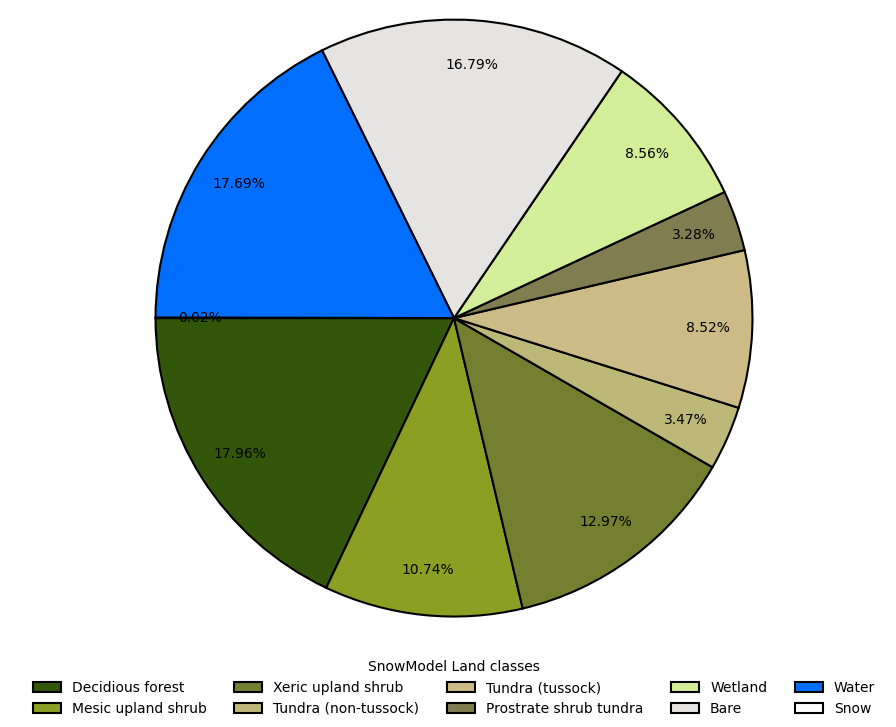
You can also used the wedgeprops of the pie function
wedgeprops = {"linewidth":1.5, "edgecolor":"black"}
ax.pie(array,labels=None,colors=colors, autopct='%0.2f%%', startangle=180, pctdistance=0.85, labeldistance = 1.05,textprops={'fontsize':10},wedgeprops=wedgeprops)
It will also add line ini the pie directly.
Method 2
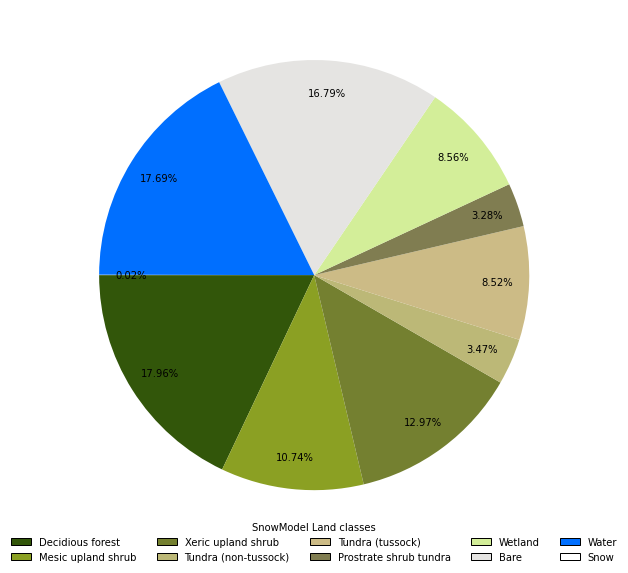
A way to do it is by specifying the handles param with the help of Patch:
import numpy as np
import matplotlib.pyplot as plt
from matplotlib.patches import Patch

array = np.array([17.96, 10.74, 12.97,  3.47,  8.52,  3.28,  8.56, 16.79, 17.69,0.02])
colors = ['#32560a','#8ba023','#748030','#bcb877', '#ccbb86','#807d51','#d3ee99', '#e5e4e2', '#006fff', '#ffffff']
labels = ['Decidious forest', 'Mesic upland shrub', 'Xeric upland shrub', 'Tundra (non-tussock)','Tundra (tussock)','Prostrate shrub tundra', 'Wetland', 'Bare', 'Water', 'Snow']
outline_handles = [Patch(facecolor=color, edgecolor='black', label=label) for color, label in zip(colors, labels)]

fig, ax = plt.subplots(figsize=(10, 8))
ax.pie(array,labels=None,colors=colors, autopct='%0.2f%%', startangle=180, pctdistance=0.85, labeldistance = 1.05,textprops={'fontsize':10})
leg = plt.legend(handles=outline_handles, loc='lower center',bbox_to_anchor=(0.5,-0.05), ncol=5,title='SnowModel Land classes')
leg.get_frame().set_linewidth(0.0)
plt.tight_layout()
handles, labels = ax.get_legend_handles_labels()
All methods was sourced from stackoverflow.com or stackexchange.com, is licensed under cc by-sa 2.5, cc by-sa 3.0 and cc by-sa 4.0