I have a woocomerce site which is connected to UPS e-fulfillment and when they they ship out an order, the tracking number ends up getting updated to the order notes like in this example:
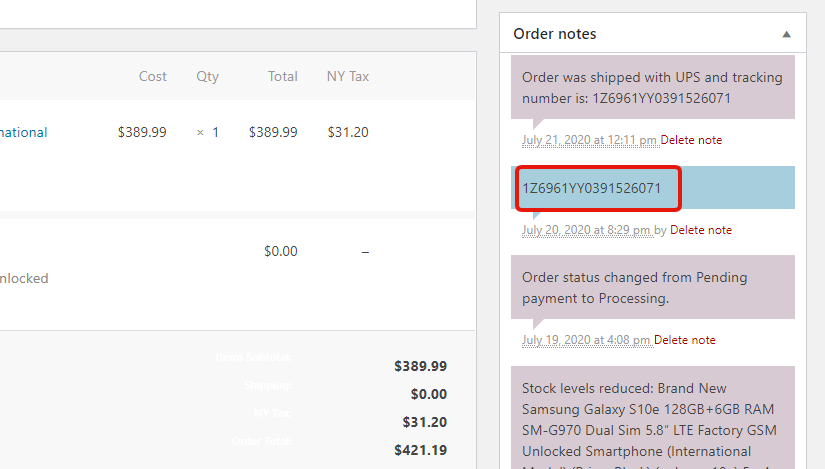
To put quite simply, UPS e-fulfillment is connecting to the woocomerce api and updating the order notes with the tracking number.
The thing I am trying to do is taking this order note and setting it as the tracking number within the Advanced Shipment Tracking plugin.
I don’t know much about PHP but I sort of have an idea however to start out going about it but not 100% sure.
Below is the add_order_note function found in class-wc-order.php and the function ast_insert_tracking_number found in tracking-number.php of the AST plugin.
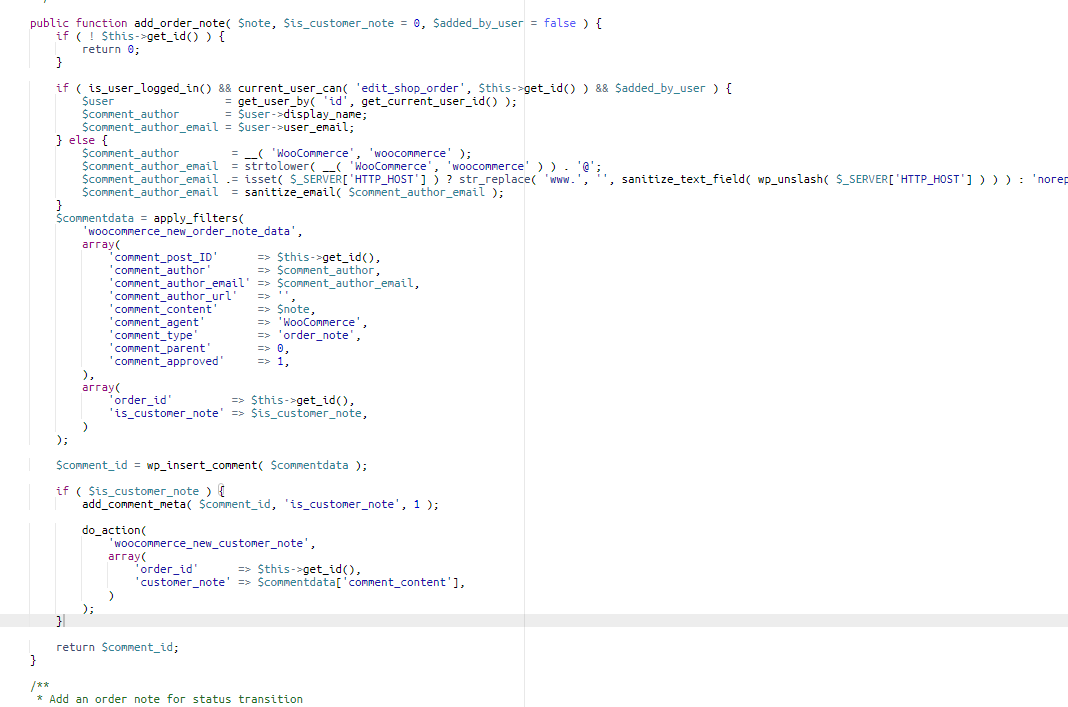
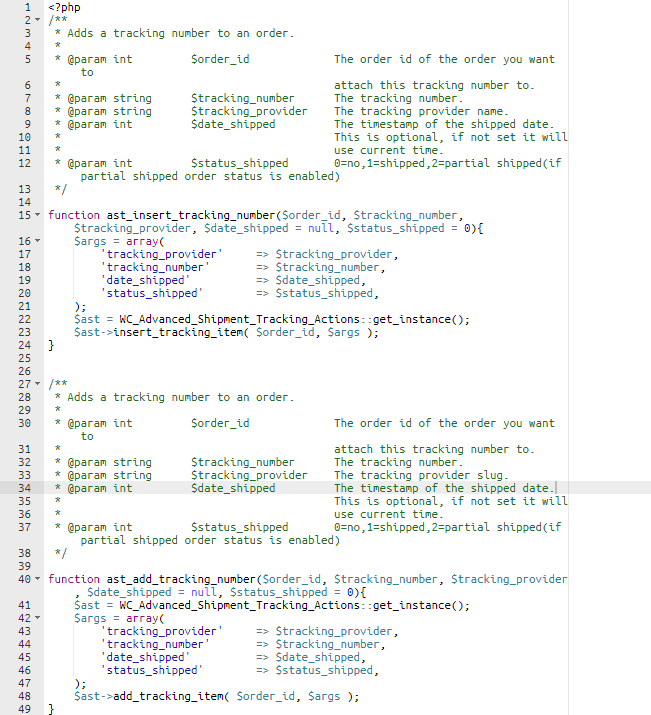
The way I am think about this is just calling the ast_insert_tracking_number function from the add_order_note function however I am not 100% sure how to go about doing that. Any suggestions? Thank you so much!
Answers:
Thank you for visiting the Q&A section on Magenaut. Please note that all the answers may not help you solve the issue immediately. So please treat them as advisements. If you found the post helpful (or not), leave a comment & I’ll get back to you as soon as possible.
Method 1
Add this code snippet in functions.php and let me know.
/*
* AST: get UPS Tracking number from order note
*
*/
add_action( 'woocommerce_rest_insert_order_note', 'action_woocommerce_rest_insert_order_note', 10, 3 );
function action_woocommerce_rest_insert_order_note( $note, $request, $true ) {
    //check if AST is active
    if ( !function_exists( 'ast_insert_tracking_number' ) ) return;

    //check if order note is for UPS
    if( strpos( $note->comment_content, '1Z' ) !== false ){

        $order_id = $request['order_id'];
        $status_shipped = 1;
        $tracking_number = $note->comment_content;
        $tracking_provider = 'UPS';

        ast_insert_tracking_number($order_id, $tracking_number, $tracking_provider, '', $status_shipped );
    }
}
Method 2
This would normally be off topic, but I happen to have done something very similar recently, so I can share. The way I handled this was to hook into wp_insert_comment (order notes are added as comments), check whether the comment is an order note, and use regex to determine if the note is a tracking number. If it is it gets added using the tracking number function:
add_action(
    'wp_insert_comment',
    function( int $comment_id, WP_Comment $comment ) {
        /**
         * Only order notes will contain shipping information for a product.
         */
        if ( 'order_note' !== $comment->comment_type ) {
            return;
        }

        /**
         * Match note contents to UPS tracking number format.
         * Regex taken from https://www.thetopsites.net/article/53619924.shtml
         */
        preg_match(
            '/b(1Z ?[0-9A-Z]{3} ?[0-9A-Z]{3} ?[0-9A-Z]{2} ?[0-9A-Z]{4} ?[0-9A-Z]{3} ?[0-9A-Z]|[dT]ddd ?dddd ?ddd)b/',
            $comment->comment_content,
            $matches
        );

        /**
         * Abort if the note is not a UPS tracking number.
         */
        if ( empty( $matches ) ) {
            return;
        }

        /**
         * Add tracking details with details number extracted from order note.
         */
        if ( function_exists( 'ast_insert_tracking_number' ) ) {
            ast_insert_tracking_number(
                $comment->comment_post_ID,
                $matches[0],
                'UPS',
                strtotime( $comment->comment_date_gmt ),
                1
            );
        }
    },
    10,
    2
);
All methods was sourced from stackoverflow.com or stackexchange.com, is licensed under cc by-sa 2.5, cc by-sa 3.0 and cc by-sa 4.0