I’m working on building a query in ASP.NET/ C# WebForms. The query relies on a series of if statements as follows:
//start building the query, I know SID will always be defined:
string firstpart = "SELECT * FROM [ExampleTable] WHERE StudentID= @SID";

//the variable student name is a URL variable. All the other URL variables follow this logic, 9 potential variables in total, so 9 if statements in total.
if (studentname != "") {
    dsResults.SelectParameters.Add("sname", studentname.ToString());
    secondpart = " AND UPPER(StudentName) LIKE UPPER('%' + @sname+ '%')";
}
else{
    //if URL variable is empty, simply make the string empty so it is ignored.
    secondpart = "";
}
In the end, I add them all to the string that I’m using to build the query as so:
entirecommand = firstpart + secondpart + thirdpart + fourthpart + fifthpart + sixthpart + seventhpart + eighthpart + ninthpart + " ORDER BY [StudentID]";
Finally, I set
dsResults.SelectCommand = entirecommand;
The query is executed, and the result is databound to the gridview as follows:
if (!Page.IsPostBack){
    //bind the gridview data
    gvResults.DataSource = dsResults;
    gvResults.DataBind();
}
Everything runs perfect until I try to add a date to the query
if  (sSDate != ""){
    dsResults.SelectParameters.Add("startdate", sSDate.ToString());
    ninthpart = " AND DateEntered > '%' + @startdate + '%'";
}
When I attempt this, I get the error ‘Conversion failed when converting date and/or time from character string.’ On the line:
gvResults.DataBind();
I made the date part the ninth part, so it’s not added until last. As I said, without ninth part added to the string, everything works as intended.
For the record, my dates are in this format in the URL: yyyy-mm-dd. Only looking for dates greater than that date, not concerned about time at all.
I’m really not sure where to go with this one, so if anyone has some advice, please let me know. I’m still very new to ASP.Net, so if there is a better way of accomplishing what I’m trying to accomplish, or if you need additional information, please let me know!
Edit
Thank you to everyone for the help! I was able to get it working now! My big issue was the percent symbols around the date in the query string. I removed those, and changed the datatype of the date when I first set it from URL (was string originally, but changed to datetime. Then I removed the .toString() part from each addition as they were unneeded (they were set to string initially, aside from the date, which I didn’t want to convert to string). After those changes, it provides the desired results, and works with the rest of the query string. Your advice was invaluable, and I can’t say thank you enough!
Answers:
Thank you for visiting the Q&A section on Magenaut. Please note that all the answers may not help you solve the issue immediately. So please treat them as advisements. If you found the post helpful (or not), leave a comment & I’ll get back to you as soon as possible.
Method 1
In this code you have big misconception that you operate dates as string
if  (sSDate != "")
{
    dsResults.SelectParameters.Add("startdate", sSDate.ToString());
    ninthpart = " AND DateEntered > '%' + @startdate + '%'";
}
If sDate is retrieved from user input in the string format, you need to convert it. YOu can use any or Convert.ToDateTime, DateTime.Parse, DateTime.TryParse etc. And you need to pass date as DateTime. In the query, treat date as parameterized date. Don’t convert it to string. Your code should look like
if  (DateTime.TryParse(sSDate, out DateTime myDate))
{

    dsResults.SelectParameters.Add("@startdate", myDate);  //<--
    ninthpart = " AND DateEntered > @startdate"; //<--
}
Now this is good on all levers.
Method 2
First up, the date format used by near ALL database systems is a internal date format. The external date format, and the regional settings of the computer of course will cause this format to change or OFTEN not even be known by you!
In sql server, the date format should be ISO. That is YYYY-MM-DD. And you do NOT surround dates with %. You surround dates with single quotes.
And you should not use some DateVar.ToString. the reason of course is that the date spit out in that case will be based on the users date settings – but you do NOT want that.
So, your code should be something like this:
if  (sSDate != ""){
    dsResults.SelectParameters.Add("@startdate", DbType.Date, sSDate.ToString("YYYY-MM-dd"));
    ninthpart = " AND DateEntered > @startdate ";
}
The above assumes SQL server – but would also work for say MS-access also. So you need/want/should FORCE the date format to a standard format that sql server etc. will accept. (you don’t want to use or let the user’s system default settings convert to string – else you may well wind up with a date string that flips the month and date.
eg:
MM/DD/YYYY
or
DD/MM/YYYY
For do we have
05/10/2020
Is that may 10, or is that October 5th? Well, what string you get WILL DEPEND on the users date settings!!!
So, this is why you always want to force the date output string to a KNOWN and standard format – not what the users settings are. As long as that variable is a date, or declared as a datetime variable, then above should be fine.
Where difficulty can occur will depend on the user input text box. You should force it to a date control – and thus the result from that control will be a true date data type.
So, assuming the control on the web form is set to date, then you see this:
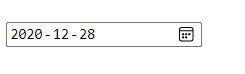
Then in code, shove the result into a actual date, or datetime var.
dim dtMyDate as date
or
dim dtMyDAte as datetime

then - dtMyDate = MyDateTextBox.Text

then use above and the tostring as a formatted ISO sql server date string.
All methods was sourced from stackoverflow.com or stackexchange.com, is licensed under cc by-sa 2.5, cc by-sa 3.0 and cc by-sa 4.0