This is my player class
class Player:
    def  __init__(self, image):
        self.rotation_angle = 0

    def rotate(self, keys, left, right):
        if keys[right]:
            self.rotation_angle -= 0.5
        if keys[left]:
            self.rotation_angle += 0.5
        self.rotated_player = pygame.transform.rotate(self.player, (self.rotation_angle))
Now based onself.rotation_angle, i need to shoot the bullet. So i did the following.
class Bullet:
    def __init__(self):
        self.pos = [player1.pos[0], player1.pos[1]]
        self.direction = math.radians(player1.rotation_angle)
        self.bullet = pygame.Surface((5, 20))
        self.rotated_bullet = pygame.transform.rotate(self.bullet, (self.direction))
        self.bullet.fill((100, 200, 120))
        self.time = 0

    def shoot(self):
        self.pos[0] += math.cos(self.direction) * self.time
        self.pos[1] += math.sin(self.direction) * self.time
        self.time += 0.5
But this dosent work and the resulting bullet just moves in some random direction. I tried not converting the angle to radians and changing the self.direction value for y-axis to negative but it just isn’t working. How would i accurately calculate the direction for bullet? Thanks for any help.
Answers:
Thank you for visiting the Q&A section on Magenaut. Please note that all the answers may not help you solve the issue immediately. So please treat them as advisements. If you found the post helpful (or not), leave a comment & I’ll get back to you as soon as possible.
Method 1
The unit of the angle for the mathematical operations math.sin and math.cos is radian, but the unit of the angel for pygame.transform.rotate() is degrees. Furthermore you have to create a pygame.Surface with the flag SRCALPHA and to fill the surface with the bullet color, before it is rotated:
class Bullet:
    def __init__(self):
        self.pos = [player1.pos[0], player1.pos[1]]
        self.direction = math.radians(player1.rotation_angle)
        self.bullet = pygame.Surface((10, 5), pygame.SRCALPHA)
        self.bullet.fill((100, 200, 120))
        self.rotated_bullet = pygame.transform.rotate(self.bullet, player1.rotation_angle)
        self.time = 0
In pygame the y axis points form the top to the bottom. That is the opposite direction than in a usual Cartesian coordinate system. Because of that the y coordinate of the direction has to be inverted:
class Bullet:
    # [...]

    def shoot(self):
        self.pos[0] += math.cos(self.direction) * self.time
        self.pos[1] -= math.sin(self.direction) * self.time
        self.time += 0.5
See the example:
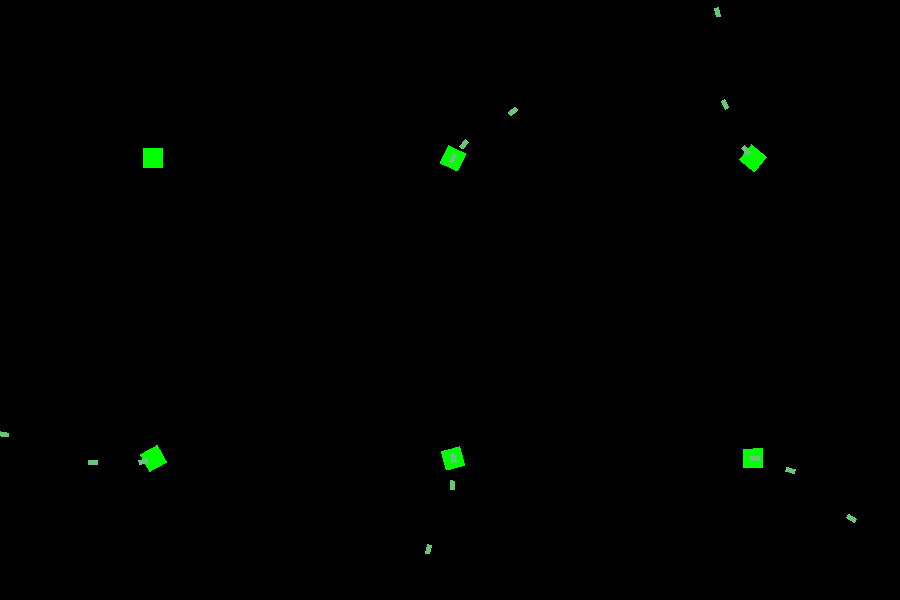
import pygame
import math

pygame.init()
WIDTH, HEIGHT = 500, 500
window = pygame.display.set_mode((500, 500))
clock = pygame.time.Clock()

class Player():
    def  __init__(self):
        self.rotation_angle = 0
        self.player = pygame.Surface((20, 20), pygame.SRCALPHA)
        self.player.fill((0, 255, 0))
        self.rotated_player = self.player
        self.pos = (WIDTH//2, HEIGHT//2)

    def rotate(self, keys, left, right):
        if keys[right]:
            self.rotation_angle -= 0.5
        if keys[left]:
            self.rotation_angle += 0.5
        self.rotated_player = pygame.transform.rotate(self.player, (self.rotation_angle))

class Bullet:
    def __init__(self):
        self.pos = [player1.pos[0], player1.pos[1]]
        self.direction = math.radians(player1.rotation_angle)
        self.bullet = pygame.Surface((10, 5), pygame.SRCALPHA)
        self.bullet.fill((100, 200, 120))
        self.rotated_bullet = pygame.transform.rotate(self.bullet, player1.rotation_angle)
        self.time = 0

    def shoot(self):
        self.pos[0] += math.cos(self.direction) * self.time
        self.pos[1] -= math.sin(self.direction) * self.time
        self.time += 0.5

player1 = Player()

bullets = []
pos = (250, 250)
run = True
while run:
    clock.tick(60)
    for event in pygame.event.get():
        if event.type == pygame.QUIT:
            run = False
        if event.type == pygame.KEYDOWN and event.key == pygame.K_SPACE:
            bullets.append(Bullet())

    keys = pygame.key.get_pressed()
    player1.rotate(keys, pygame.K_LEFT, pygame.K_RIGHT)

    for bullet in bullets[:]:
        bullet.shoot()
        if not window.get_rect().collidepoint(bullet.pos):
            bullets.remove(bullet)

    window.fill(0)
    window.blit(player1.rotated_player, player1.rotated_player.get_rect(center=player1.pos))
    for bullet in bullets:
        window.blit(bullet.rotated_bullet, bullet.rotated_bullet.get_rect(center=bullet.pos))
    pygame.display.flip()
See also
Why aren’t any bullets appearing on screen? – pygame
Shooting a bullet in pygame in the direction of mouse
All methods was sourced from stackoverflow.com or stackexchange.com, is licensed under cc by-sa 2.5, cc by-sa 3.0 and cc by-sa 4.0