I have a webpage that pulls information from a database, converts it to .csv format, and writes the file to the HTTPResponse.
string csv = GetCSV();
Response.Clear();
Response.ContentType = "text/csv";
Response.Write(csv);
This works fine, and the file is sent to the client with no problems. However, when the file is sent to the client, the name of the current page is used, instead of a more friendly name (like “data.csv”).
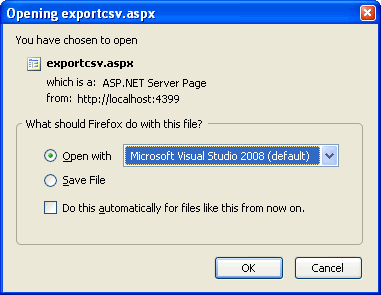
My question is, how can I change the name of the file that is written to the output stream without writing the file to disk and redirecting the client to the file’s url?
EDIT: Thanks for the responses guys. I got 4 of the same response, so I just chose the first one as the answer.
Answers:
Thank you for visiting the Q&A section on Magenaut. Please note that all the answers may not help you solve the issue immediately. So please treat them as advisements. If you found the post helpful (or not), leave a comment & I’ll get back to you as soon as possible.
Method 1
I believe this will work for you.
Response.AddHeader("content-disposition", "attachment; filename=NewFileName.csv");
Method 2
You just need to set the Content-Disposition header
Content-Disposition: attachment; filename=data.csv
This Microsoft Support article has some good information
How To Raise a “File Download” Dialog Box for a Known MIME Type
Method 3
Add a “Content-Disposition” header with the value “attachment; filename=filename.csv”.
Method 4
Response.AddHeader("content-disposition", "attachment; filename=File.doc")
All methods was sourced from stackoverflow.com or stackexchange.com, is licensed under cc by-sa 2.5, cc by-sa 3.0 and cc by-sa 4.0