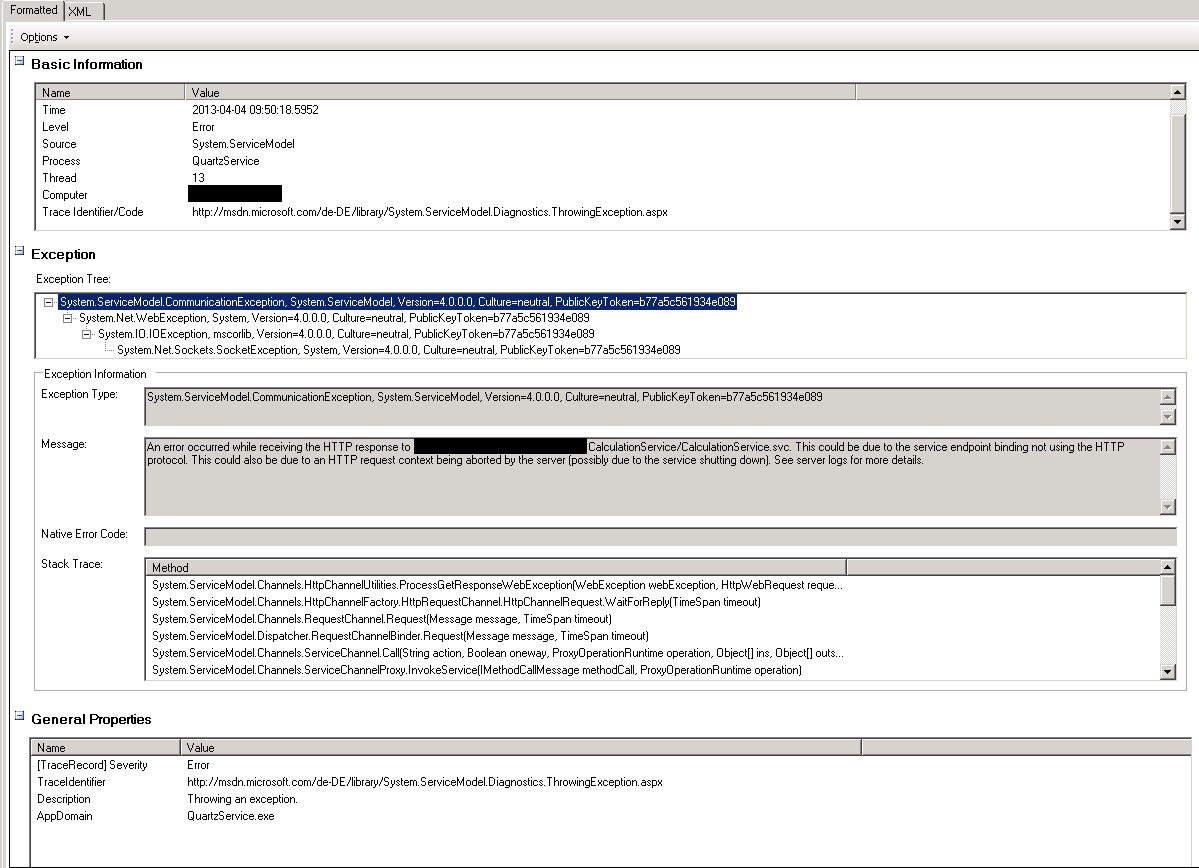
Currently i am facing a problem i do not understand. I have an wcf client that calls a wcf service through several threads at the same time (both on the same machine). Sometimes, i encounter the well-known System.ServiceModel.CommunicationException
“An error occurred while receiving the HTTP response to xxx. This could be due to the service endpoint binding not using the HTTP protocol. This could also be due to an HTTP request context being aborted by the server (possibly due to the service shutting down). See server logs for more details.” ,
sometimes it works. It seems completely random if the service call succeeds.
The request is very small, its just an (int, bool, enum) call. The request contains ca. 300-500 KB records from a MSSQL database.
I searched on hundreds on websites for a solution, increased timeout values, buffer values, request and response size values on the client and service side. I added [DataContract] and [DataMember] attributes were they were missing. And still there is no change.
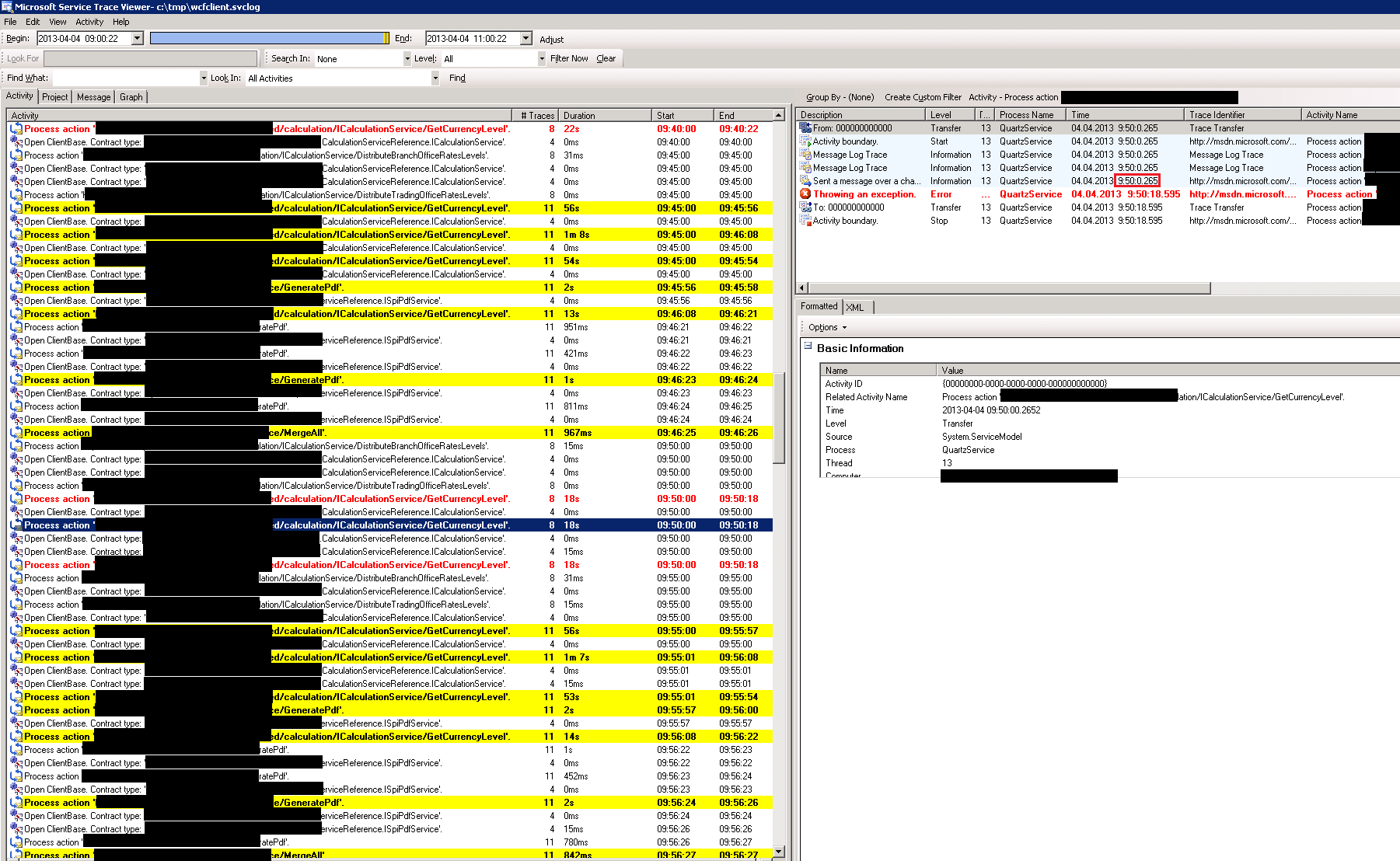
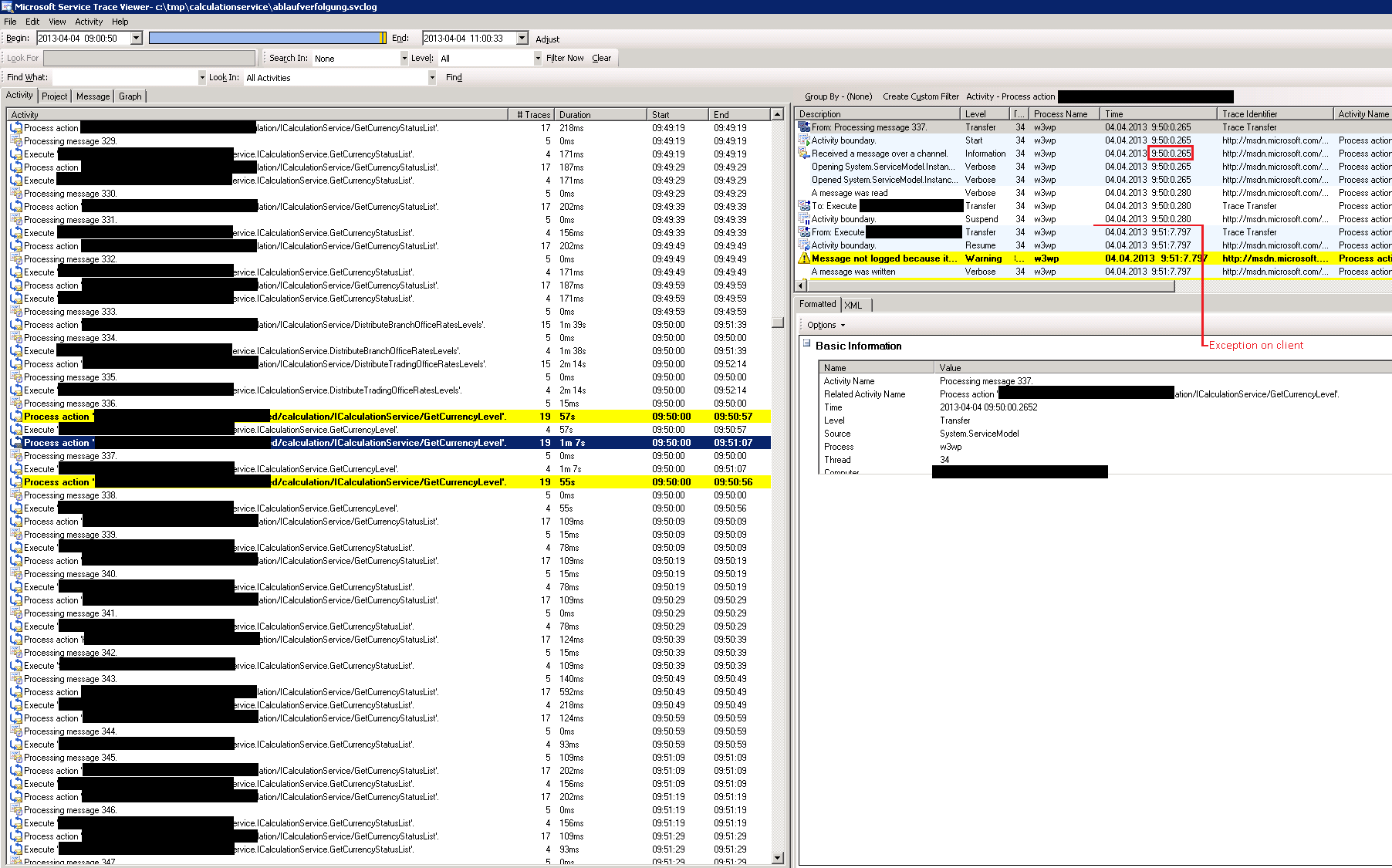
I activated full tracing, just to see a very strange behaviour:
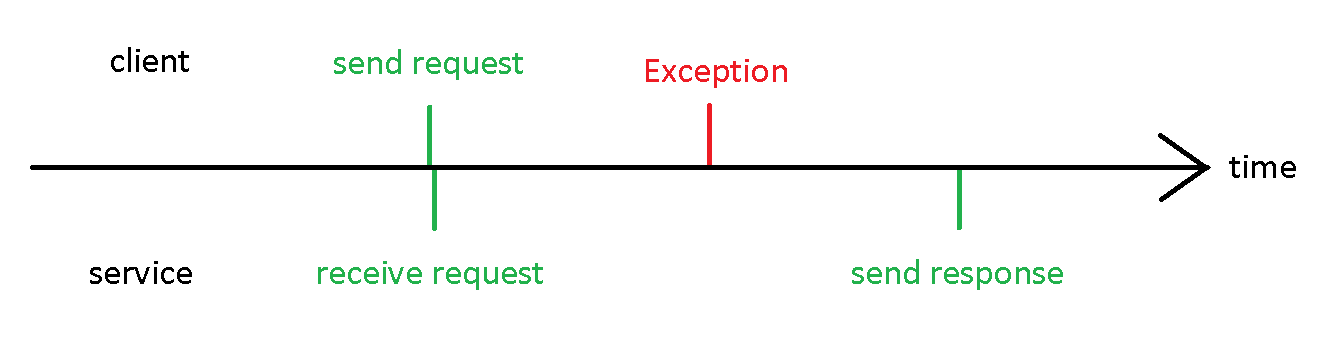
The calls from the client stop locally with the given exception – but the server processes them and sends a response, that never reaches the client. Check the time at the given trace – the client aborts, the server continues.
In the tracing, i see the heaviour like in this graph:
Please, can anyone help to stop this endless search?
Update 1:
I uploaded the client and server config, maybe this helps.
Update 2:
We included the config parameter for the ConnectionLimit (connection=80), as suggested from Yahia. Currently, it seems that this solved the problem, but we still try to reproduce the error.
Update 3:
Damn. After three hours, I can see the same behaviour again… We had another suggestion: As you can see, we are using quartz.net in the client, starting with 20 threads. The jobs the quartz engine executes connect to our service. Now I try to imagine what happens if, say 7 threads try to connect the service at the same time.
Update 4:
We have setup the tcp parameters in the registry as well as in the config. After a restart, experienced no change at all 🙁
These were the registry changes:
HKLMSYSTEMCurrentControlSetServicesTcpipParameters – TcpNumConnections=65534
HKLMSystemCurrentControlSetServicesTcpipParameters – MaxUserPort=65534
HKCUSoftwareMicrosoftWindowsCurrentVersionInternet Settings – MaxConnectionsPer1_0Server=20
HKLMSoftwareMicrosoftInternet ExplorerMAINFeatureControlFEATURE_MAXCONNECTIONSPERSERVER – iexplore.exe=20
HKLMSoftwareMicrosoftInternet ExplorerMAINFeatureControlFEATURE_MAXCONNECTIONSPERSERVER – MyClientsExeName.exe=20
Update 5:
Update 6:
[DataContract]
public class Currency
{
    [DataMember]
    public int Id { get; set; }

    [DataMember]
    public string Code { get; set; }

    [DataMember]
    public string Name { get; set; }

    [DataMember]
    public ForeignNoteDetails ForeignNoteDetails { get; set; }

    [DataMember]
    public CurrencyRates Rates { get; set; }

    [DataMember]
    public PreciousMetallDetails PreciousMetallDetails { get; set; }

    [DataMember]
    public CurrencyType Type { get; set; }
}

[DataContract]
public class ForeignNoteDetails
{
    [DataMember]
    public double CardholderBillingCurrencyCode { get; set; }

    [DataMember]
    public string Country { get; set; }

    [DataMember]
    public string CountryCode { get; set; }

    [DataMember]
    public int CurrencyUnit { get; set; }

    [DataMember]
    public List<string> Notes { get; set; }
}

[DataContract]
public class CurrencyRates
{
    [DataMember]
    public ExchangeRate PurchaseRate { get; set; }

    [DataMember]
    public ExchangeRate SellRate { get; set; }
}

[DataContract]
public class PreciousMetallDetails
{
    [DataMember]
    public string PreciousMetalType { get; set; }

    [DataMember]
    public double Fineness { get; set; }
}
Call to service:
        protected IEnumerable<Currency> GetCurrencyLevel(int id, bool netRate = true, RatesCalculationSource ratesSource = RatesCalculationSource.ReutersRates)
    {
        return this.calculationClient.GetCurrencyLevel(new RatesCalculationSetting() { CalculationLevelId = id, CalculateGrossRates = !netRate, Soruce = ratesSource });
    }
Client creation:
protected ICalculationServiceClientService calculationClient = IoC.DependencyManager.Resolve<ICalculationServiceClientService>();
Another call to the service (working):
this.calculationClient.DistributeTradingOfficeRatesLevels(branchOfficeLevelId, tradingLevelId);
Where this is defined as
void DistributeTradingOfficeRatesLevels(int branchOfficeRatesLevelId, int tradingOfficeRatesLevelId)
Update 7:
Answers:
Thank you for visiting the Q&A section on Magenaut. Please note that all the answers may not help you solve the issue immediately. So please treat them as advisements. If you found the post helpful (or not), leave a comment & I’ll get back to you as soon as possible.
Method 1
Ok, this is what happening – you have a faulty network card that is being overheated after few hours and when that happens it begins to short-circuit, as result your client side “thinks” that the server was shut down. End of story – 100% sure. where’s my bounty?
btw: it is overheated either cause of bad design especially if you are using laptop or due to a damage already exists in it.
Method 2
HTTP protocol defines a limit of 2 connections to the same web server at the same…
Since you are using http the behaviour you see might be related to that limit…
There is a registry setting for this and a programatic way – you probably need to increase that limit on your client (depending on the quantity of threads you are using)…
Other relevant settings (client-side) can be found here.
Method 3
I’d suggest to verify 2 points:
-
Throttling on the server, like
behavior name=”Throttled”
serviceThrottling
maxConcurrentCalls=”1″
maxConcurrentSessions=”1″
maxConcurrentInstances=”1″
-
Not closed WCF sessions – do you close all your sessions (client proxy) after used?
In my case when I enlarged all timeouts to max, I got situation when after X calls, service became “stuck”. When I changed timeouts, I was received exception like yours.
It was several years ago, So i did not remember exactly.
Also, I remember I found good article that was described how and why to change Service Instance mode to help this (sessions) issue.
Method 4
Try to enable tracing at WCF side, you would get detailed information as to what is happening at server side.
Also sometimes WCF channel factory is closed abruptly when client sending big number of requests. we faced similar issue when we have used certificate authentication with WCF. In that we have deviced RetryPolicy around this transient error. if we get this error, we abort channel factory, recreate and send again rather than throwing exception.
 while (retryCount <= MAXRETRY)
            {
                try
                {
                    return _proxyService.GetData(); // _proxyService is WCF proxy class
                }
                catch (CommunicationException transientException)
                {
                     if (SLEEPINTERVAL> 0)
                    {
                        Thread.Sleep(SLEEPINTERVAL);
                    }
                    ((IClientChannel) _proxyService).Abort();
                    _proxyService = functionToCreateProxy();
                }

                retryCount++;
            }
Method 5
I had the same problem. In my case it was my mistake. I closed the channelFactory (proxy) after starting threads.
All methods was sourced from stackoverflow.com or stackexchange.com, is licensed under cc by-sa 2.5, cc by-sa 3.0 and cc by-sa 4.0