I am trying to horizontally combine some JPEG images in Python.
Problem
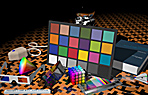
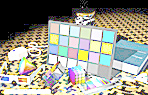
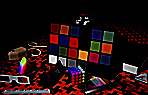
I have 3 images – each is 148 x 95 – see attached. I just made 3 copies of the same image – that is why they are the same.
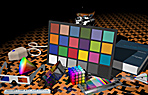
My attempt
I am trying to horizontally join them using the following code:
import sys
from PIL import Image

list_im = ['Test1.jpg','Test2.jpg','Test3.jpg']

# creates a new empty image, RGB mode, and size 444 by 95
new_im = Image.new('RGB', (444,95))

for elem in list_im:
    for i in xrange(0,444,95):
        im=Image.open(elem)
        new_im.paste(im, (i,0))
new_im.save('test.jpg')
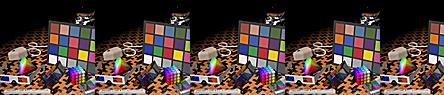
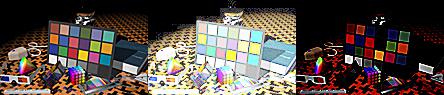
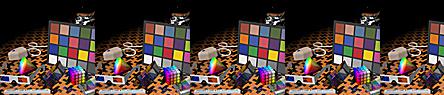
However, this is producing the output attached as test.jpg.
Question
Is there a way to horizontally concatenate these images such that the sub-images in test.jpg do not have an extra partial image showing?
Additional Information
I am looking for a way to horizontally concatenate n images. I would like to use this code generally so I would prefer to:
- not to hard-code image dimensions, if possible
- specify dimensions in one line so that they can be easily changed
Answers:
Thank you for visiting the Q&A section on Magenaut. Please note that all the answers may not help you solve the issue immediately. So please treat them as advisements. If you found the post helpful (or not), leave a comment & I’ll get back to you as soon as possible.
Method 1
You can do something like this:
import sys
from PIL import Image

images = [Image.open(x) for x in ['Test1.jpg', 'Test2.jpg', 'Test3.jpg']]
widths, heights = zip(*(i.size for i in images))

total_width = sum(widths)
max_height = max(heights)

new_im = Image.new('RGB', (total_width, max_height))

x_offset = 0
for im in images:
  new_im.paste(im, (x_offset,0))
  x_offset += im.size[0]

new_im.save('test.jpg')
Test1.jpg
Test2.jpg
Test3.jpg
test.jpg
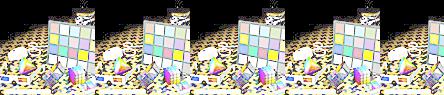
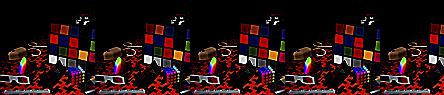
The nested for for i in xrange(0,444,95): is pasting each image 5 times, staggered 95 pixels apart. Each outer loop iteration pasting over the previous.
for elem in list_im:
  for i in xrange(0,444,95):
    im=Image.open(elem)
    new_im.paste(im, (i,0))
  new_im.save('new_' + elem + '.jpg')
Method 2
I would try this:
import numpy as np
import PIL
from PIL import Image

list_im = ['Test1.jpg', 'Test2.jpg', 'Test3.jpg']
imgs    = [ Image.open(i) for i in list_im ]
# pick the image which is the smallest, and resize the others to match it (can be arbitrary image shape here)
min_shape = sorted( [(np.sum(i.size), i.size ) for i in imgs])[0][1]
imgs_comb = np.hstack( (np.asarray( i.resize(min_shape) ) for i in imgs ) )

# save that beautiful picture
imgs_comb = Image.fromarray( imgs_comb)
imgs_comb.save( 'Trifecta.jpg' )

# for a vertical stacking it is simple: use vstack
imgs_comb = np.vstack( (np.asarray( i.resize(min_shape) ) for i in imgs ) )
imgs_comb = Image.fromarray( imgs_comb)
imgs_comb.save( 'Trifecta_vertical.jpg' )
It should work as long as all images are of the same variety (all RGB, all RGBA, or all grayscale). It shouldn’t be difficult to ensure this is the case with a few more lines of code. Here are my example images, and the result:
Test1.jpg

Test2.jpg

Test3.jpg

Trifecta.jpg:

Trifecta_vertical.jpg

Method 3
Edit: DTing’s answer is more applicable to your question since it uses PIL, but I’ll leave this up in case you want to know how to do it in numpy.
Here is a numpy/matplotlib solution that should work for N images (only color images) of any size/shape.
import numpy as np
import matplotlib.pyplot as plt

def concat_images(imga, imgb):
    """
    Combines two color image ndarrays side-by-side.
    """
    ha,wa = imga.shape[:2]
    hb,wb = imgb.shape[:2]
    max_height = np.max([ha, hb])
    total_width = wa+wb
    new_img = np.zeros(shape=(max_height, total_width, 3))
    new_img[:ha,:wa]=imga
    new_img[:hb,wa:wa+wb]=imgb
    return new_img

def concat_n_images(image_path_list):
    """
    Combines N color images from a list of image paths.
    """
    output = None
    for i, img_path in enumerate(image_path_list):
        img = plt.imread(img_path)[:,:,:3]
        if i==0:
            output = img
        else:
            output = concat_images(output, img)
    return output
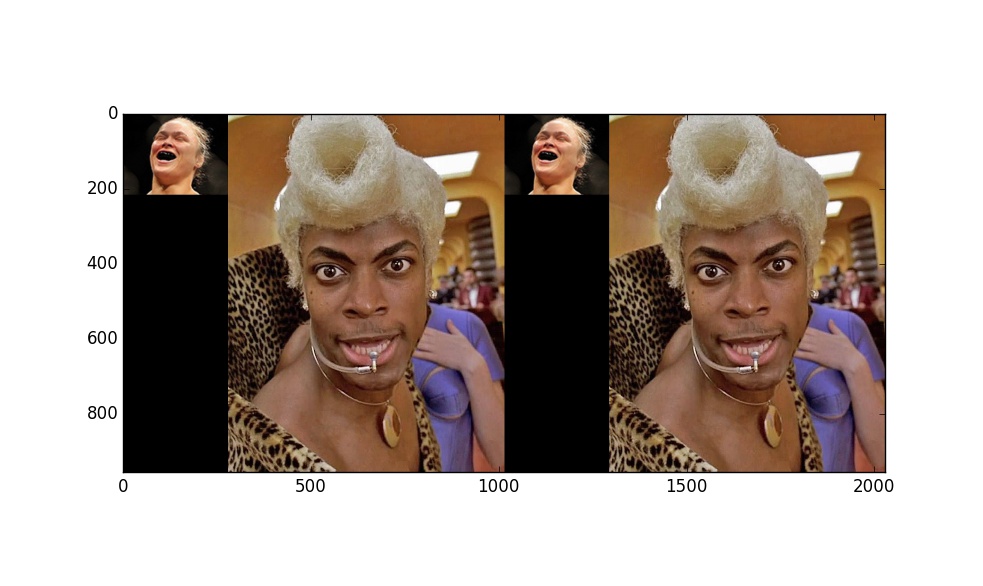
Here is example use:
>>> images = ["ronda.jpeg", "rhod.jpeg", "ronda.jpeg", "rhod.jpeg"]
>>> output = concat_n_images(images)
>>> import matplotlib.pyplot as plt
>>> plt.imshow(output)
>>> plt.show()
Method 4
Here is a function generalizing previous approaches, creating a grid of images in PIL:
from PIL import Image
import numpy as np

def pil_grid(images, max_horiz=np.iinfo(int).max):
    n_images = len(images)
    n_horiz = min(n_images, max_horiz)
    h_sizes, v_sizes = [0] * n_horiz, [0] * (n_images // n_horiz)
    for i, im in enumerate(images):
        h, v = i % n_horiz, i // n_horiz
        h_sizes[h] = max(h_sizes[h], im.size[0])
        v_sizes[v] = max(v_sizes[v], im.size[1])
    h_sizes, v_sizes = np.cumsum([0] + h_sizes), np.cumsum([0] + v_sizes)
    im_grid = Image.new('RGB', (h_sizes[-1], v_sizes[-1]), color='white')
    for i, im in enumerate(images):
        im_grid.paste(im, (h_sizes[i % n_horiz], v_sizes[i // n_horiz]))
    return im_grid
It will shrink each row and columns of the grid to the minimum. You can have only a row by using pil_grid(images), or only a column by using pil_grid(images, 1).
One benefit of using PIL over numpy-array based solutions is that you can deal with images structured differently (like grayscale or palette-based images).
Example outputs
def dummy(w, h):
    "Produces a dummy PIL image of given dimensions"
    from PIL import ImageDraw
    im = Image.new('RGB', (w, h), color=tuple((np.random.rand(3) * 255).astype(np.uint8)))
    draw = ImageDraw.Draw(im)
    points = [(i, j) for i in (0, im.size[0]) for j in (0, im.size[1])]
    for i in range(len(points) - 1):
        for j in range(i+1, len(points)):
            draw.line(points[i] + points[j], fill='black', width=2)
    return im

dummy_images = [dummy(20 + np.random.randint(30), 20 + np.random.randint(30)) for _ in range(10)]
pil_grid(dummy_images):

pil_grid(dummy_images, 3):
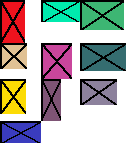
pil_grid(dummy_images, 1):

Method 5
Based on DTing’s answer I created a function that is easier to use:
from PIL import Image


def append_images(images, direction='horizontal',
                  bg_color=(255,255,255), aligment='center'):
    """
    Appends images in horizontal/vertical direction.

    Args:
        images: List of PIL images
        direction: direction of concatenation, 'horizontal' or 'vertical'
        bg_color: Background color (default: white)
        aligment: alignment mode if images need padding;
           'left', 'right', 'top', 'bottom', or 'center'

    Returns:
        Concatenated image as a new PIL image object.
    """
    widths, heights = zip(*(i.size for i in images))

    if direction=='horizontal':
        new_width = sum(widths)
        new_height = max(heights)
    else:
        new_width = max(widths)
        new_height = sum(heights)

    new_im = Image.new('RGB', (new_width, new_height), color=bg_color)


    offset = 0
    for im in images:
        if direction=='horizontal':
            y = 0
            if aligment == 'center':
                y = int((new_height - im.size[1])/2)
            elif aligment == 'bottom':
                y = new_height - im.size[1]
            new_im.paste(im, (offset, y))
            offset += im.size[0]
        else:
            x = 0
            if aligment == 'center':
                x = int((new_width - im.size[0])/2)
            elif aligment == 'right':
                x = new_width - im.size[0]
            new_im.paste(im, (x, offset))
            offset += im.size[1]

    return new_im
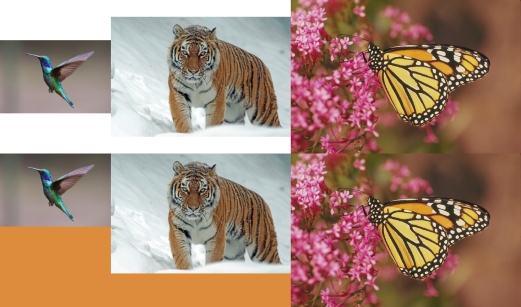
It allows choosing a background color and image alignment. It’s also easy to do recursion:
images = map(Image.open, ['hummingbird.jpg', 'tiger.jpg', 'monarch.png'])

combo_1 = append_images(images, direction='horizontal')
combo_2 = append_images(images, direction='horizontal', aligment='top',
                        bg_color=(220, 140, 60))
combo_3 = append_images([combo_1, combo_2], direction='vertical')
combo_3.save('combo_3.png')
Method 6
If all image’s heights are same,
import numpy as np

imgs = ['a.jpg', 'b.jp', 'c.jpg']
concatenated = Image.fromarray(
  np.concatenate(
    [np.array(Image.open(x)) for x in imgs],
    axis=1
  )
)
Maybe you can resize images before the concatenation like this,
import numpy as np

imgs = ['a.jpg', 'b.jpg', 'c.jpg']
concatenated = Image.fromarray(
  np.concatenate(
    [np.array(Image.open(x).resize((640,480)) for x in imgs],
    axis=1
  )
)
Method 7
Here’s my solution:
from PIL import Image


def join_images(*rows, bg_color=(0, 0, 0, 0), alignment=(0.5, 0.5)):
    rows = [
        [image.convert('RGBA') for image in row]
        for row
        in rows
    ]

    heights = [
        max(image.height for image in row)
        for row
        in rows
    ]

    widths = [
        max(image.width for image in column)
        for column
        in zip(*rows)
    ]

    tmp = Image.new(
        'RGBA',
        size=(sum(widths), sum(heights)),
        color=bg_color
    )

    for i, row in enumerate(rows):
        for j, image in enumerate(row):
            y = sum(heights[:i]) + int((heights[i] - image.height) * alignment[1])
            x = sum(widths[:j]) + int((widths[j] - image.width) * alignment[0])
            tmp.paste(image, (x, y))

    return tmp


def join_images_horizontally(*row, bg_color=(0, 0, 0), alignment=(0.5, 0.5)):
    return join_images(
        row,
        bg_color=bg_color,
        alignment=alignment
    )


def join_images_vertically(*column, bg_color=(0, 0, 0), alignment=(0.5, 0.5)):
    return join_images(
        *[[image] for image in column],
        bg_color=bg_color,
        alignment=alignment
    )
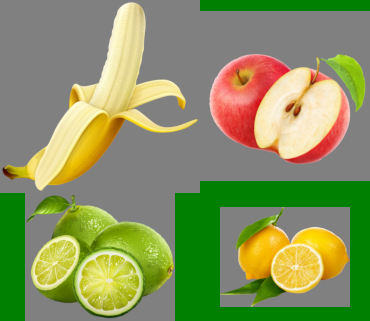
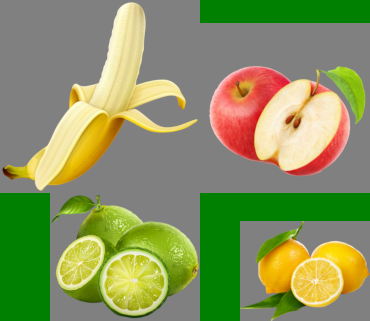
For these images:
images = [
    [Image.open('banana.png'), Image.open('apple.png')],
    [Image.open('lime.png'), Image.open('lemon.png')],
]
Results will look like:
join_images(
    *images,
    bg_color='green',
    alignment=(0.5, 0.5)
).show()
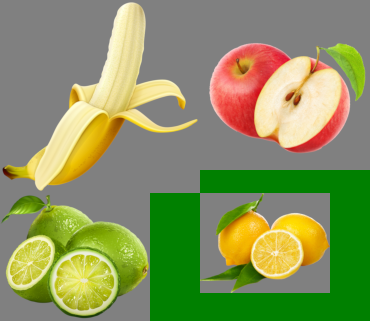
join_images(
    *images,
    bg_color='green',
    alignment=(0, 0)

).show()
join_images(
    *images,
    bg_color='green',
    alignment=(1, 1)
).show()
Method 8
"""
merge_image takes three parameters first two parameters specify
the two images to be merged and third parameter i.e. vertically
is a boolean type which if True merges images vertically
and finally saves and returns the file_name
"""
def merge_image(img1, img2, vertically):
    images = list(map(Image.open, [img1, img2]))
    widths, heights = zip(*(i.size for i in images))
    if vertically:
        max_width = max(widths)
        total_height = sum(heights)
        new_im = Image.new('RGB', (max_width, total_height))

        y_offset = 0
        for im in images:
            new_im.paste(im, (0, y_offset))
            y_offset += im.size[1]
    else:
        total_width = sum(widths)
        max_height = max(heights)
        new_im = Image.new('RGB', (total_width, max_height))

        x_offset = 0
        for im in images:
            new_im.paste(im, (x_offset, 0))
            x_offset += im.size[0]

    new_im.save('test.jpg')
    return 'test.jpg'
Method 9
from __future__ import print_function
import os
from pil import Image

files = [
      '1.png',
      '2.png',
      '3.png',
      '4.png']

result = Image.new("RGB", (800, 800))

for index, file in enumerate(files):
path = os.path.expanduser(file)
img = Image.open(path)
img.thumbnail((400, 400), Image.ANTIALIAS)
x = index // 2 * 400
y = index % 2 * 400
w, h = img.size
result.paste(img, (x, y, x + w, y + h))

result.save(os.path.expanduser('output.jpg'))
Output
Method 10
Just adding to the solutions already suggested. Assumes same height, no resizing.
import sys
import glob
from PIL import Image
Image.MAX_IMAGE_PIXELS = 100000000  # For PIL Image error when handling very large images

imgs    = [ Image.open(i) for i in list_im ]

widths, heights = zip(*(i.size for i in imgs))
total_width = sum(widths)
max_height = max(heights)

new_im = Image.new('RGB', (total_width, max_height))

# Place first image
new_im.paste(imgs[0],(0,0))

# Iteratively append images in list horizontally
hoffset=0
for i in range(1,len(imgs),1):
    **hoffset=imgs[i-1].size[0]+hoffset  # update offset**
    new_im.paste(imgs[i],**(hoffset,0)**)

new_im.save('output_horizontal_montage.jpg')
Method 11
my solution would be :
import sys
import os
from PIL import Image, ImageFilter
from PIL import ImageFont
from PIL import ImageDraw

os.chdir('C:/Users/Sidik/Desktop/setup')
print(os.getcwd())

image_list= ['IMG_7292.jpg','IMG_7293.jpg','IMG_7294.jpg', 'IMG_7295.jpg' ]

image = [Image.open(x) for x in image_list]  # list
im_1 = image[0].rotate(270)
im_2 = image[1].rotate(270)
im_3 = image[2].rotate(270)
#im_4 = image[3].rotate(270)

height = image[0].size[0]
width = image[0].size[1]
# Create an empty white image frame
new_im = Image.new('RGB',(height*2,width*2),(255,255,255))

new_im.paste(im_1,(0,0))
new_im.paste(im_2,(height,0))
new_im.paste(im_3,(0,width))
new_im.paste(im_4,(height,width))


draw = ImageDraw.Draw(new_im)
font = ImageFont.truetype('arial',200)

draw.text((0, 0), '(a)', fill='white', font=font)
draw.text((height, 0), '(b)', fill='white', font=font)
draw.text((0, width), '(c)', fill='white', font=font)
#draw.text((height, width), '(d)', fill='white', font=font)

new_im.show()
new_im.save('BS1319.pdf')
[![Laser spots on the edge][1]][1]
All methods was sourced from stackoverflow.com or stackexchange.com, is licensed under cc by-sa 2.5, cc by-sa 3.0 and cc by-sa 4.0