I have just integrated another project pages and its dlls into my existing project’s Bin/ folder. My project framework is 3.5. When i am trying to build the project or solution, it’s throwing following error:
“The type ‘ASP.global_asax’ exists in both ‘c:WindowsMicrosoft.NETFrameworkv2.0.50727Temporary ASP.NET Filestimesheet15a75c54898b48b9assemblydl358b062b20ceda54_c98cc801App_global.asax.DLL’ and ‘c:WindowsMicrosoft.NETFrameworkv2.0.50727Temporary ASP.NET Filestimesheet15a75c54898b48b9App_global.asax.q_h6dbfx.dll’ c:WindowsMicrosoft.NETFrameworkv2.0.50727Temporary ASP.NET Filestimesheet15a75c54898b48b9App_Web_admin.master.fdf7a39c.zecazgwd.0.cs
“
Setting “batch=false” into web.config’s is not working. I have also tried to delete all folders from “c:WindowsMicrosoft.NETFrameworkv2.0.50727Temporary ASP.NET Files”, then clean and rebuild soultion. But still it’s not working.
Answers:
Thank you for visiting the Q&A section on Magenaut. Please note that all the answers may not help you solve the issue immediately. So please treat them as advisements. If you found the post helpful (or not), leave a comment & I’ll get back to you as soon as possible.
Method 1
In my case the problem occurred in a virtual application’s bin folder. Looking into this bin-folder you will probably see two files (an information I found here):
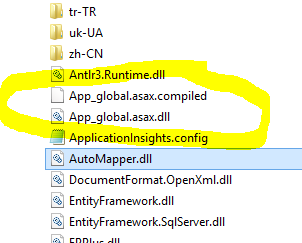
- App_global.asax.dll
- App_global.asax.compiled
Removing these resolves the error. The App_global.asax.dll is generated at runtime too which causes the problem. I am however still investigating how these files got there, so comments are definitely welcome!
Method 2
I suggest you go to the path: C:WINDOWSMicrosoft.NETFrameworkv2.0.50727Temporary ASP.NET Files and clear the all the temporary files of your application, build your solution, and then run it!
Method 3
In my case the problem was caused by accidentional removal of “PrecompiledApp.config”. As soon as i returned the file everything started working normally.
Method 4
I struggled with this issue in .NET 4.5 in VS2013 for a while before finding a solution that worked:
- Manually deleting the contents of the ASP.Net project’s
bin-folder. Clean/Rebuild was insufficient. It didn’t delete enough apparently 😉
The error persisted after adding the batch="false"attribute in the compilation-element of web.config.
It also did not help to delete the ASP.Net Temporary Files-directory either.
Method 5
In my case, i have added in my folder bin a file with name
“App_global.asax.compiled”
delete only this files and its work.
Method 6
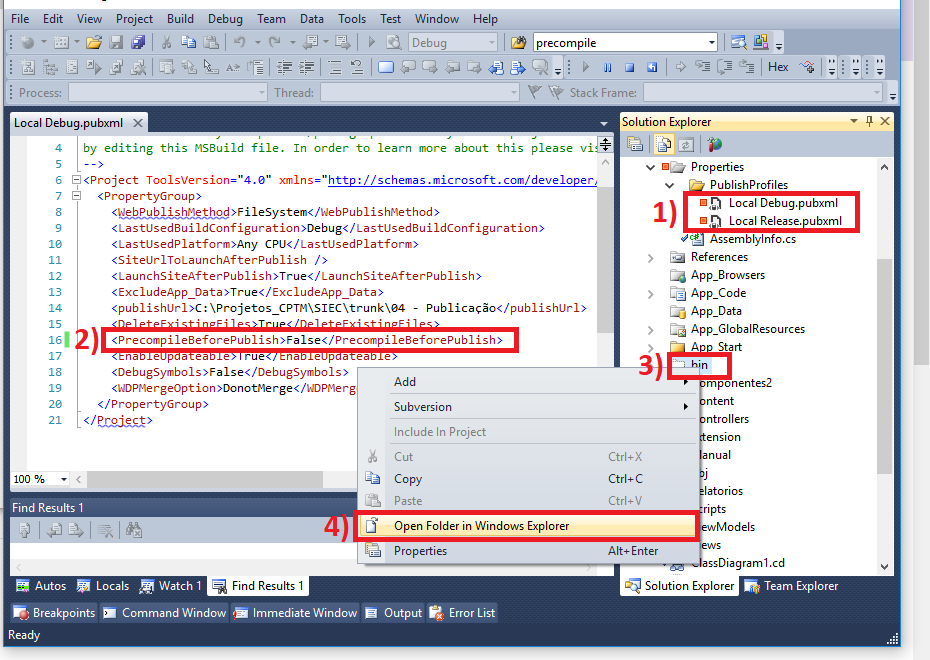
In my case, to solve the problem, I needed to disable the “PrecompileBeforePublish” and delete the bin folder as the image below.
Method 7
What worked for me was
Remove the TARGET BIN folder or empty that folder completely, and then put the newest version of your BIN folder.
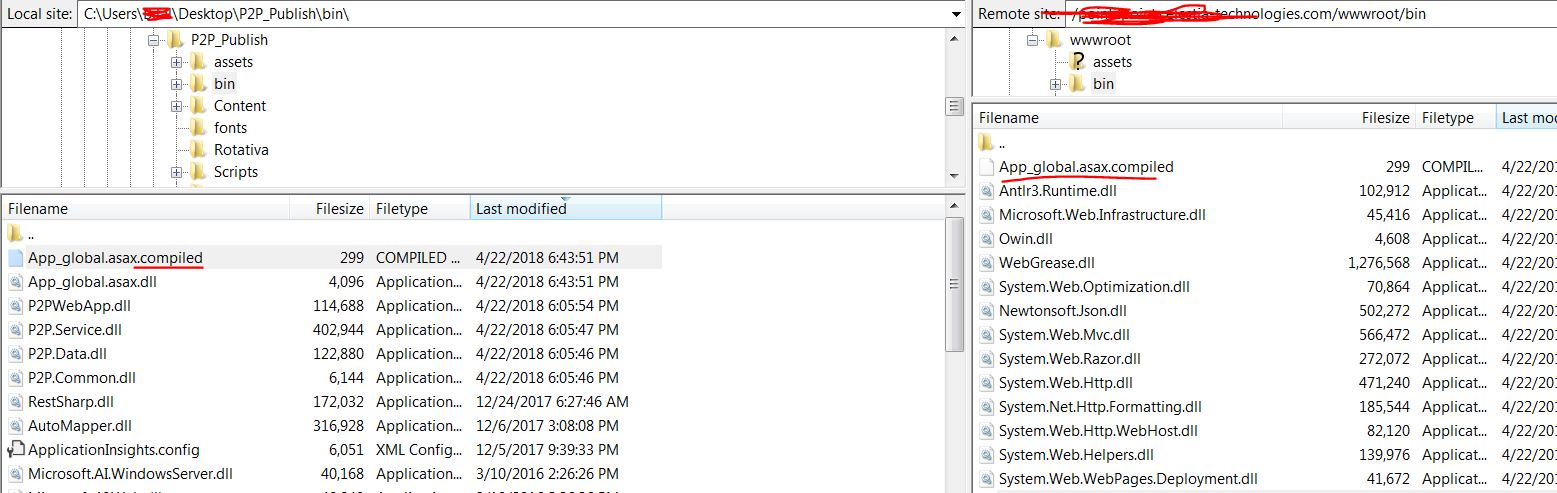
Why: In my case after publishing the BIN folder to my “hosting provider” FTP server, the BIN folder was not overwriting the files that needed NOT to be there in this case those mentioned above App_global.asax.dll
App_global.asax.compiled
SO by overwriting the whole BIN folder, we assure that the BIN folder is a brand new
this worked for me…
Method 8
My problem was I referenced .net standard project on my .net framework project, not sure where it got conflicted.
Method 9
I just Clean Solution and Build Solution then solved!
Method 10
Have got recently the same error when publishing site from debug PC onto the server.
Changing option to true solved the issue.
<DeleteExistingFiles>True</DeleteExistingFiles>
file ~PropertiesPublishProfilesFolderProfile.pubxml
Method 11
In my case I have added DLL from local to stage site.This works for me.
All methods was sourced from stackoverflow.com or stackexchange.com, is licensed under cc by-sa 2.5, cc by-sa 3.0 and cc by-sa 4.0