So, as evident from the title, I want to convert a pdf to a csv so that I could use that data in my project. The problem is that the pdf formatting is not at all suitable for conversion to a csv file. For a human reader, the file makes complete sense but for a computer, it is extremely difficult to comprehend. It is difficult for me to explain here but I would encourage my fellow data scientists to help me find a solution for the same.
The pdf can be found here:
https://mospi.gov.in/documents/213904/533217//Appendix-II1602843196372.pdf/7da592e8-0da1-abd0-3b15-da3227f76fea
Any ideas/techniques would be extremely helpful.
Answers:
Thank you for visiting the Q&A section on Magenaut. Please note that all the answers may not help you solve the issue immediately. So please treat them as advisements. If you found the post helpful (or not), leave a comment & I’ll get back to you as soon as possible.
Method 1
I said in comment
That should be a doddle for experienced “Field Staff” so just program the same way, the novice needs to note that the headers are the same on each page thus not needed after first memorize, then the rows are all similar so we only need the bits between top matter and bottom matter, now PDF has no white space just space that is white, so we extract with padding as best we can and pdftotext can isolate and pad all in one line of code. then we have our spatial csv (space character separated values) exactly the way the field staff sends to their brain and excel can accept that as input no promblem
Ok that particular file is not as easy as it looks or as may be expected, (with or without python) since it causes problems with so many variable shape voids. I tried several one line methods to try to get a good pre-process input and this was the cleanest but there are still extras even in import to excel there will needs be some minor edits to tidy double blank lines.
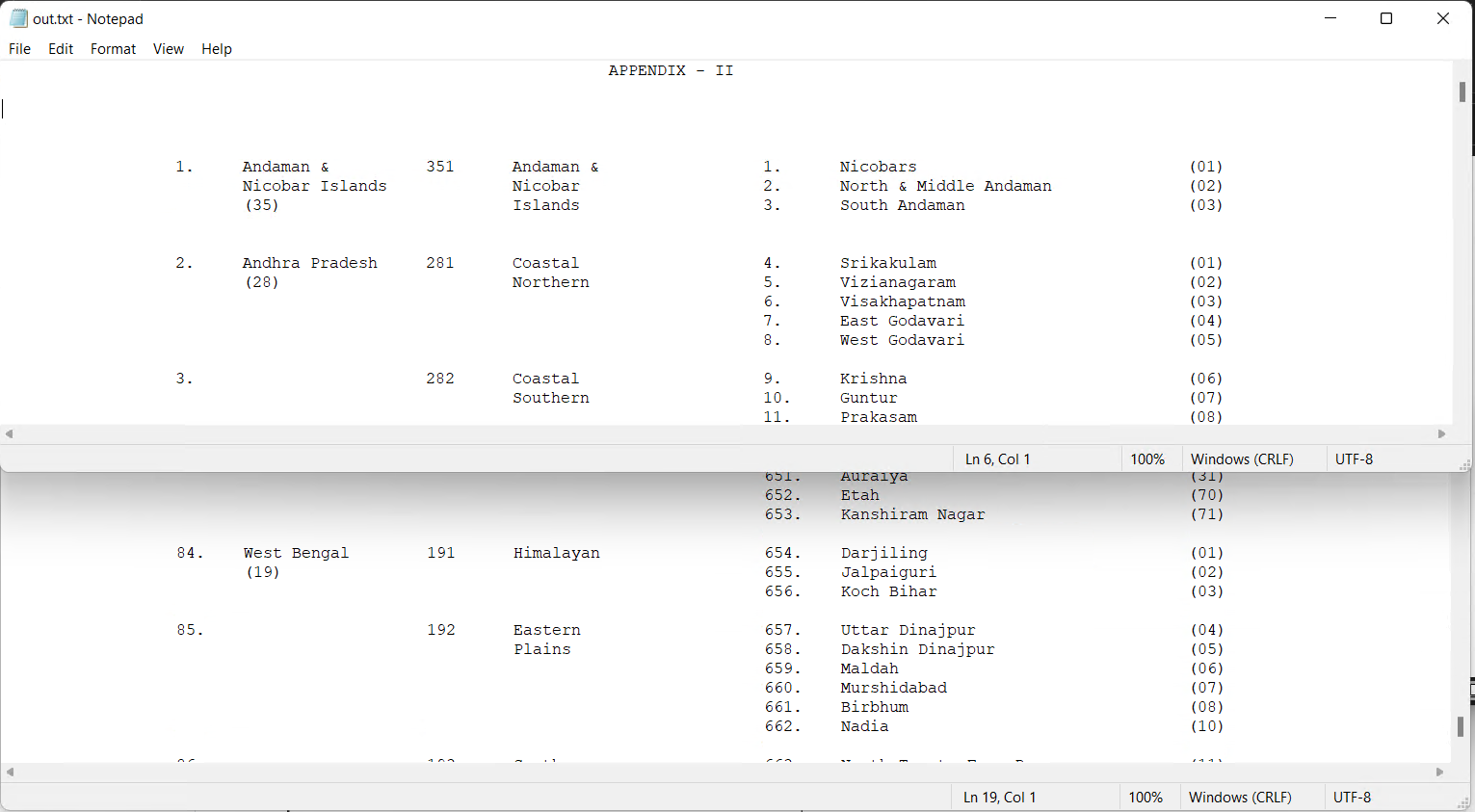
Anyway the windows command was (you can call that from python poppler utils)
poppler-22.04.0Librarybin>pdftotext -fixed 4 -nopgbrk in2.pdf temp.txt & type temp.txt |find /V "NSS" |find /V "F-" |Find /V "code" |Find /V "(7)" >out.txt
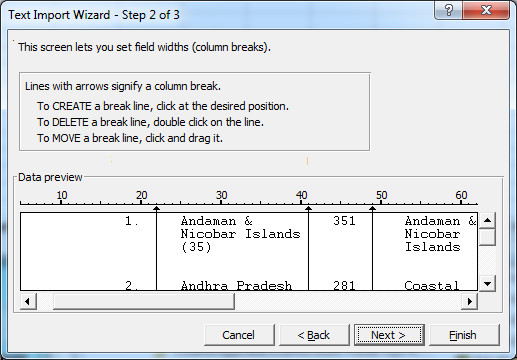
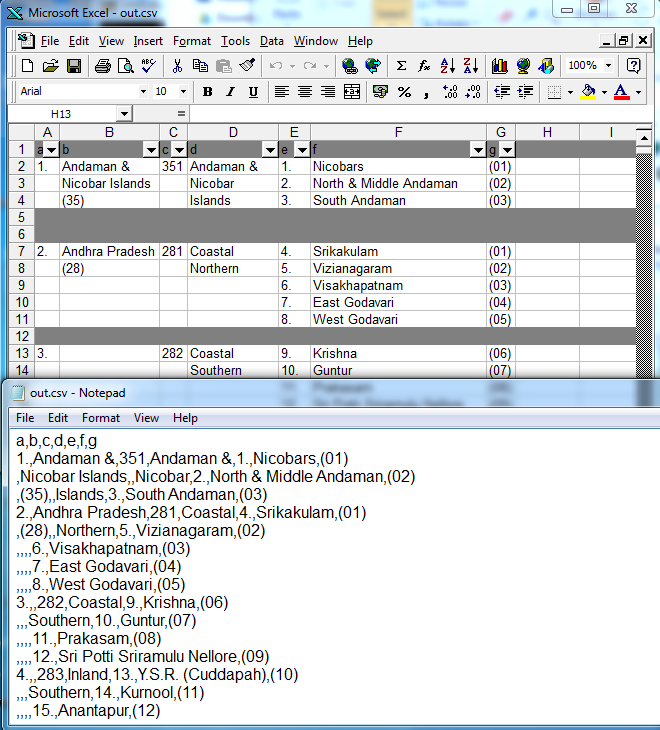
then you can parse that different ways but I personally would import that to excel for the cleaning and export as csv using buttons or vba rather than python.
All methods was sourced from stackoverflow.com or stackexchange.com, is licensed under cc by-sa 2.5, cc by-sa 3.0 and cc by-sa 4.0