I have installed virtualenv in my localhost to run a django app with 1.8 version but when running it the css and js files doesn’t load.
I get
Resource interpreted as Stylesheet but transferred with MIME type application/x-css
I have tried some options but they don’t solve the issue either. I am running the same configuration on other PC and it works.
My HTML loads the css with :
<link href="/static/css/bootstrap.css" rel="nofollow noreferrer noopener" rel="stylesheet" type="text/css">
Answers:
Thank you for visiting the Q&A section on Magenaut. Please note that all the answers may not help you solve the issue immediately. So please treat them as advisements. If you found the post helpful (or not), leave a comment & I’ll get back to you as soon as possible.
Method 1
Adding following snippet into settings.py file may fix your problem:
import mimetypes
mimetypes.add_type("text/css", ".css", True)
Method 2
This particular behaviour varies between the development(DEBUG=True) and deployment environment(DEBUG=False).
So if you are developing locally with DEBUG=False there is a high chance of this error. But once deployed on any server it will work without any error. If you want to avoid this error during development set DEBUG=True
Method 3
I ran into this issue during development (production was using Nginx and serving from /static_cdn folder without any issues).
The solution came from the Django docs: https://docs.djangoproject.com/en/3.1/howto/static-files/#serving-static-files-during-development
from django.conf import settings
from django.conf.urls.static import static

urlpatterns = [
    # ... the rest of your URLconf goes here ...
] + static(settings.STATIC_URL, document_root=settings.STATIC_ROOT)
Method 4
open your Chrome by F12 Developer Tool and check what you actually received. In my case, the CSS file actually redirected to another page. so MIME is text/html not text/css
(My English is not very good.)
Method 5
If you’re using Centos and having similar issues (mine were with svgs) then you might need to install the mailcap package if it doesn’t exist (as per this answer).
Method 6
If you happen to be using the Django whitenoise plugin, then the mimetypes module is not used, and you need to pass in a dictionary of custom types in settings.py:
WHITENOISE_MIMETYPES = {
    '.xsl': 'application/xml'
}
Method 7
In my case I only loaded
{% load static %}
in django and not added the
'{%static '<filename>'%}'
in hrefs when I added this the error’s gone
Method 8
“whitenoise” will solve “MIME type” error then CSS is loaded successfully:
First, install “whitenoise”:
pip install whitenoise
Then, set it to “MIDDLEWARE” in “settings.py”. Finally, CSS is loaded successfully:
MIDDLEWARE = [
    # ...
    "django.middleware.security.SecurityMiddleware",
    "whitenoise.middleware.WhiteNoiseMiddleware", # Here
    # ...
]
Method 9
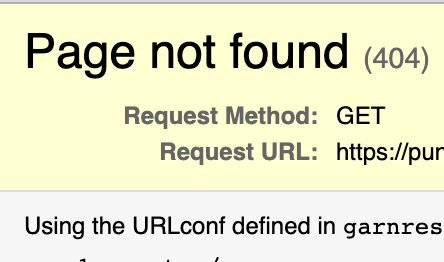
Access the CSS file directly. If you get a 404 error that is your answer, because Django serve you a text/html file when the browser expect text/css.
Try to fix your static files, and the problem is most likely solved.
All methods was sourced from stackoverflow.com or stackexchange.com, is licensed under cc by-sa 2.5, cc by-sa 3.0 and cc by-sa 4.0