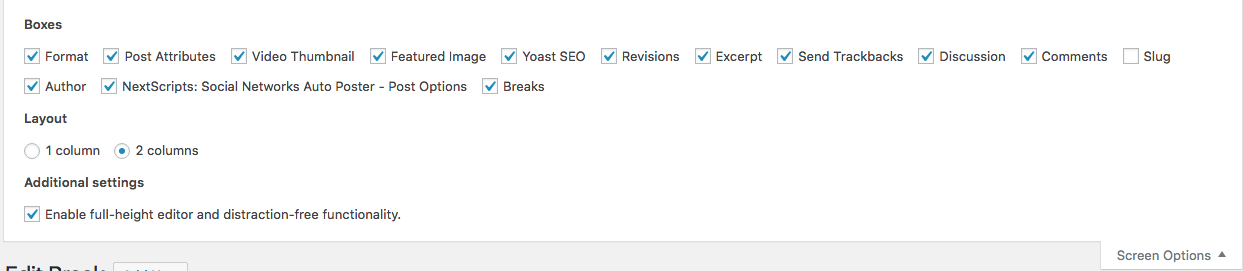
I recently updated my website after a while, and the custom fields meta box is not showing in the editor anymore. It isn’t showing under “Screen Options” either. Any ideas why this could be, and how to get it back?
Answers:
Thank you for visiting the Q&A section on Magenaut. Please note that all the answers may not help you solve the issue immediately. So please treat them as advisements. If you found the post helpful (or not), leave a comment & I’ll get back to you as soon as possible.
Method 1
It turns out the latest Advanced Custom Fields update (from version 5.6.0 on) removes the core custom fields metaboxes by default.
The way to restore it was to add a filter in functions.php:
add_filter('acf/settings/remove_wp_meta_box', '__return_false');
Method 2
When registering a custom post type you have to declare that it supports the custom fields meta box to get it, e.g.:
'supports' => array( 'title', 'editor', 'custom-fields' )
But most people don’t do this, and build real metaboxes instead. This way instead they can put in radio buttons and drop downs etc
All methods was sourced from stackoverflow.com or stackexchange.com, is licensed under cc by-sa 2.5, cc by-sa 3.0 and cc by-sa 4.0