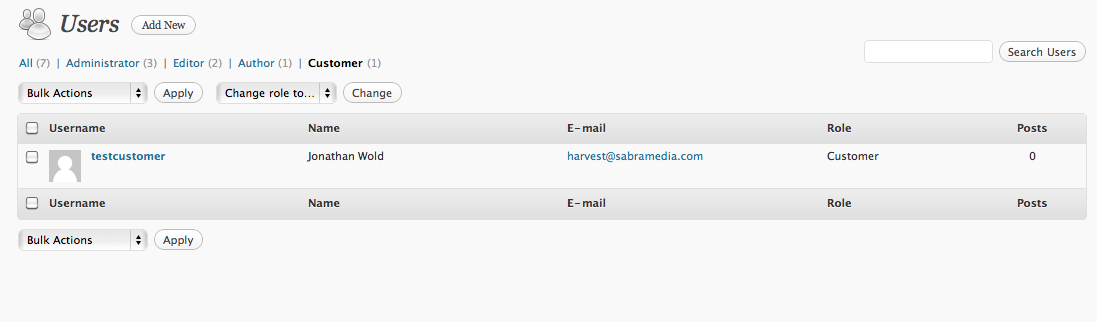
I’ve added a role of “Customer” and I am working on customizing the Users Screen for that role. What I’d like to do is customize columns based on that particular role.
Note:
For example, take a look at the screenshot. How would I remove the reference to the posts column for only the customer role?
Answers:
Thank you for visiting the Q&A section on Magenaut. Please note that all the answers may not help you solve the issue immediately. So please treat them as advisements. If you found the post helpful (or not), leave a comment & I’ll get back to you as soon as possible.
Method 1
Manage Columns
It’s pretty straight forward using the manage_{post-type-name}_columns filter: Just switch per $capability and unset what you don’t need in the $post_columns array.
function wpse19435_manage_columns( $posts_columns )
{
    // First role: add a column - take a look at the second function
    if ( current_user_can( $capability_admin ) )
    {
        $posts_columns['some_column_name'] = _x( 'Whatever', 'column name' );
    }
    // second role: remove a column
    elseif ( current_user_can( $capability_other_role ) )
    {
        unset( $posts_columns['comments'] );
    }
    // default
    else
    {
        // do stuff for all other roles
    }

    return $posts_columns;
}
add_filter( 'manage_{post-type-name}_columns', 'wpse19435_manage_columns' );
Add a column
function wpse19435_manage_single_column( $column_name, $id )
{
    switch( $column_name )
    {
        case 'some_column_name' :
            // do stuff
            break;

        default :
            // do stuff
            break;
    }

}
add_action('manage_{post-type-name}_custom_column', 'wpse19435_manage_single_column', 10, 2);
Method 2
Thanks to Mike23 for the tip. Here’s the code that I’m using to add a column to only the “customer” role:
if( $_GET['role'] == "customer" ) {

add_filter('manage_users_columns', 'add_ecommerce_column');
add_filter('manage_users_custom_column', 'manage_ecommerce_column', 10, 3);


function add_ecommerce_column($columns) {
        $columns['ecommerce'] = 'Ecommerce';
    return $columns;

}

function manage_ecommerce_column($empty='', $column_name, $id) {
    if( $column_name == 'ecommerce' ) {
        return $column_name.$id;
        }
}
}
Any ideas or suggestions for improvement are very welcomed.
Method 3
Have a look at current_user_can. With that you can filter your code by roles, and then do whatever you want to customize the interface.
Quick and dirty, with CSS. Put this in your functions.php :
function add_custom_admin_styles() {
    /* Customers */
    if(current_user_can('customer')){
        echo '
        <style type="text/css">
            .column-posts{display:none!important;}
        </style>';
    }
}
add_action('admin_head', 'add_custom_admin_styles');
All methods was sourced from stackoverflow.com or stackexchange.com, is licensed under cc by-sa 2.5, cc by-sa 3.0 and cc by-sa 4.0