I am currently developing a theme which provides more customization in Customizer. I am trying to add color control option and it is not working. This is my code.
/* Color Section */

    $wp_customize -> add_setting( 'navbar_color', array(
        'default' => '#45ace0',
    ) );

    $wp_customize -> add_control( new WP_Customize_Color_Control( $wp_customize, 'navbar_color', array(
            'label'     => __( 'Navbar Color', 'text_domain' ),
            'section'   => 'color_section',
            'settings'  => 'navbar_color',
        )

    ) );

    $wp_customize -> add_section( 'color_section', array(
        'title'     => __( 'Color Section', 'text_domain' ),
    ) );
I can’t see anything wrong here. Without this customizer is working. But when i add this code, customizer is not loading without any PHP error. Also when i replace to WP_Customize_Color_Control to WP_Customize_Image_Control it working without any problem. This problem only happens with Color Control.
Also, I am getting following JS errors in the console.
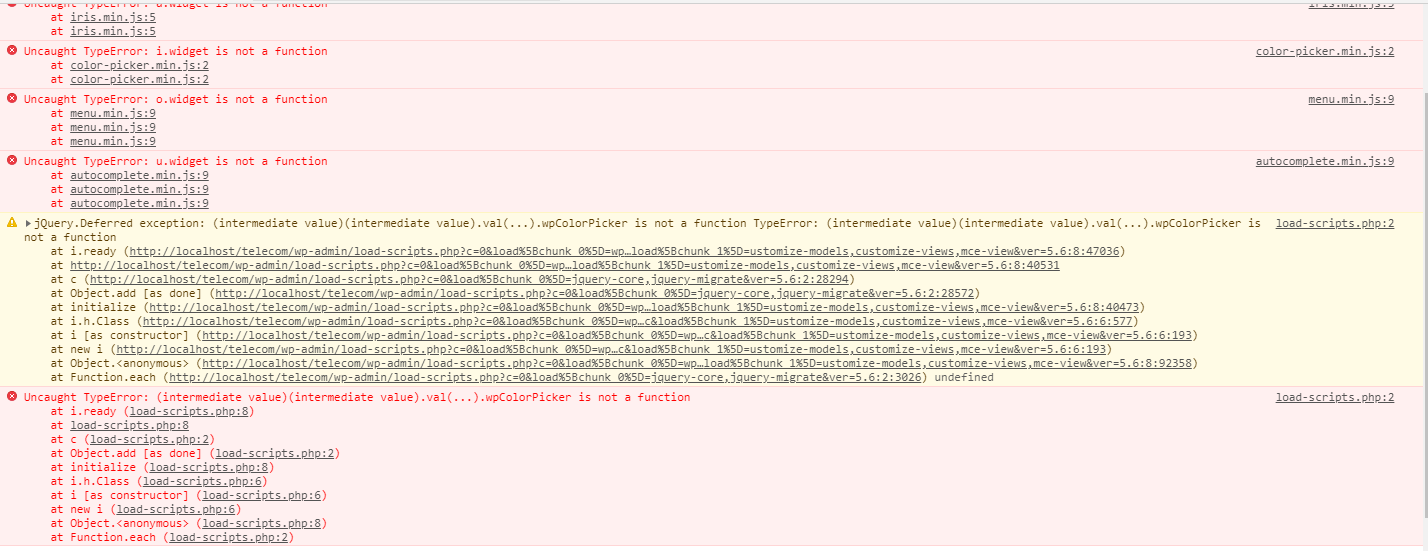
any solution would be really appreciated.
Answers:
Thank you for visiting the Q&A section on Magenaut. Please note that all the answers may not help you solve the issue immediately. So please treat them as advisements. If you found the post helpful (or not), leave a comment & I’ll get back to you as soon as possible.
Method 1
Try changing your ID name to another one. Maybe is an ID already in use:
navbar_color
To:
my_navbar_color
Method 2
According to your needs :
Register Your Customizer setting , Add Below Code in your functions.php
function themename_customize_register($wp_customize){

$wp_customize->add_section('themename_color_scheme', array(
    'title'    => __('Color Scheme', 'themename'),
    'priority' => 120,
));

//  =============================
//  = Color Picker              =
//  =============================

$wp_customize->add_setting('themename_theme_options[navbar_color]', array(
    'default'           => '#000',
    'sanitize_callback' => 'sanitize_hex_color',
    'capability'        => 'edit_theme_options',
    'type'           => 'option',

));

$wp_customize->add_control( new WP_Customize_Color_Control($wp_customize, 'navbar_color', array(
    'label'    => __('Link Color', 'themename'),
    'section'  => 'themename_color_scheme',
    'settings' => 'themename_theme_options[navbar_color]',
)));


//  =============================
//  = Text Input                =
//  =============================
$wp_customize->add_setting('themename_theme_options[text_test]', array(
    'default'        => 'Custom Text!',
    'capability'     => 'edit_theme_options',
    'type'           => 'option',

));

$wp_customize->add_control('themename_text_test', array(
    'label'      => __('Text Test', 'themename'),
    'section'    => 'themename_color_scheme',
    'settings'   => 'themename_theme_options[text_test]',
));

//  =============================
//  = Image Upload              =
//  =============================
$wp_customize->add_setting('themename_theme_options[image_upload_test]', array(
    'default'           => 'image.jpg',
    'capability'        => 'edit_theme_options',
    'type'           => 'option',

));

$wp_customize->add_control( new WP_Customize_Image_Control($wp_customize, 'image_upload_test', array(
    'label'    => __('Image Upload Test', 'themename'),
    'section'  => 'themename_color_scheme',
    'settings' => 'themename_theme_options[image_upload_test]',
)));

//  =============================
//  = File Upload               =
//  =============================
$wp_customize->add_setting('themename_theme_options[upload_test]', array(
    'default'           => 'arse',
    'capability'        => 'edit_theme_options',
    'type'           => 'option',

));

$wp_customize->add_control( new WP_Customize_Upload_Control($wp_customize, 'upload_test', array(
    'label'    => __('Upload Test', 'themename'),
    'section'  => 'themename_color_scheme',
    'settings' => 'themename_theme_options[upload_test]',
)));

 }

add_action('customize_register', 'themename_customize_register');
Refer Link For Your Knowledge Click
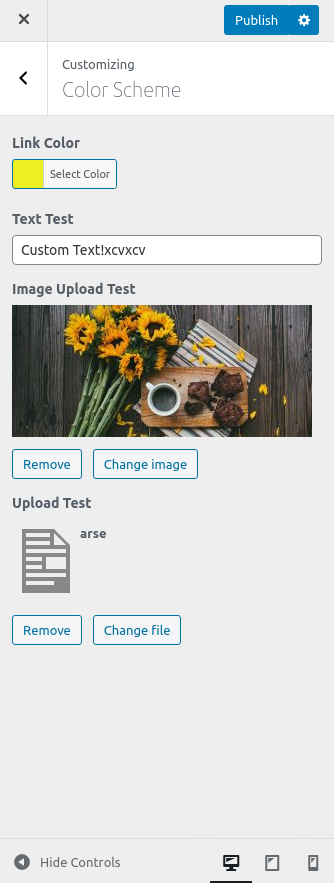
Method 3
Finally found the reason. The reason was i enqueued JQuery to my options pages. When i remove JQuery enqueue everything is working fine. Thanks for all the replies.
All methods was sourced from stackoverflow.com or stackexchange.com, is licensed under cc by-sa 2.5, cc by-sa 3.0 and cc by-sa 4.0