In my page when it’s creating, everything is working fine but when I am clicking on the button to show the selected row, then my grid view is not rendering as a datatable. What I need to do to fix this or what I am doing wrong?
My script:
<script type="text/javascript">
        $(function () {
            $('[id*=gvTest]').prepend($("<thead></thead>").append($(this).find("tr:first"))).DataTable({
                "responsive": true,
                "sPaginationType": "full_numbers",


            });
        });
        $(document).ready(function () {

            var table = $('#gvTest').DataTable();
            $('#gvTest tbody').on( 'click', 'tr', function () {
            $(this).toggleClass('selected');
            });


            $('#btnRead').click(function () {
           var ids = $.map(table.rows('.selected').data(), function (item) {
               return item[0]
                 });
            });

    } );
    </script>
My Grid:
<asp:ScriptManager ID="ScriptManager1" runat="server"> </asp:ScriptManager>
   <asp:UpdatePanel ID="updatePanel" runat="server">
     <ContentTemplate>

     <asp:GridView  ID="gvTest" Width="100%" runat="server"  AutoGenerateColumns="False" >
      <Columns>
           <asp:BoundField  DataField="PatientID"  HeaderText="Patient ID" >
           </asp:BoundField>
           <asp:BoundField  DataField="PatientName"  HeaderText="PatientName" >
           </asp:BoundField>
           <asp:BoundField  DataField="Age"  HeaderText="Age" >
           </asp:BoundField>
           <asp:BoundField  HeaderText="Sex" DataField="Sex"  >
           </asp:BoundField>
           <asp:BoundField  HeaderText="Mod" DataField="Modality"  >
      </Columns>
    </asp:GridView>
</ContentTemplate>
</asp:UpdatePanel>
When my page is created:
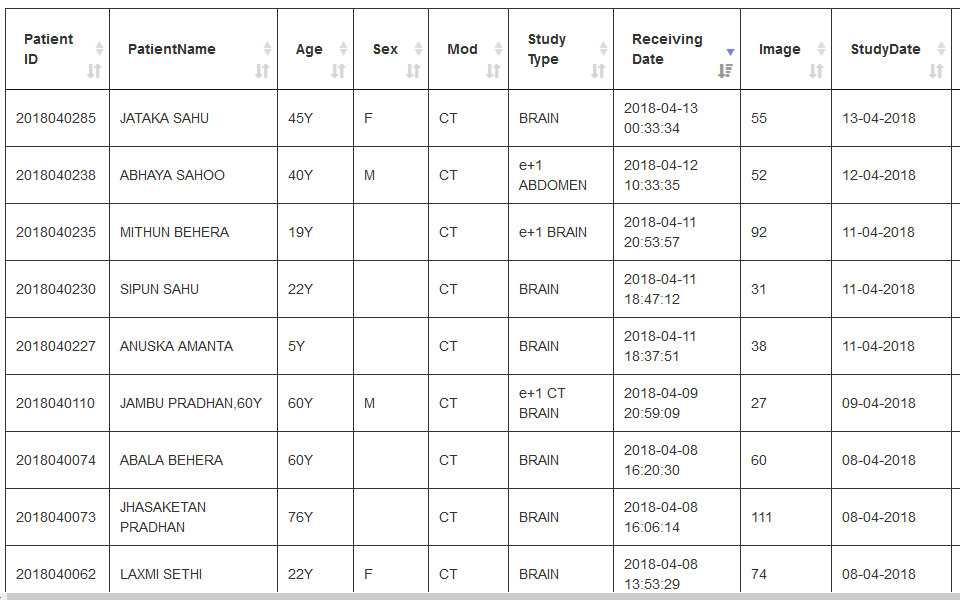
Everything is working fine, but when I click a button then this happens:
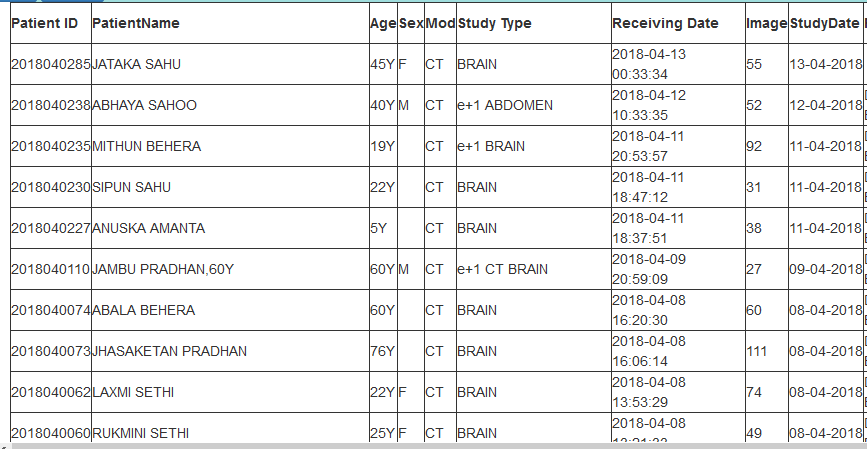
What do I need to do now to fix this problem ?
Answers:
Thank you for visiting the Q&A section on Magenaut. Please note that all the answers may not help you solve the issue immediately. So please treat them as advisements. If you found the post helpful (or not), leave a comment & I’ll get back to you as soon as possible.
Method 1
The UpdatePanel refreshes the DOM, so any changes made to it with jQuery are lost. You need to call DataTable() again after an Async PostBack. You can use the PageRequestManager for that.
<script type="text/javascript">

    var prm = Sys.WebForms.PageRequestManager.getInstance();

    prm.add_endRequest(function () {
        createDataTable();
    });

    createDataTable();

    function createDataTable() {
        var table = $('#gvTest').DataTable();
        $('#gvTest tbody').on('click', 'tr', function () {
            $(this).toggleClass('selected');
        });
    }
</script>
Method 2
The best way to fix this issue is by implementing this in pageLoad function.
In this case I used a Gridview:
function pageLoad() {
    $("<thead></thead>").append($("#grvPast tr:first")).prependTo($("#grvPast"));
    $('#grvPast').dataTable();
}
Method 3
after using a lots of others code i did’nt get a proper solution so i used this on my page load and its working fine
gvTest.UseAccessibleHeader = true;
//adds <thead> and <tbody> elements
gvTest.HeaderRow.TableSection =
TableRowSection.TableHeader;
All methods was sourced from stackoverflow.com or stackexchange.com, is licensed under cc by-sa 2.5, cc by-sa 3.0 and cc by-sa 4.0