I am running into something that is extremely odd. I have the following stack:
- ASP.Net Core 3.1 API
- Angular 10 front end app
- Nginx proxy
All of the applications are containerized so I have my API running in a docker container, my angular app in a docker container (that is also using a separate nginx web server to serve the SPA), and a nginx container serving as a proxy for the API.
Below is a typical GET request that has no issues and the relevant headers for the OPTIONS request:

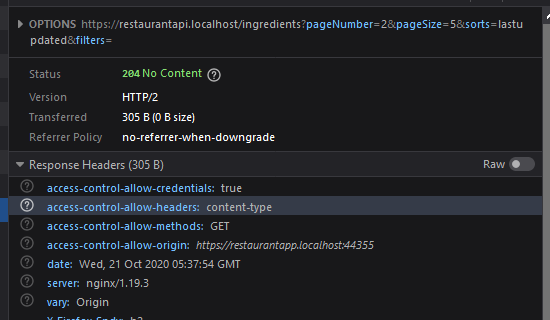
So a GET request is working but when I try to use POST, the options request succeeds immediately followed by a 400 from nginx along with an error message from the browser:
Cross-Origin Request Blocked: The Same Origin Policy disallows reading the remote resource at https://restaurantapi.localhost/chats. (Reason: CORS header ‘Access-Control-Allow-Origin’ missing).
The odd part about above error message is that the OPTIONS request for the POST succeeds:

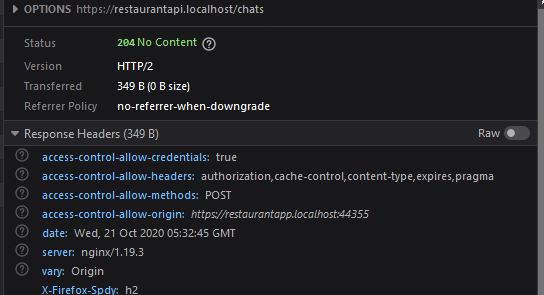
How is it possible for the OPTIONS request to be successfully returned but the POST fails? I don’t understand quite how this is possible. I know its Nginx causing this issue because I have removed the proxy and sent the request directly from my angular app in a container to the API using kestrel web server (built in webserver for .NET core) and it succeeds.
Is there any configuration I am missing causing this problem? Note that I am adding the CORS headers within my API and am not using CORS through nginx. I also tried stripping response headers from API within Nginx and explicitly adding CORS headers and that still fails. Any help on this would be appreciated.
My nginx config:
events {
    worker_connections 1024;
}
http {
    underscores_in_headers on;

    upstream api {
        server restaurantapi:5001;
    }
    upstream grpcservice {
        server restaurantapi:5010;
    }

    # redirect all http requests to https
    server {
        listen 80 default_server;
        listen [::]:80 default_server;
        return 301 https://$host$request_uri;
    }
    server {
        server_name restaurantapi.localhost;
        listen 443 ssl http2;
        ssl_certificate /etc/certs/resapi.crt;
        ssl_certificate_key /etc/certs/resapi.key;

        location /CartCheckoutService/ValidateCartCheckout {
            grpc_pass grpc://grpcservice;
            error_page 502 = /error502grpc;
        }

        location = /error502grpc {
            internal;
            default_type application/grpc;
            add_header grpc-status 14;
            add_header grpc-message "Error connecting to gRPC service.";
            return 204;
        }

        location / {
            proxy_pass http://api;
            proxy_http_version 1.1;
            proxy_set_header Upgrade $http_upgrade;
            proxy_set_header Connection "Upgrade";
            proxy_set_header Connection keep-alive;
            proxy_set_header Host $host:$server_port;
            proxy_set_header X-Forwarded-For $proxy_add_x_forwarded_for;
            proxy_set_header X-Forwarded-Proto $scheme;
            proxy_cache_bypass $http_upgrade;
        }
    }
    gzip on;
    gzip_vary on;
    gzip_proxied no-cache no-store private expired auth;
    gzip_types text/plain text/css application/json application/xml;
}
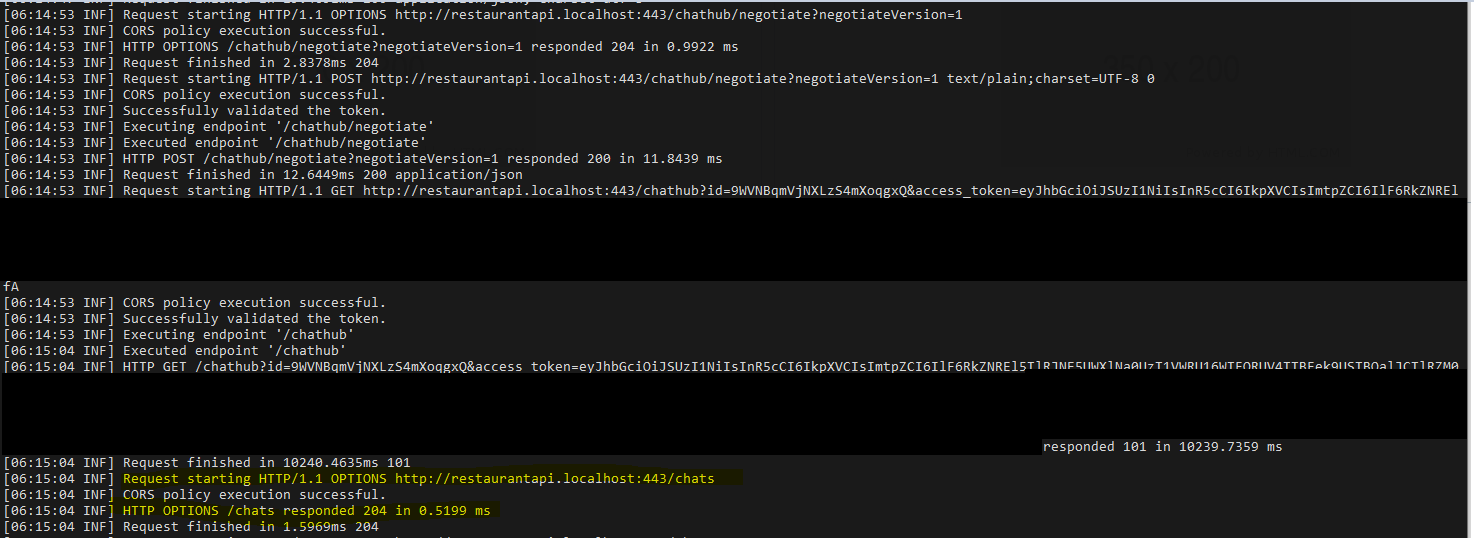
The logs from the API:
Answers:
Thank you for visiting the Q&A section on Magenaut. Please note that all the answers may not help you solve the issue immediately. So please treat them as advisements. If you found the post helpful (or not), leave a comment & I’ll get back to you as soon as possible.
Method 1
The issue was websocket headers being present (http://nginx.org/en/docs/http/websocket.html). I’m not entirely sure nginx does not log a connection error to the upstream server because all the logs displayed was the request to nginx.
Removing the websocket specific headers fixed the issue I was having. I need to add the headers only for websocket requests.
All methods was sourced from stackoverflow.com or stackexchange.com, is licensed under cc by-sa 2.5, cc by-sa 3.0 and cc by-sa 4.0