driver = webdriver.Chrome('C:/Workspace/Development/chromedriver.exe')
driver.get('https://www.nseindia.com/companies-listing/corporate-filings-actions')
inputbox = driver.find_element_by_xpath('/html/body/div[7]/div[1]/div/section/div/div/div/div/div/div[1]/div[1]/div[1]/div/span/input[2]')
inputbox.send_keys("Reliance")
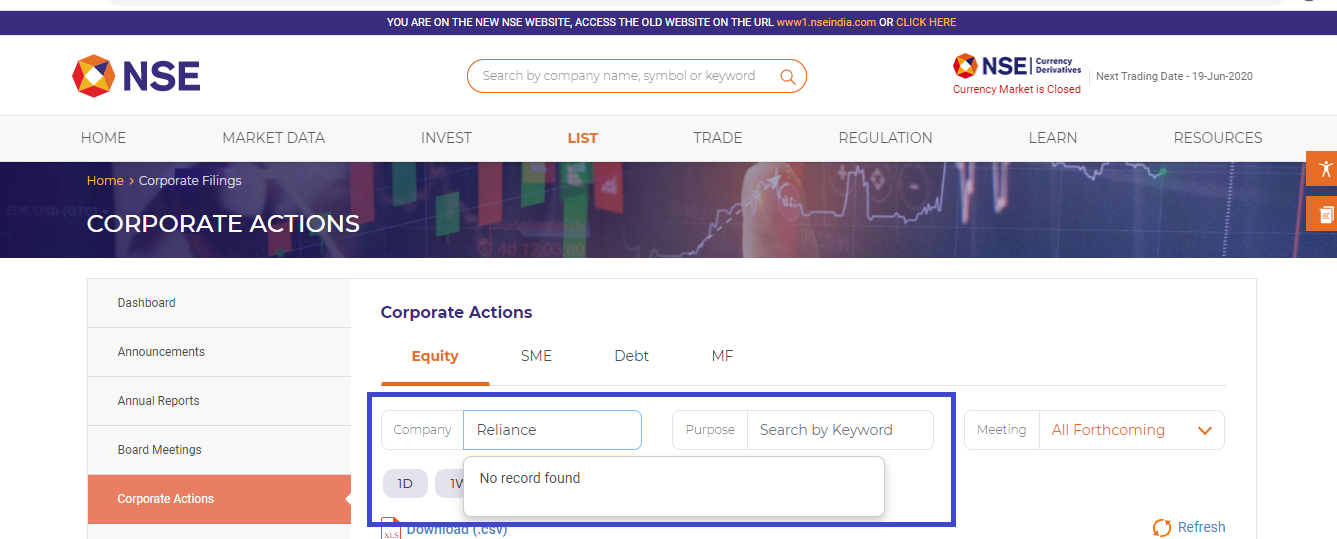
I’m trying to scrape the table from this website that would appear after you key in the company name in the textfield above it. The attached code block works well with such similar drop-downs of a normal google search and wolfram website, but when i run my script on the required website, that essentially just inputs the required text in the textfield – the dropdown shows ‘No Records Found’, whereas, when done manually it works well.
Answers:
Thank you for visiting the Q&A section on Magenaut. Please note that all the answers may not help you solve the issue immediately. So please treat them as advisements. If you found the post helpful (or not), leave a comment & I’ll get back to you as soon as possible.
Method 1
I executed your test adding a few tweaks and ran the test as follows:
-
Code Block:
from selenium import webdriver from selenium.webdriver.support.ui import WebDriverWait from selenium.webdriver.common.by import By from selenium.webdriver.support import expected_conditions as EC options = webdriver.ChromeOptions() options.add_argument("start-maximized") options.add_experimental_option("excludeSwitches", ["enable-automation"]) options.add_experimental_option('useAutomationExtension', False) driver = webdriver.Chrome(options=options, executable_path=r'C:WebDriverschromedriver.exe') driver.get('https://www.nseindia.com/companies-listing/corporate-filings-actions') WebDriverWait(driver, 20).until(EC.element_to_be_clickable((By.XPATH, "//div[@id='Corporate_Actions_equity']//input[@placeholder='Company Name or Symbol']"))).send_keys("Reliance") - Observation: Similar to your observation, I have hit the same roadblock with no results as follows:
Deep Dive
It seems the click() on the element with text as Get Data does happens. But while inspecting the DOM Tree of the webpage you will find that some of the <script> tag refers to JavaScripts having keyword akam. As an example:
<script type="text/javascript" src="https://www.nseindia.com/akam/11/3b383b75" defer=""></script><noscript><img src="https://www.nseindia.com/akam/11/pixel_3b383b75?a=dD02ZDMxODU2ODk2YTYwODA4M2JlOTlmOGNkZTY3Njg4ZWRmZjE4YmMwJmpzPW9mZg==" style="visibility: hidden; position: absolute; left: -999px; top: -999px;" /></noscript>
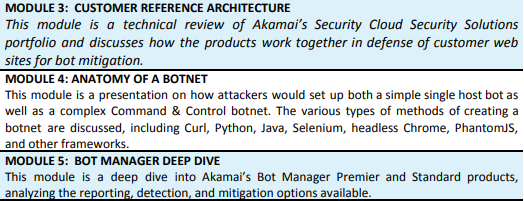
Which is a clear indication that the website is protected by Bot Manager an advanced bot detection service provided by Akamai and the response gets blocked.
Bot Manager
As per the article Bot Manager – Foundations:
Conclusion
So it can be concluded that the request for the data is detected as being performed by Selenium driven WebDriver instance and the response is blocked.
References
A couple of documentations:
tl; dr
A couple of relevant discussions:
- Selenium webdriver: Modifying navigator.webdriver flag to prevent selenium detection
- Unable to use Selenium to automate Chase site login
All methods was sourced from stackoverflow.com or stackexchange.com, is licensed under cc by-sa 2.5, cc by-sa 3.0 and cc by-sa 4.0