I have a Timetable model which only has two attributes at the moment, an Id and Date. It’s defined as so:
public class Timetable
{
    public int Id { get; set; }

    [Required, Column(TypeName = "Date"), DisplayFormat(DataFormatString = "{0:dd/MM/yyyy}")]
    public DateTime Date { get; set; }
}
I then scaffolded some basic CRUD functionality, and thanks to the DisplayFormat annotation it’s allowing me to create timetables with dates in the dd/MM/yyyy format. However, when I edit an existing timetable, the application is populating the Date text box with 01/01/2015 00:00:00 (see screenshot).
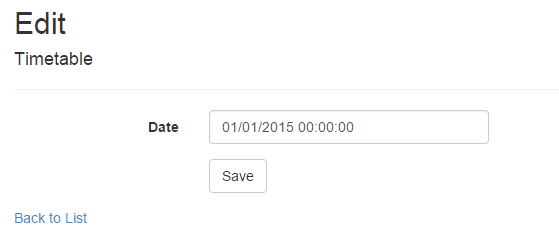
Is there any way to make my application only use the date, rather than date and time?
Answers:
Thank you for visiting the Q&A section on Magenaut. Please note that all the answers may not help you solve the issue immediately. So please treat them as advisements. If you found the post helpful (or not), leave a comment & I’ll get back to you as soon as possible.
Method 1
In order to render the browsers datepicker (<input type="date" ..>) using EditorFor() you need the following attributes on the property (note the ISO format means the date will be displayed in accordance with the browser culture)
[DisplayFormat(DataFormatString = "{0:yyyy-MM-dd}", ApplyFormatInEditMode=true)]
[DataType(DataType.Date)]
public DateTime Date { get; set; }
and in the view
@Html.EditorFor(m => m.Date)
Note the HTML5 date input is not supported in older browsers, and not at all in FireFox – see comparison here
All methods was sourced from stackoverflow.com or stackexchange.com, is licensed under cc by-sa 2.5, cc by-sa 3.0 and cc by-sa 4.0