In WordPress settings you can set a page as the Posts Page. This can be found:
WP-Admin->Settings->Reading Settings->Front page displays
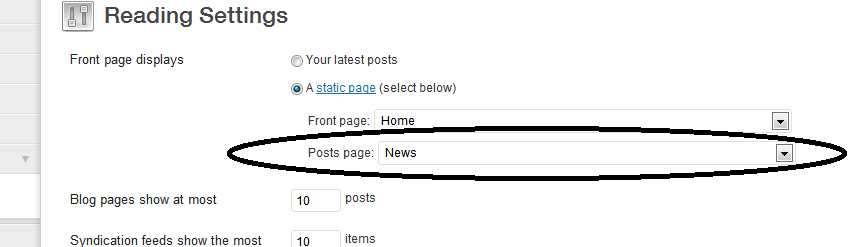
How do I retrieve the page ID that is set in this setting?
Answers:
Thank you for visiting the Q&A section on Magenaut. Please note that all the answers may not help you solve the issue immediately. So please treat them as advisements. If you found the post helpful (or not), leave a comment & I’ll get back to you as soon as possible.
Method 1
Use the page_for_posts option:
<?php
$page_for_posts = get_option( 'page_for_posts' );
?>
This will return the ID of the Page assigned to display the Blog Posts Index.
All methods was sourced from stackoverflow.com or stackexchange.com, is licensed under cc by-sa 2.5, cc by-sa 3.0 and cc by-sa 4.0