I have the following front-page template made:
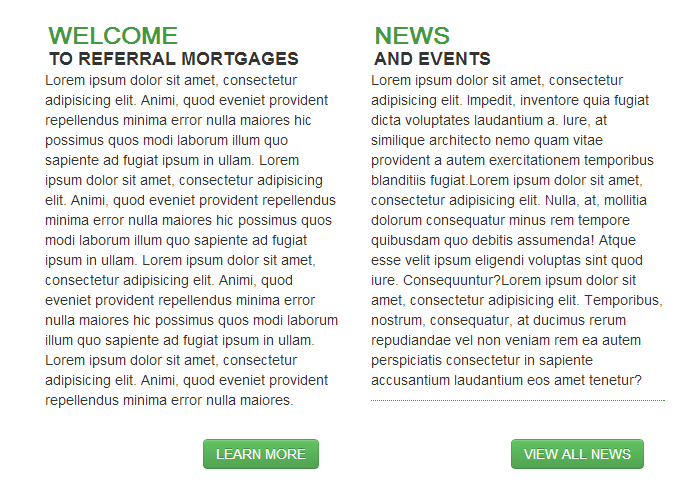
In place of those large Lorem Ipsum blocks, I need to show an “excerpt” from a specific page to fill that box (a certain number of characters).
How do I get a pages content in String format so that I can echo it out and trim down to a certain number of characters?
Answers:
Thank you for visiting the Q&A section on Magenaut. Please note that all the answers may not help you solve the issue immediately. So please treat them as advisements. If you found the post helpful (or not), leave a comment & I’ll get back to you as soon as possible.
Method 1
<?php

// would echo post 7's content up until the <!--more--> tag
$post_7 = get_post(7);
$excerpt = $post_7->post_excerpt;
echo $excerpt;

// would get post 12's entire content after which you
// can manipulate it with your own trimming preferences
$post_12 = get_post(12);
$trim_me = $post_12->post_content;
my_trim_function( $trim_me );

?>
Method 2
Here you go !
<?php
$my_id = 5369;
$post_id_5369 = get_post($my_id);
$content = $post_id_5369->post_content;
$content = apply_filters('the_content', $content);
$content = str_replace(']]>', ']]>', $content);
echo $content;
?>
Method 3
$post   = get_post( 42 );

$output =  apply_filters( 'the_content', $post->post_content );

echo $output;
from https://developer.wordpress.org/reference/functions/get_post/
Method 4
you can use this code it is work fine
change page_id=19 with your page number:
<?php $the_query = new WP_Query( 'page_id=19' ); ?>

<?php while ($the_query -> have_posts()) : $the_query -> the_post();  ?>

                       <?php the_excerpt(); ?>


     <?php endwhile;?>
Method 5
If you’re in the loop do this:
<?php
$my_excerpt = get_the_excerpt();
if ( $my_excerpt != '' ) {
    // Some string manipulation performed
}
echo $my_excerpt; // Outputs the processed value to the page
Or if you have an ID, get the post then sue the post_excerpt member var
e.g.
$post = get_post( $post_id );
echo $post->post_excerpt;
Method 6
Try this code and just change your page_id:
<?php $my_query = new WP_Query('page_id=20');
while ($my_query->have_posts()) : $my_query->the_post();
$do_not_duplicate = $post->ID;?>
 <h3><?php the_title(); ?></h3>
    <div class="text">

        <?php echo wp_trim_words( get_the_content(), 15, '...' ); ?>
 <a href="<?php echo get_page_link(); ?>" rel="nofollow noreferrer noopener" class="read-more">Read More</a>
    </div>

 <?php endwhile; ?>
Method 7
For one liner addicts like me. Change 69 by your page ID.
<?= apply_filters('the_content', get_post(69)->post_content); ?>
Method 8
Can do this with a shortcode. add the following to function.php
function lorem_func($attr) {
$txt = "<p>Lorem ipsum dolor .........</p>";
shortcode_atts(
 array(
    'repeat' => 1,
 ), $attr
);
return str_repeat($txt, $attr['repeat'] );
}
add_shortcode('lorem', 'lorem_func');
To render within content use;
[lorem repeat="2"]
Just need to mod the “Lorem ipsum dolor ………” for the length required. And the lorum repeat=2 change to the required amount of paragraphs. In the above example =2 means 2 paragraphs, so its multifuctional.
Method 9
Already answered but i think a much more handier function is get_post_field( ‘fieldname’, $post_id );
So in your case:
echo get_post_field( 'post_excerpt', $post_id );
All methods was sourced from stackoverflow.com or stackexchange.com, is licensed under cc by-sa 2.5, cc by-sa 3.0 and cc by-sa 4.0