Say I want to build a new page which will eventually replace an existing page. Rather then editing the existing page, I want to take my time and get it right, but when the new page is ready, I want it to have the URL of the original page.
How do I do that please? Presumably if I edit the just permalink to be the same as the exiting page, there will be two pages with the same permalink, which will cause problems?
Answers:
Thank you for visiting the Q&A section on Magenaut. Please note that all the answers may not help you solve the issue immediately. So please treat them as advisements. If you found the post helpful (or not), leave a comment & I’ll get back to you as soon as possible.
Method 1
The process to do this isn’t probably as complex as you think.
- Leave the existing page exactly as-is. Don’t change its slug etc.
- Create a new page draft
- Create the new page content as you’d like it to have.
- Once the new page is complete, and ready to go, go back to the original page and change its slug to anything else. (see below gif #1)
- Go to the new page, and set its slug to the original page slug (that you changed in step #4)
- Publish the new page.
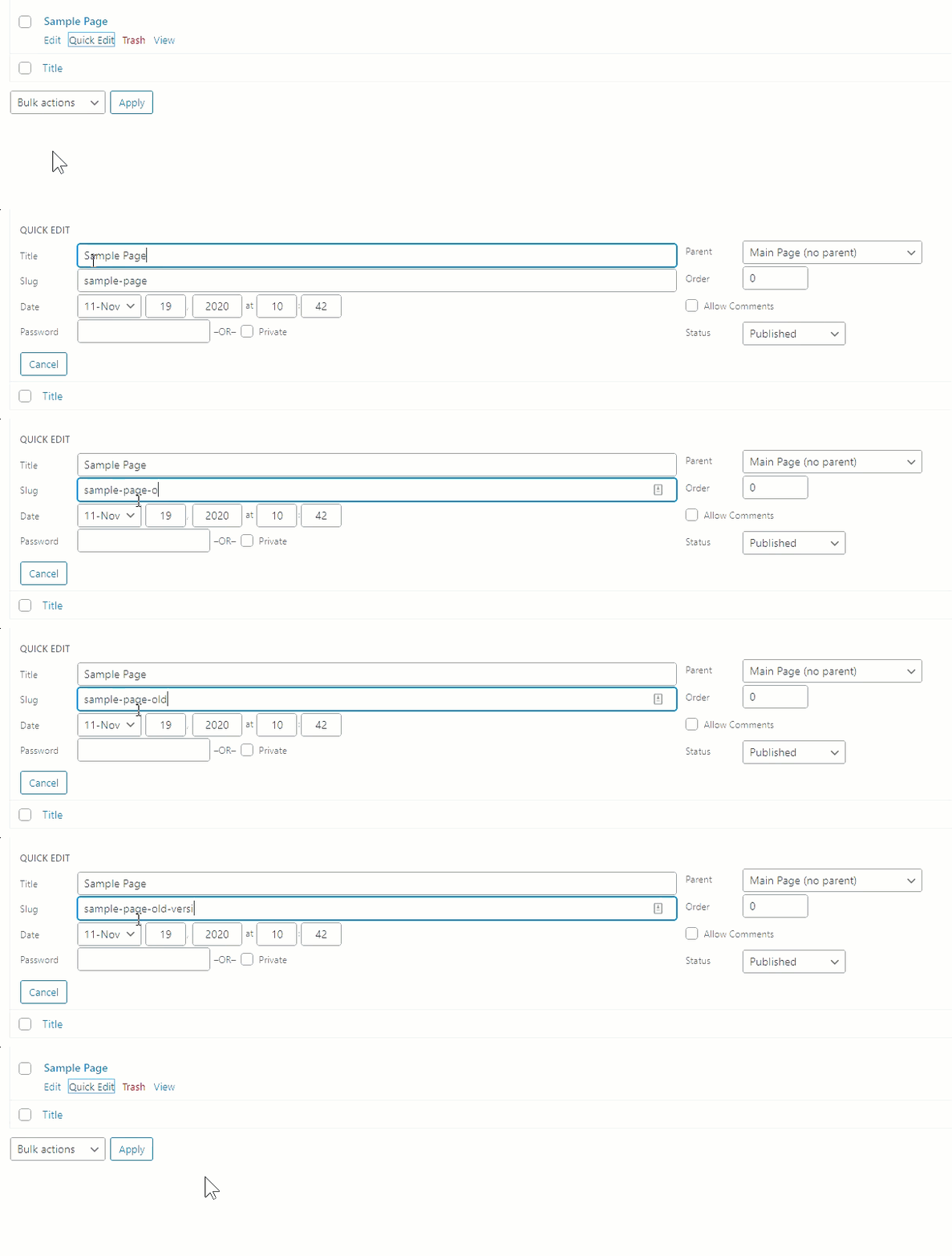
If you no longer want to keep the old page, change its status to draft, and/or delete it (so it doesn’t show up in your sitemap).
If you want to keep the old page, decide on the slug you’d like to have and update it as necessary.
All methods was sourced from stackoverflow.com or stackexchange.com, is licensed under cc by-sa 2.5, cc by-sa 3.0 and cc by-sa 4.0